How to build an iOS app with AI and keep the React Native source code
An AI-built app is only truly yours if you can take the code and keep going without the tool. Here is how to build with AI, what a healthy exported project looks like and how to hand it to a developer.
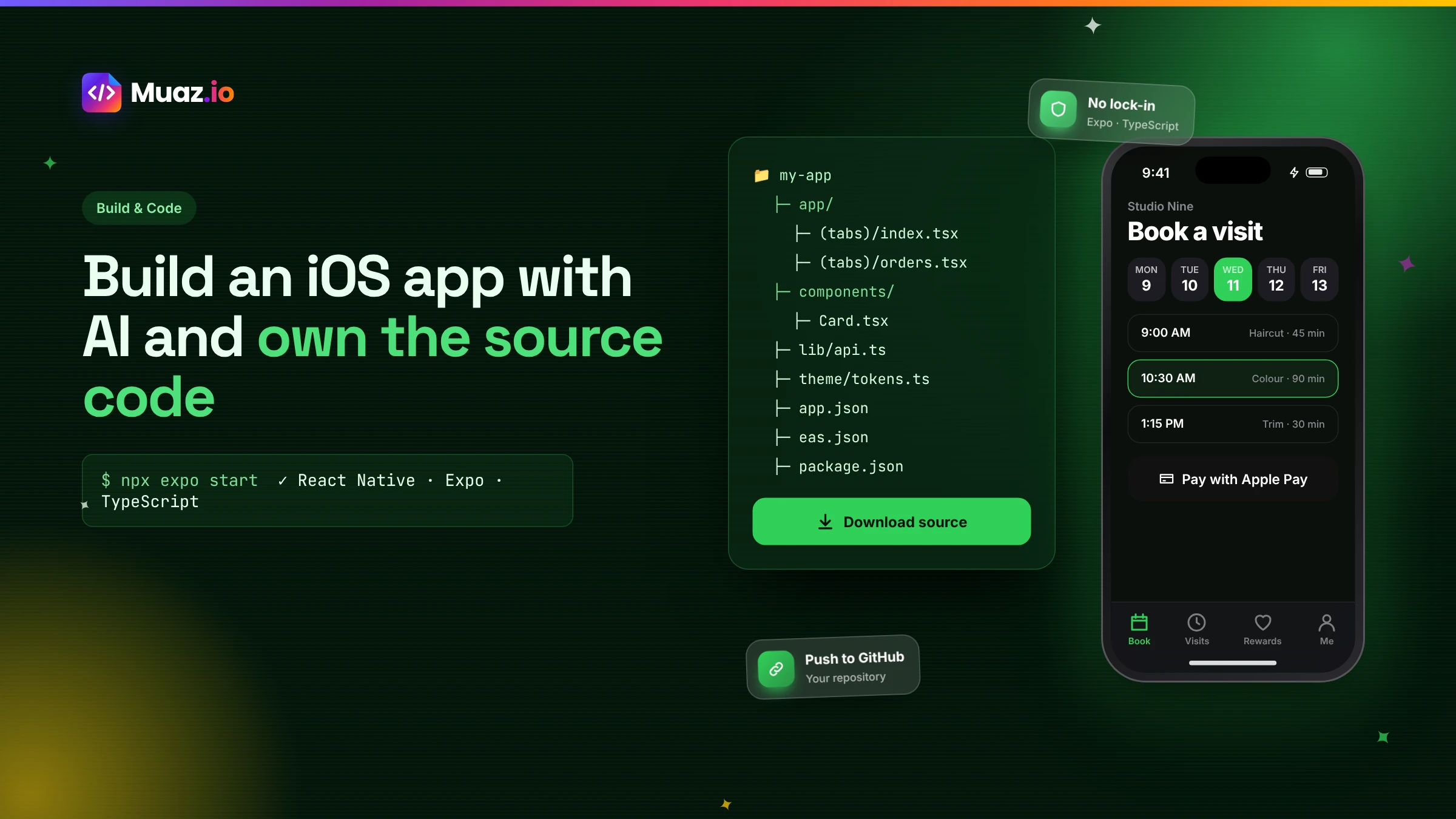
Some builders give you full source code, others keep apps on their platform. Muaz.io generates a standard React Native and Expo project you own from the first build and can sync to your own repository. Always check before you build, because ownership decides your options later.
- It can be, when the builder generates structured, typed code with a consistent design system, tests and clear separation between screens, components, state and API calls.
- Node.js, a package manager and the Expo tools. You can run it in a simulator or on your iPhone with a development build, and build for the App Store with Expo's EAS Build in the cloud, so a Mac is optional.
- Yes, if the code follows mainstream conventions. A React Native developer should recognise the structure immediately: Expo Router routes, components, hooks, a typed API client and design tokens.
- It includes the typed client that talks to your backend and, where the builder created backend pieces, those too.
There is a moment in every app project when someone asks, "Who owns this?" Sometimes it is an investor during due diligence. Sometimes it is a developer you want to hire. Sometimes it is you, looking at a price change from your app builder and wondering what happens if you leave.
If your app was built with AI, the answer depends entirely on one thing: whether you have the source code, and whether it is code a normal developer can work with. This guide explains how AI app builders produce code, what a healthy exported React Native project looks like, how to check it and how to hand it over. It is written for founders and product owners, with enough detail for the developer who will eventually read the code.
Three kinds of AI app builder, three kinds of ownership
Not every AI app builder gives you code, and those that do give you very different things.
Platform-hosted builders. The app runs on the vendor's platform. You can publish it, but you cannot take the code elsewhere. Leaving means rebuilding. This is fine for simple internal tools, and risky for products.
Code generators. You describe the app and receive code, often in a browser-based editor. You own the code, but quality and structure vary, and you are responsible for building, signing and publishing.
Full-pipeline builders with code ownership. The tool researches, designs, generates, tests and prepares publishing, and gives you a standard project you can export at any time. Muaz.io is in this group: it produces a React Native and Expo project that you own from the first build.
Before you build anything, ask your tool which group it belongs to. Our guide to the best AI iOS app builders lists the ownership model of ten popular tools.
Why React Native and Expo?
React Native lets you build native iOS and Android apps with JavaScript or TypeScript and React's component model. It renders the platform's own native components, so apps feel at home on iPhone, and it has one of the largest developer communities in mobile. Expo adds a mature toolchain on top: file-based routing with Expo Router, a library of native modules, cloud builds with EAS Build and over-the-air updates for JavaScript changes within Apple's rules.
For an AI builder, this stack has two big advantages. First, it is mainstream, so the code your app is built in is code thousands of developers already know. Second, it reaches iOS and Android from one codebase, so your options stay open.
See your app before you pay for anything
Paste your website or describe your idea. Muaz.io researches your competitors and designs an original app you can try on your iPhone.
How AI turns your idea into a codebase
Here is what happens inside a full-pipeline builder like Muaz.io when you go from an idea to code.
- Research and brief. Competitor research on 5, 10 or 20 App Store apps and a written brief define what to build. This is the step most code generators skip, and it is why their output can be technically fine but strategically weak.
- Design system. Your brand is turned into design tokens: colours, typography, spacing and radii. Every component uses these tokens, so the app is consistent and easy to rebrand.
- Screen map and navigation. The brief's screen map becomes routes, tabs and stacks in Expo Router.
- Components. Reusable UI pieces such as cards, lists, buttons, inputs and empty states are generated from the design system.
- Data layer. A typed API client is generated from your API documentation, ideally an OpenAPI definition, with hooks for fetching, caching and mutations.
- Native capabilities. Notifications, Face ID, camera, widgets and payments are added with the permission text Apple requires.
- Quality. Type checking, linting and automated test scenarios run on every build.
- Build and publish. Cloud builds produce TestFlight and App Store binaries.
Each step produces files you can see. Nothing is hidden behind a proprietary runtime.
What a healthy exported project looks like
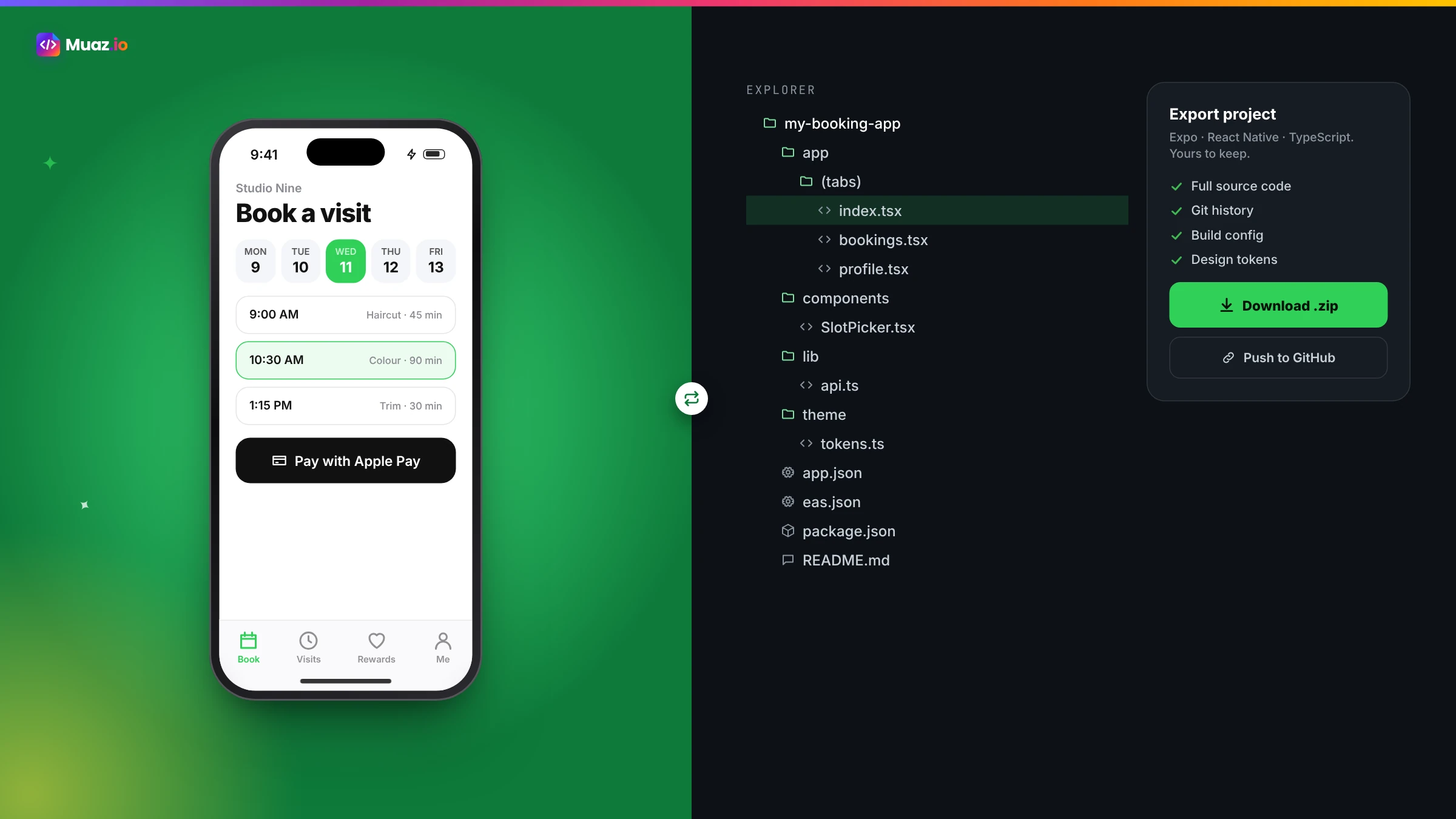
When you export a Muaz.io project, a React Native developer should recognise the structure in seconds. A typical layout looks like this.
| Folder or file | What it contains |
|---|---|
app/ | Expo Router routes: tabs, stacks and screens, one file per route |
components/ | Reusable UI components built on the design system |
theme/ | Design tokens: colours, typography, spacing, radii, dark mode |
api/ | Typed API client, request helpers and error handling |
hooks/ | Data fetching and mutation hooks, plus feature logic |
features/ | Feature modules such as auth, notifications, payments |
assets/ | Icons, images and fonts |
tests/ | Automated tests for key flows |
app.json and eas.json | App configuration and build profiles |
README.md | How to run, build and configure the project |
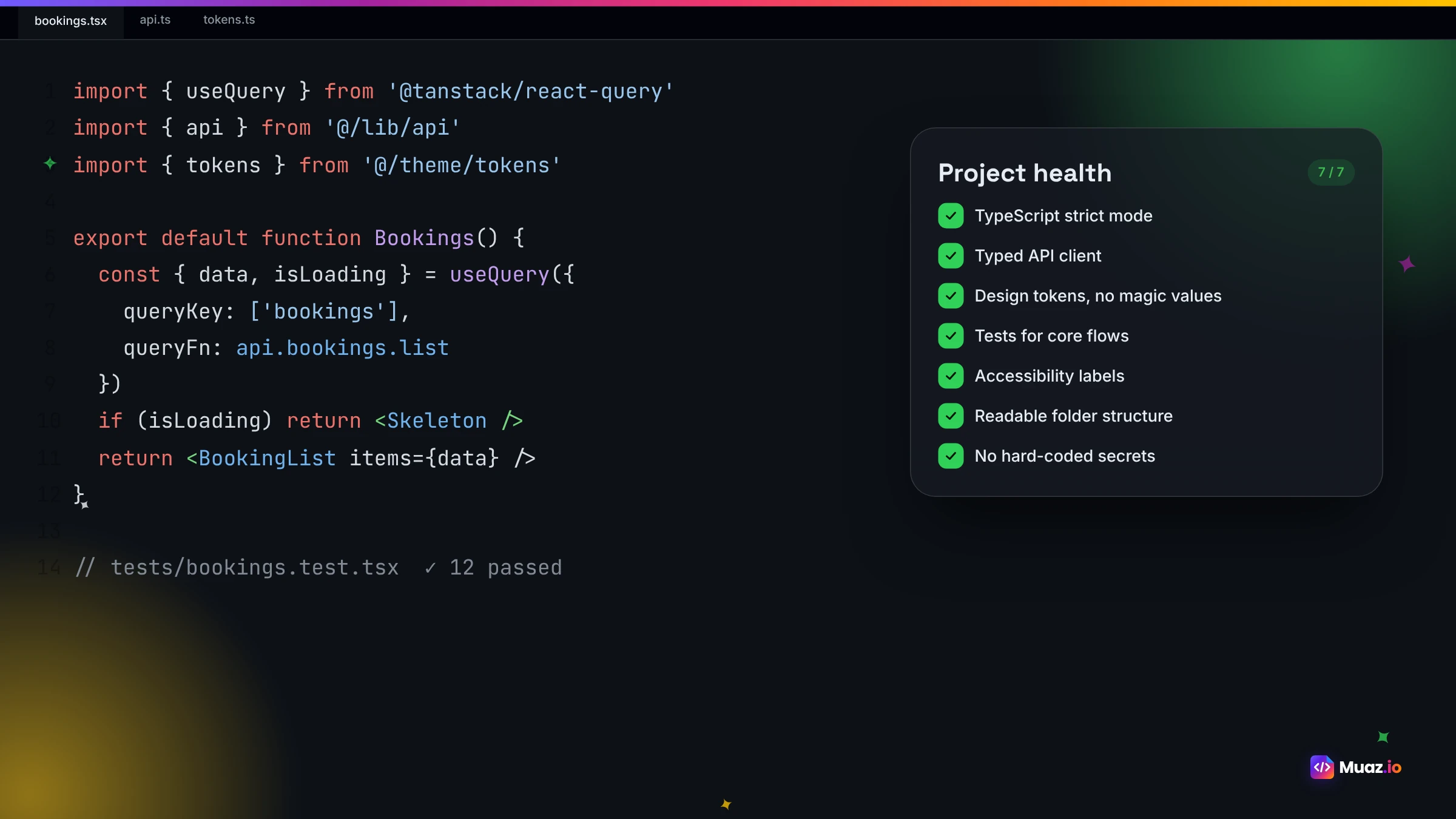
Good projects share a few traits: TypeScript throughout, small focused components, no business logic buried in screens, a single place for design tokens, a single place for API calls and no secrets in the code.
How to check an AI-generated project in 20 minutes
You do not need to be a developer to do a first check. Open the project and look for these signs, then ask a developer to confirm.
- It runs. Following the README, the app starts in a simulator or on your phone.
- It is typed. Files end in
.tsor.tsx, and type checking passes with no errors. - It is organised. Folders like the table above, not one giant file.
- It is consistent. Colours and fonts come from the theme, not hard-coded everywhere.
- It is secure. No API keys, passwords or service credentials in the code. Tokens are stored in the iOS Keychain.
- It is documented. A README explains how to run, configure and build.
- It is tested. There are tests for the main flows, and they pass.
If a project fails several of these, it will be expensive to maintain, however good the app looks.
Connecting the code to your backend
Most apps need data. In a healthy project, all communication with your backend goes through one typed client. When your API is described with an OpenAPI definition, the builder can generate types for every request and response, so mistakes are caught when the app is built rather than by your users.
Two rules matter. First, the app should never contain secrets; anything privileged happens on your server, and the app authenticates as the user. Second, the builder should never invent endpoints. Muaz.io's Backend Connector only uses documented APIs and lists anything missing as a request for your team. That keeps the generated code honest and your backend in control. If you are connecting a SaaS product, our guide to converting a SaaS website into a native iOS app covers authentication and push notifications in detail.
Security in generated code
Security is easier to build in than to add later. A well-generated project follows OWASP Mobile Application Security guidance: tokens in the Keychain, no secrets in the bundle, certificate handling where required, input validated on the server, sensitive screens protected with Face ID and sessions that can be revoked. Ask your builder how it handles each of these, and have a developer check before you launch. For enterprise requirements such as single sign-on and audit logs, see Muaz.io for enterprise.
Start free. Approve every step.
- Research 5, 10 or 20 competitors
- Original design, never copied
- Test on your iPhone today
- You own the code
Handing the project to a developer
When you are ready to bring in a developer or agency, a clean handover saves weeks.
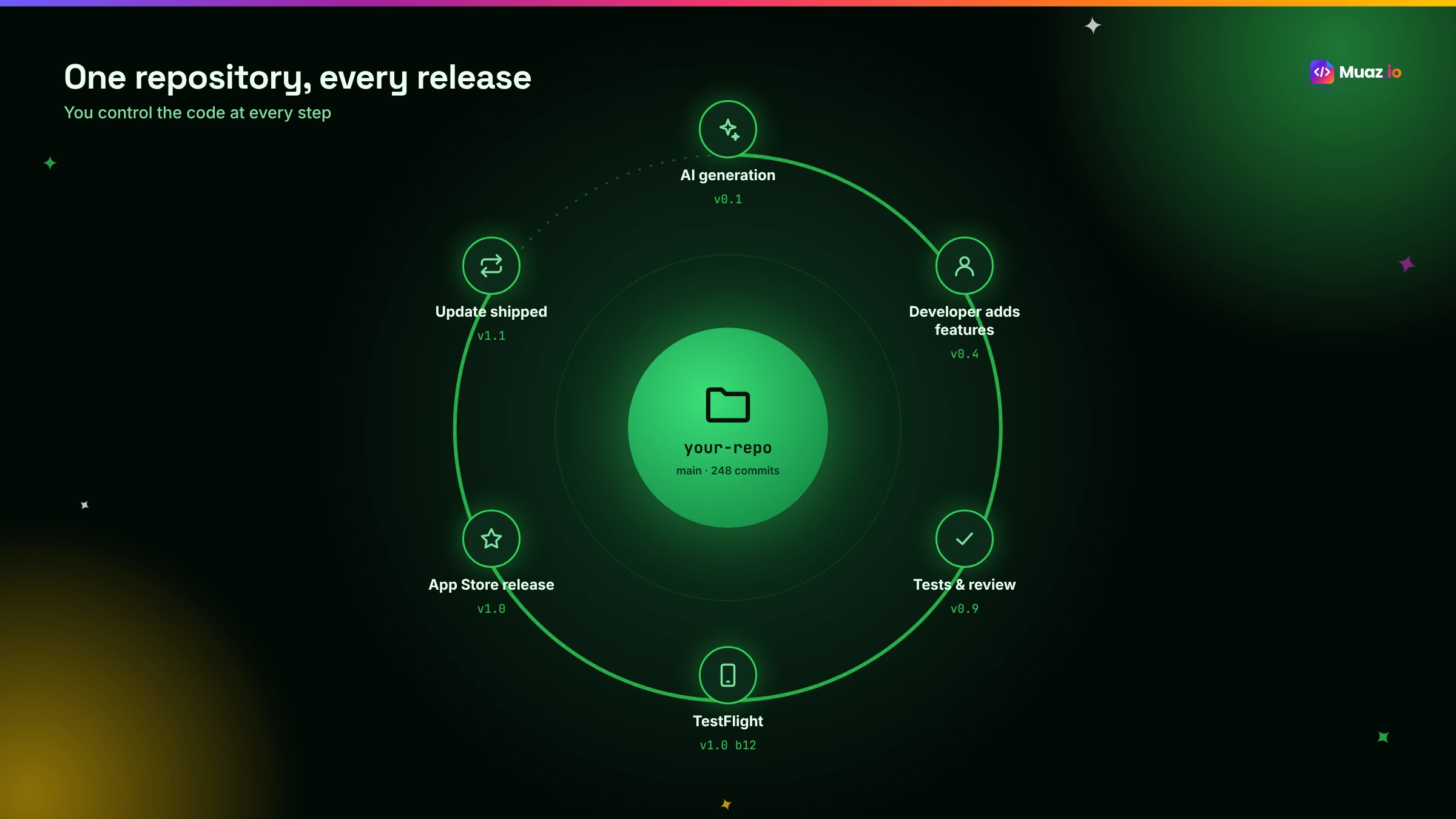
- Sync to your repository. Push the project to your own GitHub, GitLab or Bitbucket organisation so you control access.
- Share the brief and design. The product brief, design concepts and version history explain why the app looks and works the way it does.
- Share environment configuration. API base URLs, authentication settings and build profiles, with secrets shared through a secure channel, not in the code.
- Transfer Apple access. Add the developer to your App Store Connect team with the right role, rather than sharing your Apple ID.
- Agree on workflow. Pull requests, code review and who approves releases.
A developer receiving a well-structured Expo project can usually start contributing on day one. If they prefer to keep using Muaz.io for design and generation while they write custom modules, both can work on the same repository.
Extending the app beyond what the builder offers
Owning the code means you are never limited by the builder. Common extensions include custom native modules for specialised hardware, complex offline synchronisation, unusual animations, proprietary SDKs from partners and integrations with legacy systems. Because the project is standard React Native, your developers can add these the usual way, and Expo's development builds support custom native code.
Building and shipping from the exported code
You do not need a Mac to build the exported project. Expo's EAS Build compiles and signs iOS apps in the cloud, and EAS Submit sends them to App Store Connect. Your developer runs a build command, the build runs on Expo's servers and the result appears in TestFlight. Our guide to building an iPhone app without a Mac walks through the full workflow.
Code ownership and fundraising
Investors increasingly ask how an app was built. A clear answer helps: "It is a standard React Native and Expo codebase in our repository, generated with an AI pipeline and reviewed by our developer." That signals low platform risk and easy hiring. Contrast that with "it lives on a no-code platform we cannot export from", which can raise questions about scalability and lock-in. Ownership is not just a technical detail; it is part of your company's value.
Common myths about AI-generated code
"AI code is unmaintainable." It depends on the generator. Structured, typed, tested code from a design system is often more consistent than code written quickly by hand.
"You cannot customise AI-generated apps." You can, if you own standard code. That is the whole point.
"React Native is not really native." It renders native components and uses native APIs. Many well-known apps use it.
"Exporting means you can never use the builder again." Not with Muaz.io; you can keep generating and refining while developers work in the same repository.
Questions to ask any AI builder about code
- Can I export the full project today, at no extra cost?
- What framework and language is it in?
- Is it typed, tested and documented?
- Where are secrets stored?
- Can my developers work in the same repository while I keep using the builder?
- Can I build and publish without the builder if I need to?
Download the handover checklist below to review a project before you rely on it.
Free: Code Handover Checklist
What to check in an AI-generated React Native project before you hand it to developers or investors.
We’ll email the resource and a few practical tips. Unsubscribe in one click. We never sell your data.
Our recommendation
Build with a tool that gives you standard, structured source code from day one. It costs nothing extra in the beginning and protects every option later: hiring, fundraising, custom features and switching tools. If you want to see what an AI-generated React Native project looks like for your own idea, start with Muaz.io's free research and design, then export the project from your first build and have a developer take a look.
A day in the life of an AI-generated codebase
To make this tangible, imagine a booking app generated by Muaz.io six months ago. The founder still uses the builder to try design ideas by voice: a new onboarding screen, a seasonal promotion banner. A freelance React Native developer works in the same repository two days a week, adding a custom integration with the clinic's legacy scheduling system and improving offline behaviour. Each change, from either source, goes through a pull request. The QA checks run on every build, and releases go out every two weeks through EAS Build and TestFlight. Nobody worries about who owns what, because everything is in the company's repository.
That is what ownership looks like in practice: not a one-time export, but a codebase that people and AI can both work on safely.
What happens if you stop using the builder
With standard code, leaving is undramatic. Your developers keep working on the repository, building with Expo's tools and publishing through your App Store Connect account. You lose the builder's conveniences, such as research, design generation and voice editing, but nothing that runs your app. That is the test of genuine ownership: the app keeps living without the tool that created it.
Versioning, branches and safe changes
Treat an AI-generated project like any professional codebase. Keep the main branch releasable, make changes on branches, review them through pull requests and tag every release. Muaz.io records every generated change as a version with a plain-language description and can open those changes as pull requests, so your developer sees exactly what the AI changed and why. If a change causes a problem, you can revert it in the repository just like any other commit.
Testing strategy for generated apps
A healthy project has three layers of tests. Unit tests for shared logic such as validation, pricing and permissions. Component tests for important UI pieces, checking that they render correctly in empty, loading and error states. And end-to-end tests for the main journeys, such as signing up, completing the core action and purchasing. The QA agent generates and runs a baseline set; your developers should extend it as the app grows. Testing on real devices through TestFlight remains essential, especially on smaller and older iPhones.
Performance and app size
Generated code should be efficient by default: virtualised lists for long content, cached images, minimal re-renders and lazy loading of heavy screens. Check the app's launch time and size before release, because both affect reviews and conversion. If the app includes large assets, host them remotely or compress them. Developers can profile the app with standard React Native tools and optimise the hot spots, another benefit of owning mainstream code.
Licences and third-party code
Every React Native project depends on open-source packages, and your exported project is no different. Most of the ecosystem uses permissive licences such as MIT, which allow commercial use, but it is good practice to keep a list. Ask your builder to generate a licence report, or run a standard licence-checking tool on the project. Also confirm that the generated code itself is yours to use commercially without restrictions; with Muaz.io it is. If you add fonts, icons or images, check their licences too, especially anything used in your App Store screenshots.
Accessibility is part of code quality
Accessible apps are better apps, and accessibility is easiest when it is built into components rather than added screen by screen. In a well-generated project, every button and interactive element has an accessibility label, text uses the system's Dynamic Type sizes, colours meet contrast guidelines in light and dark mode and touch targets are comfortably large. Test with VoiceOver on a real iPhone. If you sell to larger organisations, accessibility may be a procurement requirement, and owning the code means you can fix any gaps directly.
From prototype to production
Many apps start as a quick prototype and grow into a product. Owning structured code makes that transition smooth. As usage grows, your developers can add analytics, crash reporting, feature flags, background sync, localisation and more sophisticated caching without rewriting the foundation. Teams that start with a platform-hosted builder often hit a ceiling at exactly this point and face a rebuild. Starting with exportable React Native code means the prototype you test with friends can become the app you scale, with the same repository and the same App Store listing.
How AI and developers work best together
The most productive teams we see use AI for what it does best and people for what they do best. AI handles research, the first design, boilerplate screens, consistent components, typed API clients, test scaffolding and App Store assets. Developers handle unusual integrations, performance tuning, complex state and code review. Product owners make the decisions in between: what to build, what to cut and what good looks like. When the code is standard and shared, nobody is blocked waiting for anyone else, and the app improves every week.
Configuration and environments
Professional apps run in more than one environment: development for building features, staging for testing with realistic data and production for real users. A good exported project makes this explicit, with build profiles in eas.json and environment settings for API URLs and feature flags, loaded at build time rather than hard-coded. Secrets stay in your build service's secure storage or on your server. This lets your team test a release against staging, then promote exactly the same code to production with confidence. If your builder exports a single hard-coded configuration, ask how to separate environments before you launch.
Monitoring after launch
Owning the code also means you can see how it behaves in the real world. Add crash reporting and performance monitoring so you know when something breaks and on which devices. Track the key events in your main journeys so you can see where users drop off. Declare any analytics in your App Store privacy labels. With a standard React Native project, adding these tools is a routine task for any developer, and the insights feed straight back into your next round of AI-generated improvements.
A note on Swift
Some teams ask whether they should export Swift instead. Swift and SwiftUI are excellent, especially for apps that need the newest Apple features first. The trade-off is reach and reuse: a Swift codebase is iOS only, and fewer AI pipelines generate production-ready Swift with the same research, design and publishing support. For most products, React Native's single codebase for iOS and Android and its huge developer pool make it the more practical choice for ownership.
The real cost of not owning your code
It is easy to underestimate lock-in until it bites. Teams that build on a platform they cannot export from often discover the cost at the worst moment: when an investor asks about scalability, when a key feature is impossible on the platform or when pricing changes. At that point the only option is a rebuild, often under time pressure. Owning standard code from the start costs nothing extra and turns those moments into ordinary engineering decisions.
Glossary
React Native. A framework for building native apps with React and JavaScript or TypeScript.
Expo. A platform and toolchain that simplifies building, testing and publishing React Native apps.
Expo Router. File-based routing for Expo apps.
EAS Build. Expo's cloud service for compiling and signing app binaries.
Design tokens. Named values for colours, typography and spacing used across the app.
Typed API client. Generated code that checks requests and responses against your API's schema.
Over-the-air update. A JavaScript update delivered without a new App Store build, within Apple's rules.
Build fast with AI, but always keep the keys to what you build.

Monjur builds Muaz.io and incorporated MotionTrust Digital in September 2022, where he leads Amazon strategy across the client base. Eight years in e-commerce and marketplace marketing taught him how much growth a great mobile app unlocks, so every guide here is tested against the real product and current App Store rules before it goes live.
Questions about ownership guide
Short, direct answers. Still curious? Ask in the builder; the assistant knows your project.
Can I get the source code from an AI app builder?
Some builders give you full source code, others keep apps on their platform. Muaz.io generates a standard React Native and Expo project you own from the first build and can sync to your own repository. Always check before you build, because ownership decides your options later.
Is AI-generated React Native code good quality?
It can be, when the builder generates structured, typed code with a consistent design system, tests and clear separation between screens, components, state and API calls. Ask to see a sample project and have a developer you trust review it.
What do I need to run the exported project?
Node.js, a package manager and the Expo tools. You can run it in a simulator or on your iPhone with a development build, and build for the App Store with Expo's EAS Build in the cloud, so a Mac is optional.
Can developers keep working on an AI-generated app?
Yes, if the code follows mainstream conventions. A React Native developer should recognise the structure immediately: Expo Router routes, components, hooks, a typed API client and design tokens. That is what makes it maintainable.
Does the exported app include the backend?
It includes the typed client that talks to your backend and, where the builder created backend pieces, those too. Secrets and API keys are kept on the server, not in the app, so you configure them in your own environment.
Why does code ownership matter?
It protects you from price changes and platform limits, lets you hire any React Native developer, makes due diligence easier when raising money and means you can add custom features the builder does not support.
Is React Native a real native app?
Yes. React Native renders the platform's own native components and has access to native APIs. Many large, well-known apps use it in production.
We build it. You own it.
From Builder up, export the full React Native and Expo repository to your Git, ready for your own developers.
Your app is being built.
+ New suggestionMuaz agents start on it right away.Keep reading
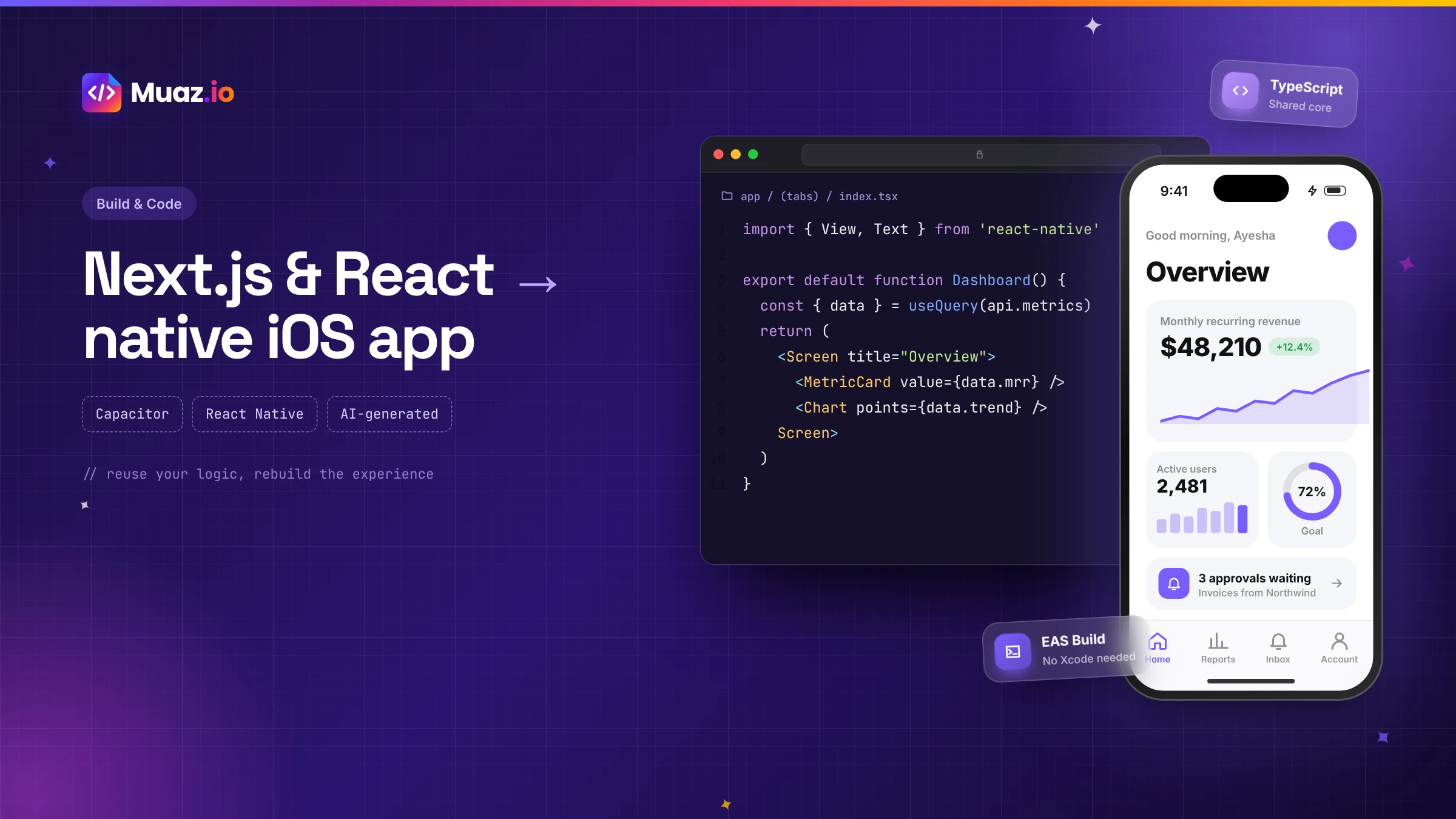 SaaS & Web Apps15 min readHow to Convert a Next.js or React Web App into a Native iOS App
Three proven ways to turn a Next.js or React web app into an iPhone app: Capacitor with a static export, a React Native rebuild sharing your logic, or an AI-generated native app. Pros, cons and steps.
Monjur Hossain· Tools & Comparisons16 min read10 Best AI iOS App Builders in 2026: Features, Pricing & Native Support
We compared 10 AI app builders specifically for iPhone apps: native output, App Store publishing, code ownership, design quality and 2026 pricing, with honest picks by use case.
Monjur Hossain·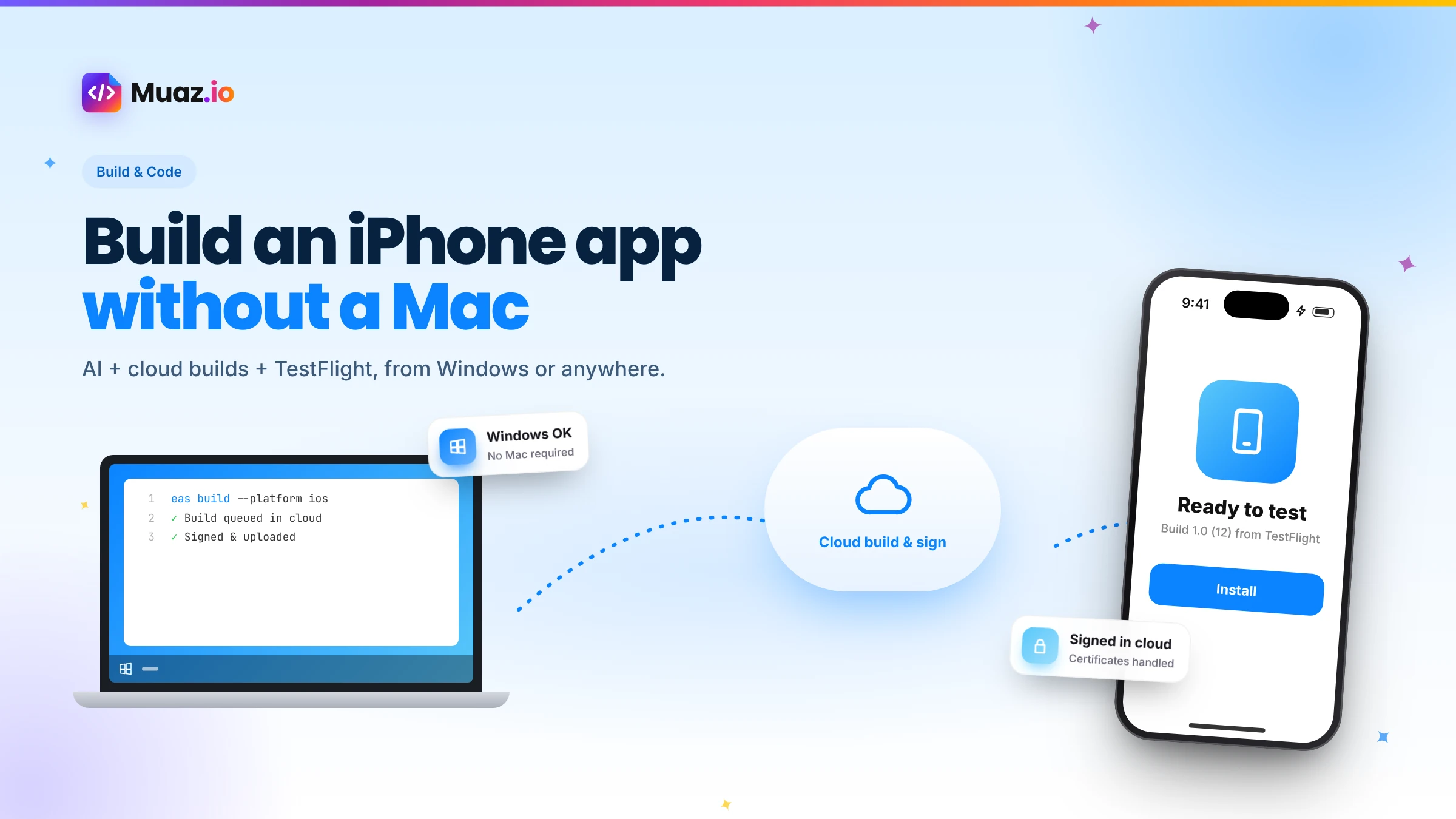 Build & Code15 min readHow to Build an iPhone App Without a Mac Using AI and Cloud Builds
You do not need a Mac to build and publish an iPhone app in 2026. Here is how AI builders and cloud services like Expo EAS compile, sign, test and submit iOS apps from Windows or Linux.
Monjur Hossain·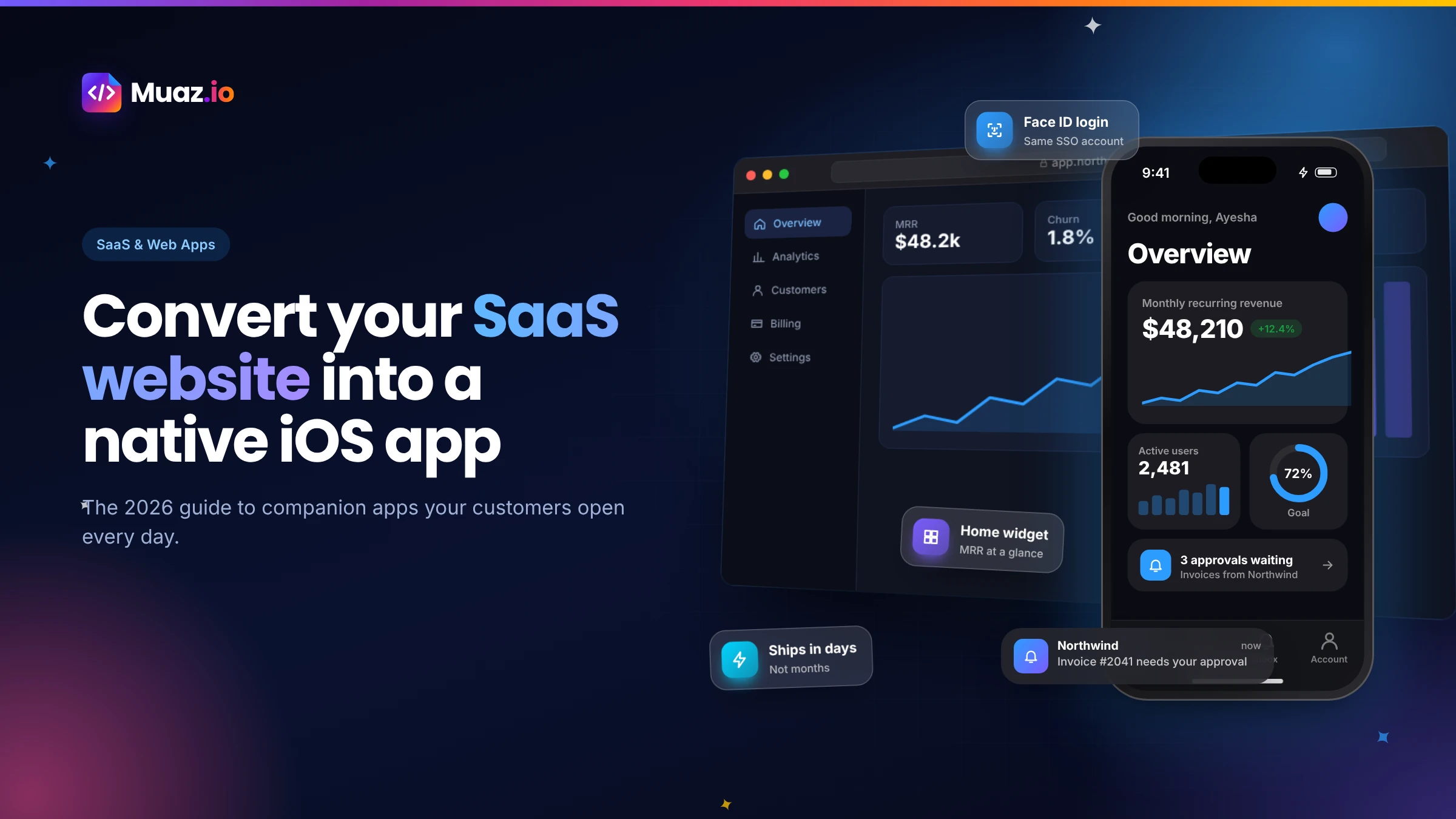 SaaS & Web Apps18 min readHow to Convert a SaaS Website into a Native iOS App Using AI (2026 Guide)
A practical, step-by-step guide to turning your SaaS web app into a native iPhone app with AI: what to build, how to connect your API and login, push alerts, App Review and cost.
Monjur Hossain·Tools and products for the next step
- Paste a URL, get three original designs
- Free research before you pay
- 5, 10 or 20 App Store rivals analysed
- Review themes, pricing and gaps
- Screenshots, metadata and privacy labels
- TestFlight and submission checklist
Where our numbers come from
Third-party figures are estimates published by the sources below. Prices and rules change; check the source before you decide.
- React Native documentationreactnative.dev/docs/getting-started
- Expo documentationdocs.expo.dev
- Expo Router documentationdocs.expo.dev/router/introduction
- Expo EAS Builddocs.expo.dev/build/introduction
- TypeScript handbookwww.typescriptlang.org/docs/handbook/intro.html
- OWASP Mobile Application Securitymas.owasp.org
- OpenAPI Specificationspec.openapis.org/oas/latest.html