How to convert a Next.js or React web app into a native iOS app
You have a React or Next.js product and users who want it on their iPhones. Here are the three realistic paths, what each costs you in time and quality, and how to choose without rewriting everything.
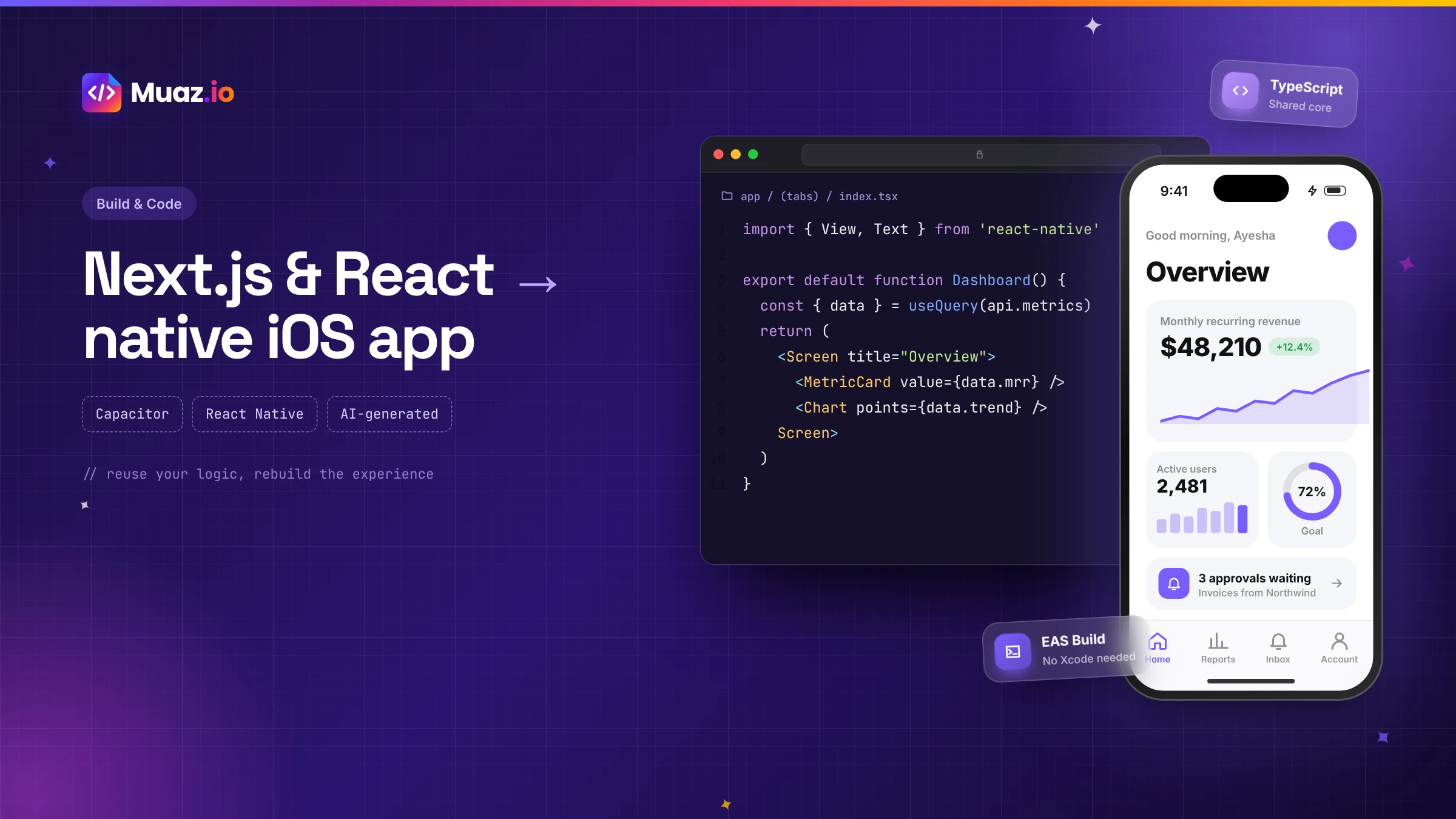
Yes, but Capacitor packages static files, so you generally need a static export of your Next.js app. Features that depend on server rendering at request time, such as server-side rendering per request, need to move to an API your app calls instead.
- They share the same component model, hooks and much of the JavaScript ecosystem, but React Native renders native iOS components instead of HTML.
- Typically the non-visual layers: API clients, types, validation, data fetching, state and utility functions.
- Capacitor apps are approved regularly when they offer real native value.
- Not necessarily. Expo's EAS Build compiles iOS apps in the cloud, and some Capacitor cloud build services do the same.
If you built your product with React or Next.js, you are in a better position than most teams when the "we need an iPhone app" conversation starts. Your team already thinks in components. Your logic is already in JavaScript or TypeScript. Your API probably already exists. The question is how much of that you can carry across, and what kind of app you end up with.
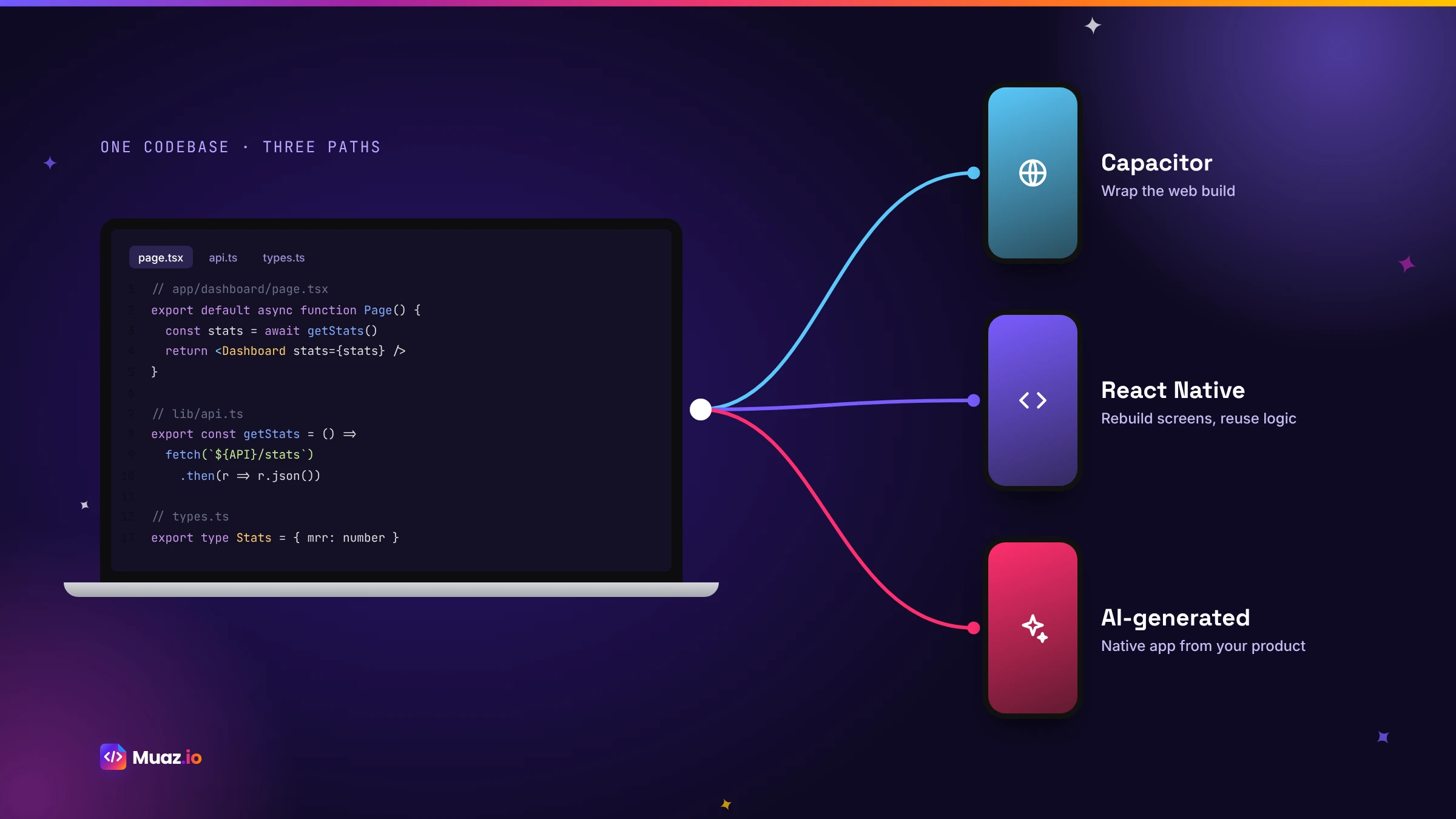
There are three realistic paths. You can package your web app with Capacitor, which reuses almost everything but keeps a web interface. You can rebuild the interface in React Native and share your logic, which takes more work but gives you a truly native app. Or you can let AI generate the native app from your product and API, which gives you the React Native result at a fraction of the effort. This guide walks through each one honestly, with steps, trade-offs and a way to decide.
Before you choose: what kind of app do your users need?
Start with your users, not your stack. Ask what they will do in the app and how often. If they need to glance at a dashboard occasionally, a packaged web app might be enough. If they will use it daily, rely on notifications, approve things on the go or work offline, they need a native experience. And if you want the App Store to be a growth channel, the app needs to look and feel as good as the best apps in your category.
Next, look at your codebase. How much of your Next.js app depends on server rendering at request time? How is authentication handled: cookies, tokens or a provider? Is your business logic separated from your components, or mixed in? The answers shape which path is easiest.
Path 1: Capacitor with a Next.js static export
Capacitor is an open-source runtime that packages web apps as native iOS and Android apps and gives them access to device features through plugins. Because Capacitor serves static files from inside the app, Next.js projects usually use a static export, which generates plain HTML, CSS and JavaScript at build time. Guides such as Capgo's Next.js and Capacitor walkthrough cover the setup in detail.
The broad steps look like this:
- Make the app exportable. Configure Next.js for static export and remove anything that requires a server at request time, such as per-request server rendering or server actions called from the client. Move that logic behind API routes hosted elsewhere, or a separate backend.
- Handle images and routing. Static exports have constraints on image optimisation and dynamic routes; use unoptimised images or a CDN, and pre-generate the routes you need.
- Add Capacitor. Install Capacitor, initialise it with your export folder as the web directory and add the iOS platform.
- Fix the shell details. Safe areas so headers do not hide under the status bar, a splash screen, an app icon and correct status bar styling.
- Add native plugins. Push notifications, camera, haptics or secure storage, each with the permission text Apple requires.
- Build and sign. Use Xcode on a Mac or a cloud build service, then distribute through TestFlight.
Pros: maximum reuse, one codebase for web and app, fast to a first build. Cons: the interface is still web-based, so scrolling, gestures and transitions feel like a mobile website; server-rendered features need rethinking; and if the app adds little beyond your site, Apple's guideline 4.2 is a real risk.
See your app before you pay for anything
Paste your website or describe your idea. Muaz.io researches your competitors and designs an original app you can try on your iPhone.
Path 2: rebuild the interface in React Native and share your logic
React Native uses the same component model and hooks as React, but renders native iOS components instead of HTML. That means your team's skills transfer directly, and a large share of your non-visual code can be shared. With Expo and Expo Router, React Native even has file-based routing that will feel familiar to Next.js developers.
What you can usually share:
- API clients and types, especially if generated from an OpenAPI schema.
- Validation with libraries such as Zod.
- Data fetching and caching with tools like TanStack Query.
- State management and business rules.
- Utilities: dates, formatting, permissions logic.
What you rebuild:
- Screens and components, because
divand CSS becomeView,Textand native styles. - Navigation, from web routes to native stacks and tabs.
- Forms, using native inputs, keyboards and autofill.
- Platform features: notifications, Keychain storage, Face ID, widgets.
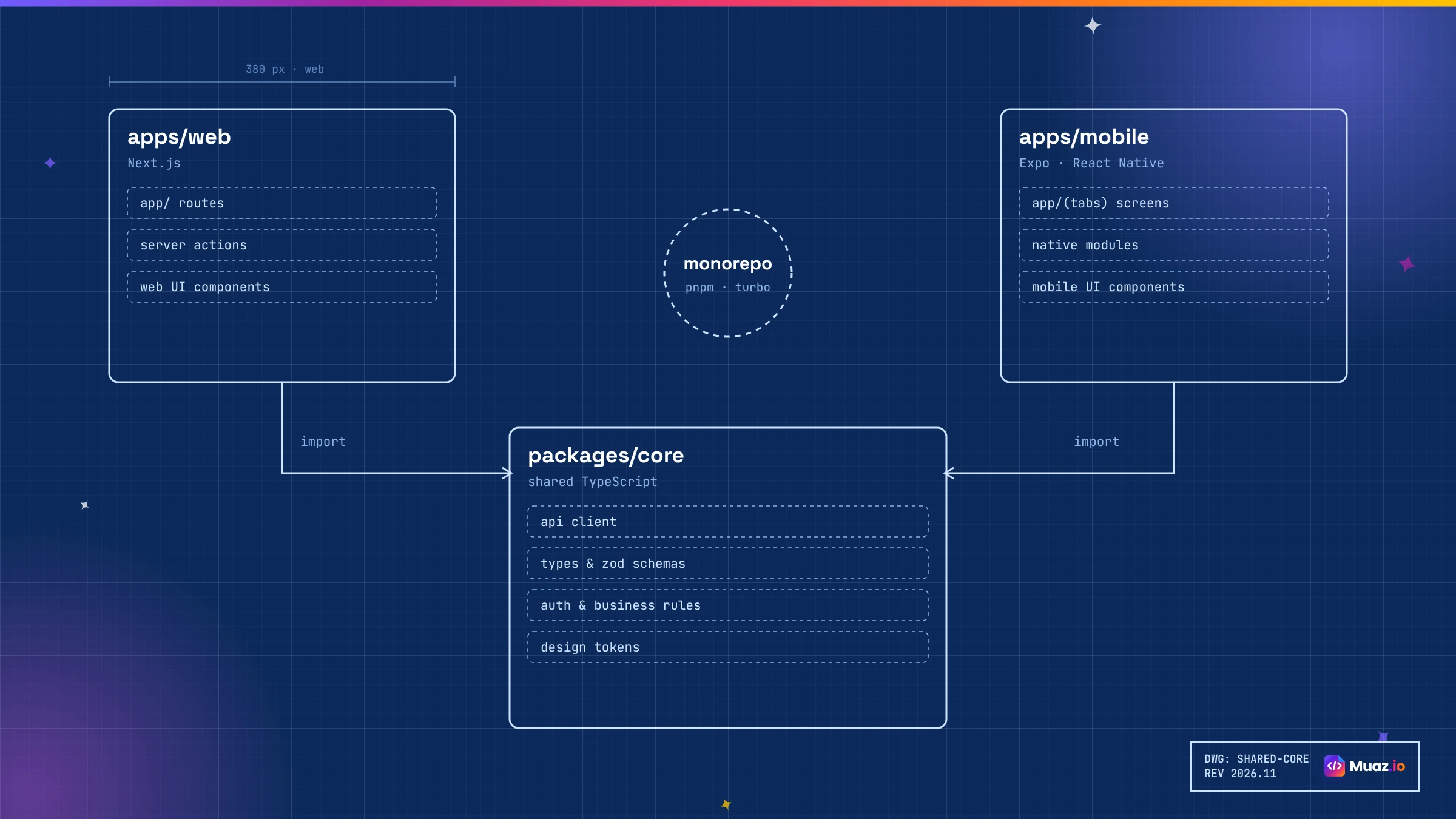
A common structure is a monorepo with apps/web for Next.js, apps/mobile for Expo and packages/core for shared logic. Your API stays exactly as it is; both apps call it.
Pros: a truly native app, shared skills and logic, Android from the same code, low App Review risk. Cons: you still rebuild every screen by hand, which takes weeks to months depending on scope, and you need someone who knows mobile patterns well.
Path 3: let AI generate the native app from your product
The third path gives you the result of Path 2, a native React Native app sharing your API, without hand-building every screen. With Muaz.io, the process looks like this:
- Paste your web app's URL. The Website Intelligence Agent maps your public pages and brand tokens, and you can describe the screens behind your login.
- Add your API documentation. An OpenAPI definition or documented endpoints let the Backend Connector generate a typed client and map endpoints to screens. It never invents endpoints; missing ones become a short list for your engineers.
- Decide the mobile jobs. The Product Architect proposes which features belong on the phone and which stay on the web, informed by research on competitor apps in your category.
- Choose a design. Three native concepts on your brand, on a live iPhone, refined by voice or text.
- Generate, test and review. The app is generated as a standard Expo project with Expo Router, typed API calls and design tokens. The QA agent runs checks; your developers review the code in your own repository.
- Ship. TestFlight builds go out through cloud builds, so nobody needs a Mac.
The code is yours, structured the way your React developers expect. If you want to understand exactly what you get, our guide to building an iOS app with AI and exporting the React Native source code walks through the project structure.
Comparing the three paths
| Capacitor + static export | React Native rebuild | AI-generated React Native | |
|---|---|---|---|
| Code reuse | Very high (UI and logic) | Logic only | Logic and API; UI generated |
| Native feel | Web-like | Native | Native |
| Time to first build | Days | Weeks to months | Days |
| Team needed | Web developers | React + mobile experience | Product owner + developer review |
| App Review risk | Medium | Low | Low |
| Android | Yes | Yes | Yes |
| Best for | Internal tools, content apps | Teams with mobile capacity | Most product teams |
What about SwiftUI?
If your team has Swift experience or you need the very latest Apple APIs, building in SwiftUI is a fine choice. For React teams it means learning a new language and maintaining two completely separate codebases, without the shared logic that React Native offers. Most React and Next.js teams find React Native the more practical native option, and AI builders like Muaz.io remove most of the effort.
Authentication: the part that trips teams up
Web apps often rely on HTTP-only cookies set by the server. Native apps work better with tokens. Before you build, decide how mobile will authenticate:
- OAuth or OpenID Connect with PKCE, using the system browser for sign-in and storing tokens in the Keychain.
- Your auth provider's native SDK, if you use Auth0, Clerk, Supabase or Firebase.
- A token endpoint on your API for email and password sign-in, with refresh tokens.
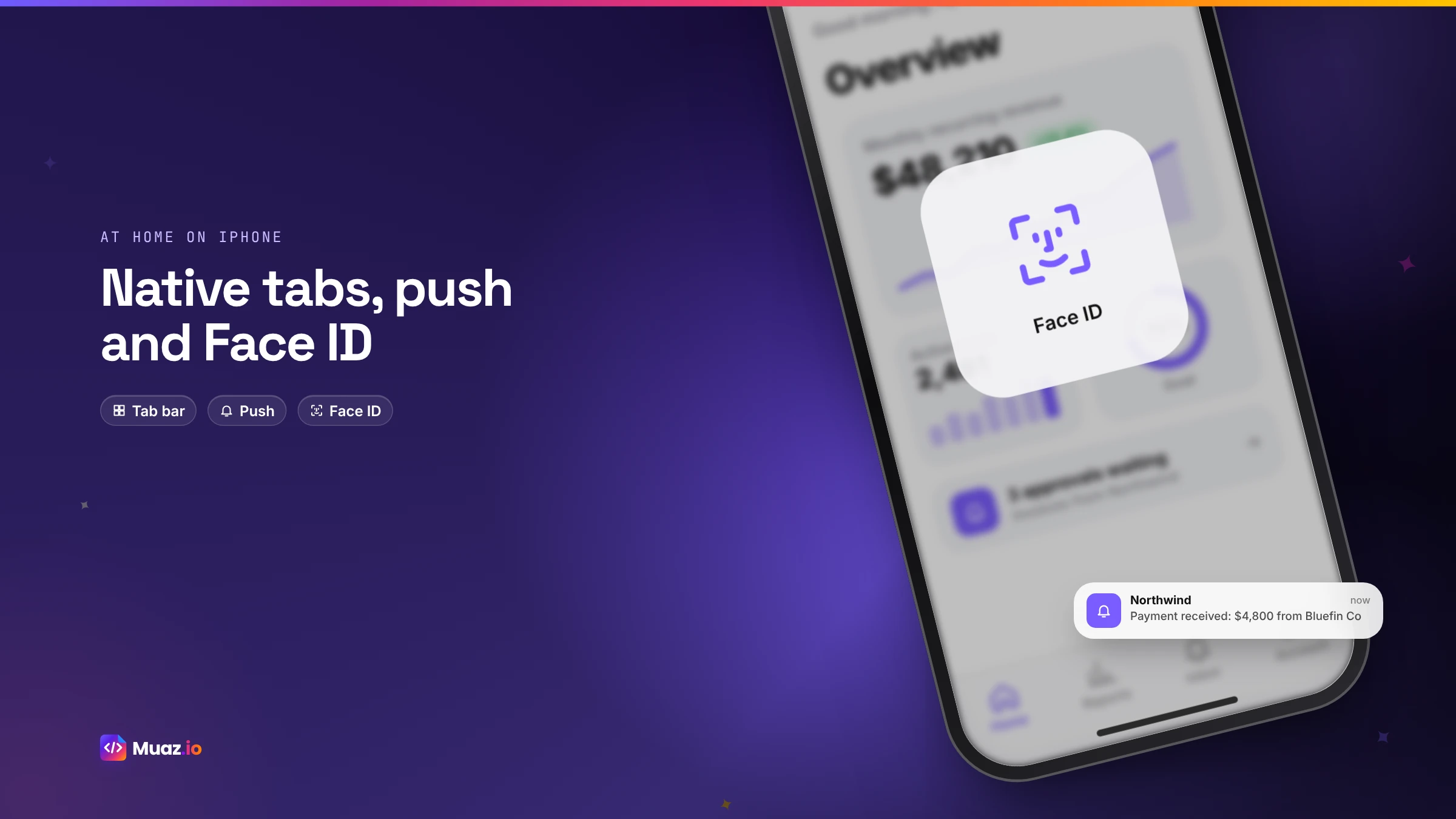
Add Face ID for quick re-entry, and make sure sessions can be revoked from your backend. Whatever you choose, keep secrets off the device; API keys belong on your server.
Server components, server actions and the mobile app
Next.js encourages logic in server components and server actions. That is great for the web, but a native app cannot call a server action directly from React Native in the same way a Next.js page does. The clean solution is to make sure everything the mobile app needs is available through a stable API, such as route handlers, a tRPC router or a separate backend. Many teams find this a healthy refactor anyway: it gives you one contract that the web app, the mobile app and future integrations all share.
Start free. Approve every step.
- Research 5, 10 or 20 competitors
- Original design, never copied
- Test on your iPhone today
- You own the code
Push notifications from your existing backend
Notifications are usually the most valuable mobile feature, and they need a small backend addition: an endpoint to register each device's push token and a way to send messages when events happen. With Expo, you can use Expo's push service or send directly through Apple's push service. Map your existing product events, such as a comment, an approval request or a payment, to notifications that deep-link to the right screen in the app.
Building and shipping without a Mac
Both Capacitor and React Native apps can be built in the cloud. Expo's EAS Build compiles and signs iOS apps on hosted machines, and EAS Submit sends them to App Store Connect. That means your whole team can work on Windows or Linux. Our guide to building an iPhone app without a Mac explains the full workflow, including testing on a real device through TestFlight.
A realistic timeline
| Week | Capacitor path | AI-generated React Native path |
|---|---|---|
| 1 | Static export, Capacitor setup, shell fixes | Research, brief, design, API connection, first build |
| 2 | Plugins, auth adjustments, TestFlight | Design partner testing, fixes by voice or code |
| 3 | Testing and App Store prep | App Store prep and submission |
| 4 | Submission and possible 4.2 revisions | Launch and first update |
A hand-built React Native rebuild usually adds several more weeks depending on the number of screens.
Common mistakes
Assuming the web UI will feel fine on a phone. Test a Capacitor build on a real iPhone early, scrolling long lists and swiping back.
Leaving logic inside components. Extract it into shared modules before you start; it makes every path easier.
Using cookies for mobile auth. Plan token-based auth from the start.
Ignoring offline. Cache the last data and queue actions; your users will be in lifts and trains.
Shipping without a reason to install. Notifications, widgets and Face ID make a companion app worth keeping.
Our recommendation
If your app is an internal tool or mostly content, and your mobile web experience is already strong, Capacitor with a static export is a quick, pragmatic route. If your app is a product your customers will use every day, choose native React Native. And unless you have spare mobile capacity on your team, let AI generate the native app from your product and API, then have your developers review and extend it.
Want to see your React or Next.js product as a native iPhone app? Paste your URL into the Muaz.io builder above and get three native concepts on a live iPhone in minutes, free. For more on companion apps, read our guide to converting a SaaS website into a native iOS app.
Free: React-to-Native Migration Checklist
A step-by-step checklist for moving a React or Next.js product to iOS, covering routing, auth, state, styling and App Store prep.
We’ll email the resource and a few practical tips. Unsubscribe in one click. We never sell your data.
Structuring a React codebase for mobile reuse
Whichever path you choose, a little restructuring pays off. Move API calls into a dedicated client module, ideally generated from an OpenAPI schema so types stay in sync. Keep validation schemas in their own files so both web forms and mobile forms can use them. Extract business rules, such as pricing calculations or permission checks, into pure functions with tests. Keep formatting helpers for dates, currencies and numbers in one place. And separate data fetching hooks from presentational components. A codebase organised this way can feed a web app, a mobile app and future integrations from the same core, and it makes AI-generated code easier to integrate because the contracts are clear.
Styling: from Tailwind and CSS to native styles
Web styling does not carry across to React Native directly. CSS grid, many selectors and some layout tricks have no native equivalent. The good news is that your design system can. Express colours, spacing, radii and typography as design tokens, and use them in both your web theme and your native styles. Libraries such as NativeWind bring Tailwind-style class names to React Native, which can make the transition feel familiar. Muaz.io generates native styles from your brand tokens automatically, so a change to your primary colour updates both platforms consistently.
Testing the mobile app
Native apps need native testing. Beyond unit tests for shared logic, test the app on real devices through TestFlight, including an older, smaller iPhone. Check that text scales with Dynamic Type, that VoiceOver labels make sense, that the keyboard does not cover inputs and that the app behaves well when the connection drops. Muaz.io's QA agent runs automated checks for navigation, states, accessibility and App Store compliance on every build, and your team can add their own end-to-end tests to the generated project.
Performance considerations
React Native apps are fast when lists are virtualised, images are cached and expensive work stays off the main thread. If you share a data layer with your web app, make sure queries return only the fields the mobile screens need; mobile networks are slower and phones have less memory than desktops. Paginate long lists, prefetch the next screen's data when possible and show skeleton states while loading. These habits make the difference between an app that feels instant and one that feels like a website.
App Store preparation for developer-built apps
Developer teams often focus on the code and underestimate the App Store work: icon, screenshots in the required sizes, name and subtitle within 30 characters, keyword field, description, privacy labels, permission usage strings, account deletion and a demo account for the reviewer. Plan a day for it, or use Muaz.io's App Store Studio, which generates the assets from your real app and runs a readiness checklist before submission. The free ASO keyword tool helps you write metadata that ranks.
Deep links and universal links
Your web app has URLs for everything, and your mobile app should respect them. Set up universal links so that a link to a specific project, invoice or ticket opens the matching screen in the app when it is installed, and falls back to the website when it is not. With Expo Router, file-based routes map naturally to deep links, so /projects/42 on the web can become the same route in the app. This matters more than it seems: every email notification, shared link and password reset message becomes a smooth path into the app instead of a browser detour.
Offline behaviour and data sync
Web apps assume a connection; mobile apps cannot. Decide early what should work offline. For most companion apps, the answer is: show the last loaded data with a clear "updated" time, let people draft actions and queue them, and sync when the connection returns. Libraries such as TanStack Query support caching and persistence on React Native, and the same query keys you use on the web can be reused. For write-heavy apps, add simple conflict handling, such as "your change could not be saved because this item was updated; review and try again".
Keeping web and mobile releases in step
Once you have two front ends, release coordination matters. Version your API and avoid breaking changes; add fields rather than renaming them. Ship backend changes first, then the web app, then the mobile app, because mobile users update at their own pace and some will run an older version for weeks. Expo's over-the-air updates can deliver JavaScript fixes quickly within Apple's rules, while native changes go through App Review. A simple release checklist shared by web and mobile teams prevents most surprises.
Migration stories we see often
The internal tool. A Next.js admin dashboard used by a field team. The team chose Capacitor, exported the relevant pages statically, added camera and offline plugins and distributed privately to employees. It was the right call because the users were already trained on the web interface.
The B2B SaaS. A React analytics product whose customers wanted alerts and a quick morning summary. The team used Muaz.io to generate a focused React Native companion app on their existing API, added a push token endpoint and shipped to design partners in a week. The web app was untouched.
The consumer product. A Next.js marketplace with heavy mobile traffic. The team rebuilt the mobile experience in React Native with a shared core package, because they wanted the App Store as a growth channel and needed the app to compete with polished category leaders.
Security for React developers going mobile
A few security habits differ between web and mobile. On the web, secrets in environment variables stay on the server; in a mobile app, anything bundled into the JavaScript can be extracted, so never ship API keys or service credentials in the app. Route privileged calls through your backend. Store tokens in the iOS Keychain rather than AsyncStorage. Validate everything on the server, because a mobile client can be modified. And follow the OWASP mobile security guidance for certificate handling and data at rest. Muaz.io's generated projects follow these rules by default and keep secrets behind a server-side proxy.
Accessibility carries over, if you plan for it
Your web app may already meet accessibility standards, and your mobile app should too. In React Native, use accessibility labels and roles on interactive elements, support Dynamic Type so text scales, keep touch targets large and check contrast in light and dark mode. Test with VoiceOver on a real iPhone before release. Building accessibility into your shared design tokens and components means both web and mobile improve together.
Final checklist before you start
Confirm what your users will do in the app. List the server-dependent features in your Next.js app and how mobile will access them through an API. Decide on token-based authentication. Extract shared logic into modules. Choose your path: Capacitor, React Native by hand or AI-generated React Native. Plan cloud builds and TestFlight. And schedule a day for App Store preparation. With those decided, the conversion becomes a well-defined project rather than an open-ended rewrite.
If you are unsure which path fits, start small: pick one high-value screen, build it natively and put it in front of a handful of real users through TestFlight. Their reactions will tell you more about the right route than any architecture diagram.

Monjur builds Muaz.io and incorporated MotionTrust Digital in September 2022, where he leads Amazon strategy across the client base. Eight years in e-commerce and marketplace marketing taught him how much growth a great mobile app unlocks, so every guide here is tested against the real product and current App Store rules before it goes live.
Questions about developer guide
Short, direct answers. Still curious? Ask in the builder; the assistant knows your project.
Can I use Capacitor with Next.js?
Yes, but Capacitor packages static files, so you generally need a static export of your Next.js app. Features that depend on server rendering at request time, such as server-side rendering per request, need to move to an API your app calls instead.
Is React Native the same as React?
They share the same component model, hooks and much of the JavaScript ecosystem, but React Native renders native iOS components instead of HTML. Your business logic, API clients, validation and state management can often be shared; your JSX and CSS need to be rewritten for native components.
How much code can I reuse from my React app?
Typically the non-visual layers: API clients, types, validation, data fetching, state and utility functions. Teams that structure a monorepo with shared packages reuse a large share of logic. Screens and styles are rebuilt because native layout works differently from the web.
Will Apple accept a Capacitor app made from my web app?
Capacitor apps are approved regularly when they offer real native value. If the app is mainly your website in a WebView with little added, guideline 4.2 on minimum functionality becomes a risk.
Do I need a Mac to build my React app for iOS?
Not necessarily. Expo's EAS Build compiles iOS apps in the cloud, and some Capacitor cloud build services do the same. You still need an Apple Developer Program membership to sign and publish.
Can AI convert my React app to React Native automatically?
AI can generate a React Native app from your product's screens, brand and API, and help port logic. Muaz.io reads your web app and API documentation and produces a native app with a typed API client that your developers can review and extend.
Should I choose SwiftUI instead?
If your team has Swift expertise and you need the newest Apple APIs on day one, SwiftUI is excellent. For a React team, React Native lets you reuse skills and logic, and reach Android from the same codebase.
You wrote the web app. We build the iOS one.
Connect your Next.js API and auth. Muaz generates an Expo app on the same data and exports the full repository.
Your app is being built.
+ New suggestionMuaz agents start on it right away.Keep reading
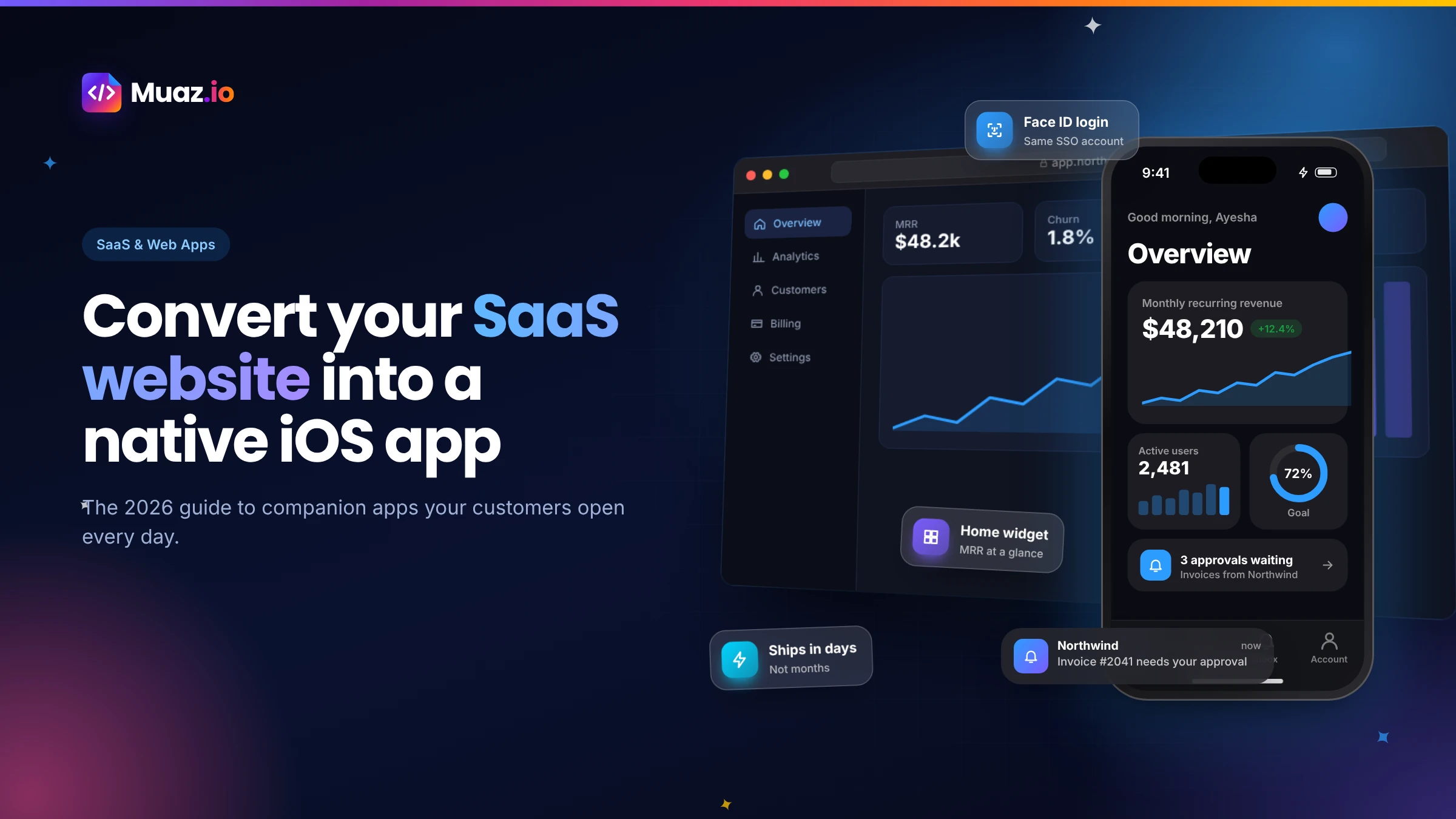 SaaS & Web Apps18 min readHow to Convert a SaaS Website into a Native iOS App Using AI (2026 Guide)
A practical, step-by-step guide to turning your SaaS web app into a native iPhone app with AI: what to build, how to connect your API and login, push alerts, App Review and cost.
Monjur Hossain·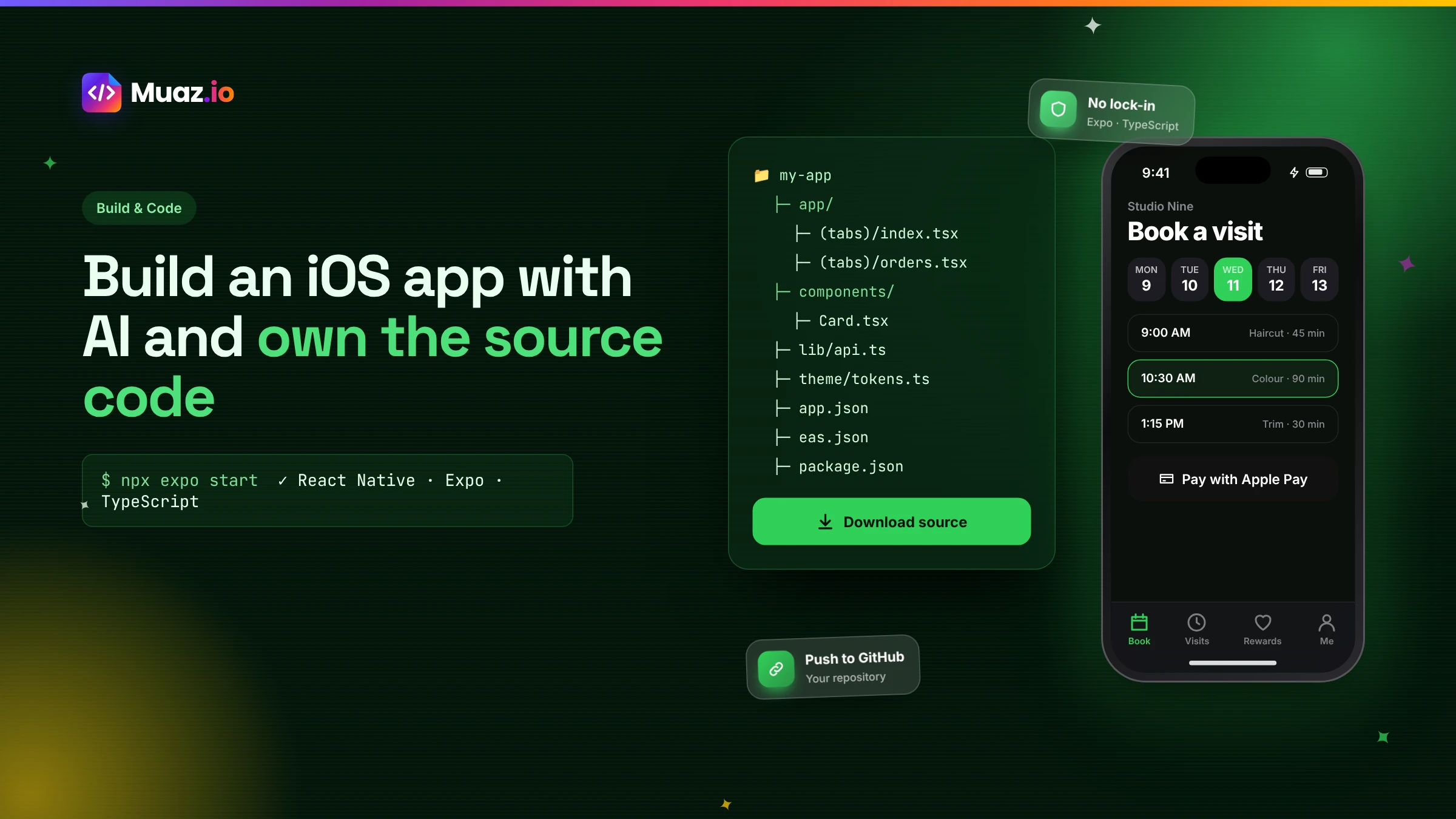 Build & Code15 min readHow to Build an iOS App with AI and Export the React Native Source Code
How AI app builders generate real React Native and Expo code, what a good exported project looks like, how to hand it to developers and why code ownership protects your app.
Monjur Hossain·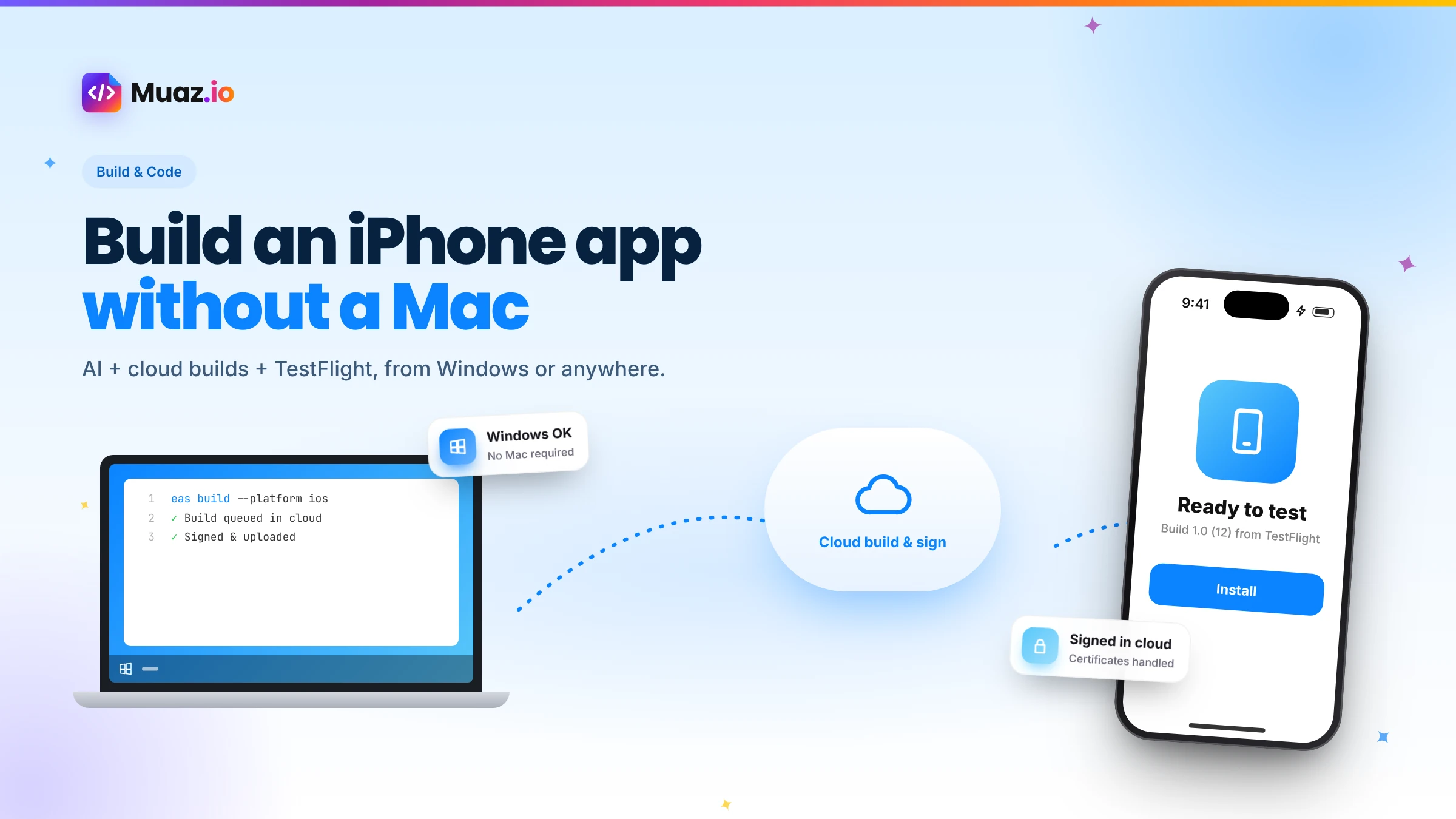 Build & Code15 min readHow to Build an iPhone App Without a Mac Using AI and Cloud Builds
You do not need a Mac to build and publish an iPhone app in 2026. Here is how AI builders and cloud services like Expo EAS compile, sign, test and submit iOS apps from Windows or Linux.
Monjur Hossain· Tools & Comparisons16 min read10 Best AI iOS App Builders in 2026: Features, Pricing & Native Support
We compared 10 AI app builders specifically for iPhone apps: native output, App Store publishing, code ownership, design quality and 2026 pricing, with honest picks by use case.
Monjur Hossain·Tools and products for the next step
- Paste a URL, get three original designs
- Free research before you pay
- Same login, push alerts, widgets
- Built on your existing API
- 5, 10 or 20 App Store rivals analysed
- Review themes, pricing and gaps
Where our numbers come from
Third-party figures are estimates published by the sources below. Prices and rules change; check the source before you decide.
- Next.js documentation: static exportsnextjs.org/docs/app/guides/static-exports
- Capacitor documentationcapacitorjs.com/docs
- Capgo: building a native mobile app with Next.js and Capacitorcapgo.app/blog/building-a-native-mobile-app-with-nextjs-and-capacitor
- React Native documentationreactnative.dev/docs/getting-started
- Expo Router documentationdocs.expo.dev/router/introduction
- Expo EAS Builddocs.expo.dev/build/introduction
- Apple App Store Review Guidelines 4.2developer.apple.com/app-store/review/guidelines/#minimum-functionality