The 10 best AI iOS app builders in 2026, judged on what matters for iPhone apps
Plenty of tools can generate an app. Far fewer produce a native iPhone app that passes App Review, feels at home on iOS and gives you code you own. Here is how ten of them compare.
It depends on what you need. For a research-led native iOS app with approvals and growth support, Muaz.io. For chat-first native building in Swift, Rork. For hands-on visual building, FlutterFlow. If you only need a web app, Lovable or Bolt are faster, but they do not publish native iPhone apps on their own.
- Yes. Several tools now generate real native apps, either in Swift or in React Native, which renders native iOS components.
- Muaz.io, Rork, FlutterFlow, Adalo, Bubble, Thunkable and Median support App Store publishing workflows.
- Usually not. Cloud build services compile and sign iOS apps for you. You still need an Apple Developer Program membership to publish, and an iPhone is the best way to test.
- Muaz.io projects are standard React Native and Expo code you own. Rork, Lovable and Bolt generate code.
There has never been a better or more confusing time to build an iPhone app. Appfigures data reported by TechCrunch showed new iOS releases up 80% year over year in the first quarter of 2026, and a big part of that growth comes from AI tools that let people describe an app and watch it appear. The catch is that "builds apps with AI" now covers everything from a prompt that produces a web page to a pipeline that ships a native app to the App Store.
This guide narrows the field to one question: which AI app builders are best for native iPhone apps? We looked at ten tools and judged them on the things that matter after the demo: what they actually output, whether they help you publish, whether you own the code, how good the design is and what it costs in 2026.
A quick disclosure before we start: this guide is published by Muaz.io, so we are biased. We have tried to be fair, to cite every price and to say clearly when another tool is the better fit. Where we could not confirm a feature on a vendor's public site, we say "not listed" rather than "no". If you want the wider market, including web-first tools, read our broader guide to the best AI app builders.
How we judged each builder
Most "best of" lists rank tools by features. We ranked them by outcomes for iPhone apps, using six criteria.
- Native output. Does the tool produce a real native app (Swift, or React Native and similar frameworks that render native components), or a web page in a shell?
- App Store path. Does it help with signing, TestFlight, screenshots, metadata and submission, or leave all of that to you?
- Code ownership. Can you export standard source code and keep working without the platform?
- Design quality. Does the result look and feel like an iPhone app people would choose over a competitor?
- Product thinking. Does the tool help you decide what to build, or only how to build what you describe?
- Price. Published 2026 pricing, plus a note on what really drives the cost.
Prices for most tools come from native.express, which published a comparison in October 2026; Median's prices come from Toolradar, confirmed in November 2026. Plans change often, so check before you buy.
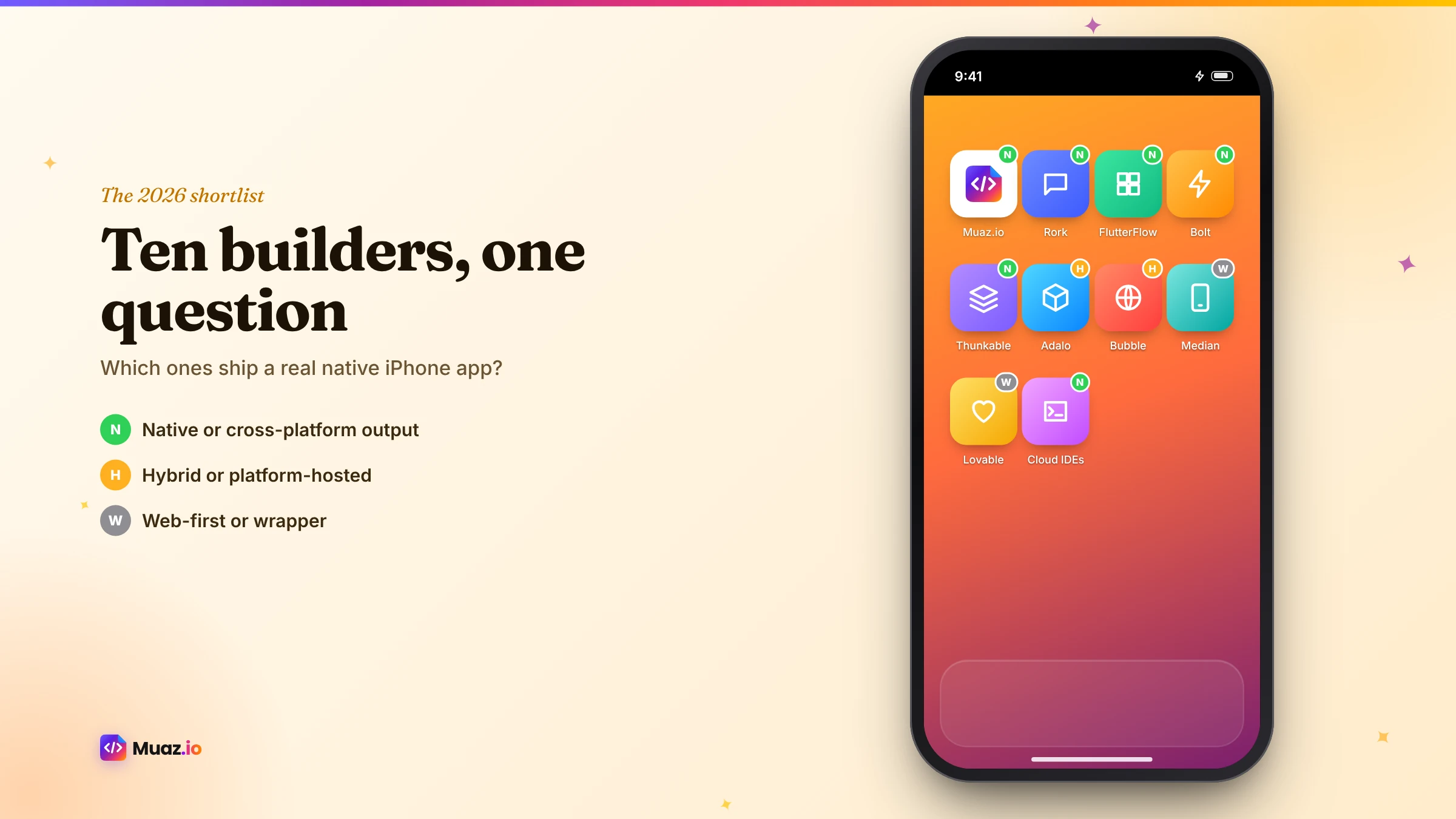
The 10 best AI iOS app builders at a glance
| # | Builder | Best for | Output | App Store publishing | Code you own | Price from |
|---|---|---|---|---|---|---|
| 1 | Muaz.io | Research-led native iOS apps | React Native + Expo | Yes, with readiness checks | Yes | Free to research and design |
| 2 | Rork | Chat-first native apps | Swift (iOS), Kotlin (Android) | Yes | Yes | Pro $20/mo, Max from $200 |
| 3 | FlutterFlow | Visual building | Flutter | Yes | On paid plans | $39/mo |
| 4 | Bolt | Developers who want generated Expo code | Expo + web | No built-in publishing | Yes | $25/mo |
| 5 | Thunkable | Visual, block-based logic | Native (React Native based) | Yes | No | $37/mo |
| 6 | Adalo | Simple no-code apps | Platform-built | Yes | No | $36/mo (annual) |
| 7 | Bubble | Teams already on Bubble | Mobile + web on Bubble | Yes | No | $42/mo |
| 8 | Median | Packaging an existing website | Web content in a native app | Yes | No | Free tier, paid from $229 + $179/yr |
| 9 | Lovable | Web apps and prototypes | Web only | No (wrap outside Lovable) | Yes | $25/mo |
| 10 | Replit-style cloud IDEs | Developers coding with AI | Whatever you build | You handle it | Yes | Varies |
Now the detail, tool by tool.
1. Muaz.io: best for research-led native iOS apps
Muaz.io starts somewhere no other tool on this list does: with your market. Before designing anything, it researches 5, 10 or 20 App Store competitors in your category, pulling their screenshots, ratings, pricing, review themes and, when a licensed provider is connected, revenue and download estimates labelled with their source. You save the patterns you like, never the pixels, and the brief explains where your app will be better.
From there, ten specialised agents take over: website intelligence that reads your existing site and brand, a product architect, a design engine that produces three original concepts on a live iPhone, frontend and backend builders that generate React Native and Expo code you own, a QA agent, a publishing agent that prepares every App Store asset and a growth strategist for the first 90 days. You can direct all of it by voice or text, and nothing consequential happens without your approval.
- Native output: React Native with Expo, real native components.
- App Store path: icon, screenshots in required sizes, metadata, privacy labels, readiness checklist, TestFlight and submission with your approval.
- Code: standard project you own from day one.
- Watch out for: if you specifically need Swift code or you are building a complex game, look at Rork.
2. Rork: best for chat-first native apps
Rork lets you describe an app in a chat and build it with AI. Its public site describes Swift apps for Apple devices, Kotlin for Android, web apps, native games, a realtime backend, an AI App Store reviewer and a one-click screenshot studio, and Rork Max is pitched as building, installing and publishing iOS apps on the go. According to native.express, Rork Pro starts at $20 per month and Max from $200.
- Strengths: speed from prompt to native code, Swift output, games, phone-based building.
- Watch out for: you do the market research and product decisions yourself. For a deeper look, read Muaz.io vs Rork.
3. FlutterFlow: best for hands-on visual building
FlutterFlow is a mature visual builder for Flutter apps, with AI assistance, many integrations and code export on paid plans. If you enjoy placing components and tuning layouts, it rewards the time you put in. Pricing starts at $39 per month for Basic and $80 for Growth, according to native.express.
- Strengths: precise control, big community, Flutter ecosystem.
- Watch out for: a real learning curve, and research, design and launch are on you. See Muaz.io vs FlutterFlow.
See your app before you pay for anything
Paste your website or describe your idea. Muaz.io researches your competitors and designs an original app you can try on your iPhone.
4. Bolt: best for developers who want generated Expo code
Bolt generates code from prompts in a browser-based environment, including Expo (React Native) projects. That makes it a good choice for developers who want a fast starting point and are comfortable taking over. According to native.express, it does not include built-in store publishing, so signing, TestFlight and submission are yours to handle. Pro starts at $25 per month.
5. Thunkable: best for visual, block-based logic
Thunkable lets you assemble mobile apps with drag-and-drop components and block-based logic, then publish to the stores. It is popular in education and for simple utilities. The Builder plan starts at $37 per month according to native.express.
6. Adalo: best for simple no-code apps
Adalo offers a component-based visual builder with a built-in database and store publishing. It suits straightforward apps with standard layouts, such as directories or simple booking tools. Starter is $36 per month billed annually, per native.express. Apps stay on Adalo's platform.
7. Bubble: best if your web product already runs on Bubble
Bubble is a powerful no-code platform for web applications that has expanded into mobile. If your product already lives on Bubble, adding mobile there keeps everything in one place. Mobile Starter is $42 per month according to native.express. As with Adalo, apps stay on the platform.
8. Median: best for packaging an existing website
Median turns your website into an app that displays your web content, extended with native features through a JavaScript Bridge and plugins. It is fast when your mobile site is already excellent. Toolradar lists a free tier with Median branding and paid plans from a one-time $229 plus $179 per year, up to managed plans where Median's team builds the app. Be aware of Apple's minimum functionality guideline for apps that mostly show web content. Our Muaz.io vs Median comparison covers the trade-offs.
9. Lovable: best for web apps and prototypes
Lovable is excellent at generating web applications from natural language. But it is important to be clear about iPhone apps: Lovable's own documentation says it builds web applications, not native apps, and does not generate React Native projects. Its official route to the App Store is to wrap your published URL with a tool such as Capacitor, outside Lovable. If you already have a Lovable app and want a real native version, read our guide to converting a Lovable app into a native iOS app.
10. AI-assisted cloud IDEs: best for developers who want full control
Cloud development environments with AI assistants let experienced developers write and run any kind of project, including React Native and Swift apps, with AI help at every step. They are not app builders in the same sense as the tools above, but they deserve a mention because many developers combine them with Expo's cloud builds to ship iPhone apps without a Mac. If that is you, our guide to building an iPhone app without a Mac explains the workflow.
Native, cross-platform or web: why output matters so much for iPhone apps
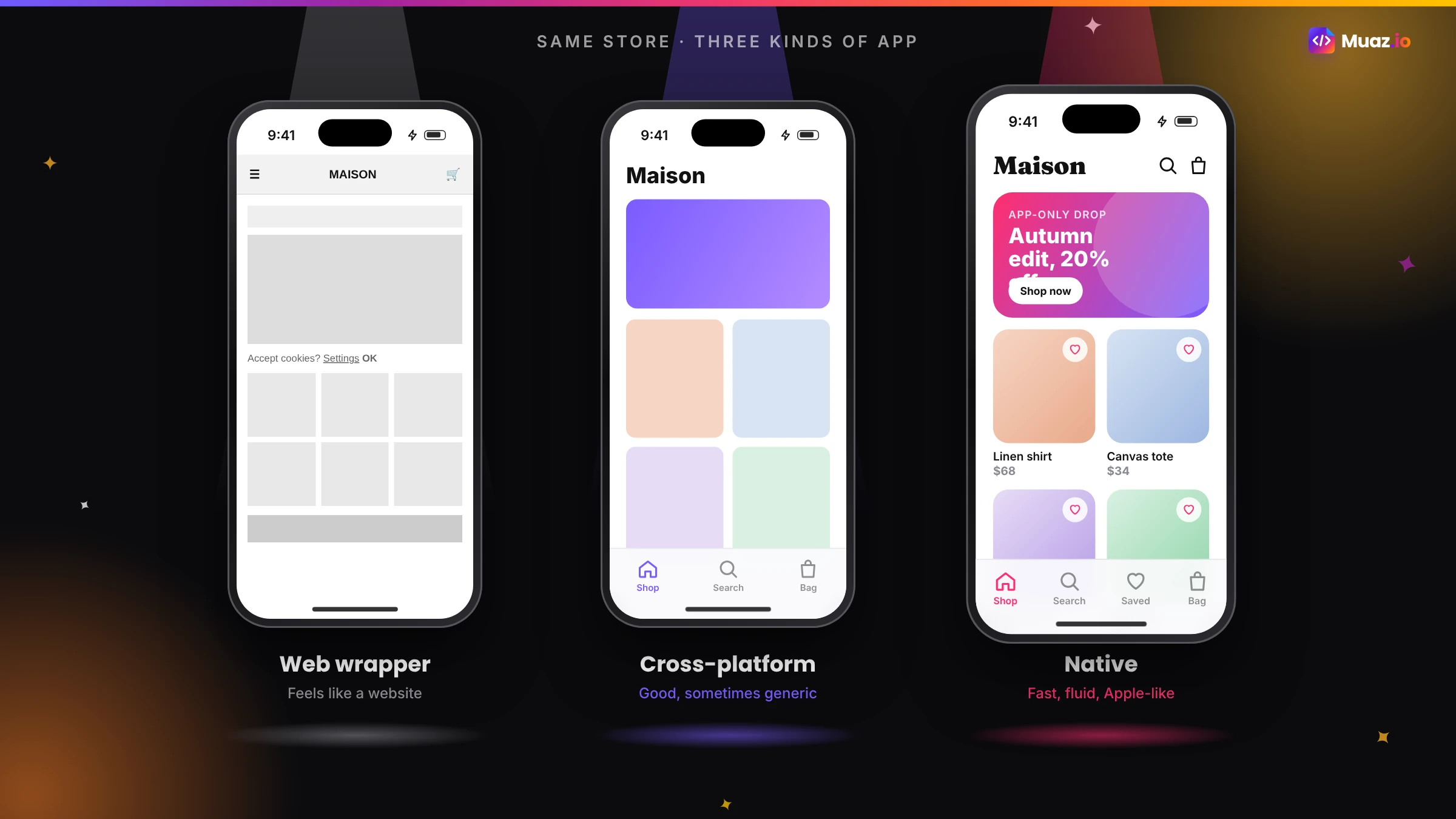
When you compare tools, the single most important question is what they produce. There are three kinds of output.
Native Swift apps use Apple's own languages and frameworks. They get every new iOS feature first and feel perfectly at home on the device.
Cross-platform native apps, built with React Native or Flutter, compile to real apps. React Native renders the platform's own components; Flutter draws its own with a fast rendering engine. Both feel native in practice and let you reach Android from the same codebase.
Web content in a native shell shows your web pages inside an app. It is quick, but the experience depends entirely on your mobile site, and Apple's App Review Guidelines expect apps to offer more than a repackaged website.
For an iPhone app that competes in the App Store, the first two options give the best experience and the lowest review risk.
What really drives the cost
Plan prices are only part of the story. The real cost of an app includes your time to learn the tool, design work if the tool does not design for you, any freelancer help, backend and third-party services, Apple's $99 per year developer fee and the cost of updates after launch. A tool that costs more per month but gets you to a polished, approved app in a week can cost far less in total than a cheaper tool that takes two months of evenings. Our guide to the cost of converting a website into an iOS app breaks this down further.
Which builder should you choose?
Here is our honest recommendation by situation.
| Your situation | Our pick | Runner-up |
|---|---|---|
| Founder or business launching a native iPhone app | Muaz.io | Rork |
| You already have a website or brand | Muaz.io | Median (if packaging is enough) |
| Developer who wants Swift from a chat | Rork | Bolt (for Expo) |
| Designer who wants to build visually | FlutterFlow | Thunkable |
| Agency delivering client apps | Muaz.io | FlutterFlow |
| Simple internal tool | Adalo | Bubble |
| Web app or prototype | Lovable | Bolt |
Questions to ask in every demo
Demos show the best case. These questions reveal the everyday reality.
- Can you show me an app built six months ago that has been updated since?
- What happens when App Review rejects an app, and how does the tool help?
- Which actions does the AI take without asking me?
- Where are API keys stored? Do any secrets ship inside the app?
- Can I export the code today, and what does it look like?
- How do teams collaborate, comment and approve changes?
- What help do I get after launch with keywords, screenshots and experiments?
Download the scorecard below to compare any two builders on 20 criteria.
Free: AI App Builder Buyer's Scorecard
Score any AI app builder on 20 criteria that matter after launch, not just in the demo.
We’ll email the resource and a few practical tips. Unsubscribe in one click. We never sell your data.
Common mistakes when choosing an AI app builder
Choosing by demo. A beautiful demo app tells you little about how the tool handles your data, your brand or your updates.
Ignoring ownership. If you cannot export standard code, your app's future depends on the platform's pricing and roadmap.
Underestimating the App Store. Icons, screenshots, privacy labels, demo accounts and review notes catch out most first-time publishers.
Building before researching. The fastest builder cannot save an app nobody needs. Validate first; our guide to validating an app idea with competitor research shows how.
Forgetting growth. Launch is the start. Make sure you have a plan for keywords, screenshots and retention.
How AI iOS app builders are changing in 2026
Three trends stand out this year. First, builders are moving from code generation to the full lifecycle: research, testing, publishing and growth. Second, governance features such as approvals, audit logs and agent permissions are becoming important as AI takes more actions on users' behalf. Third, voice and multimodal input are spreading, so people can describe and edit apps the way they would brief a designer. When you choose a tool now, favour one that already covers the stages you will need in a year.
Our verdict
If you want a native iPhone app grounded in market research, designed from your brand and launched with your approval at every step, start with Muaz.io's free research and design. If you are a developer who wants Swift from a chat, Rork is excellent. If you love building visually, FlutterFlow is hard to beat. And if all you need is a web app, use a web-first tool and save yourself the App Store paperwork.
Whatever you choose, test it with your real idea, not a demo, and judge it on how ready you feel to launch.
Start free. Approve every step.
- Research 5, 10 or 20 competitors
- Original design, never copied
- Test on your iPhone today
- You own the code
A closer look at design quality
Design is where many AI-built apps fall down, and it matters more on iPhone than anywhere else. iOS users are used to polished, consistent apps from Apple and the top developers, and they notice when spacing is off, text is cramped or navigation feels unfamiliar. When you evaluate a builder, look at three things in its output.
Hierarchy. Is it obvious what the most important thing on each screen is? Good apps use size, weight and colour to guide the eye to one primary action.
Platform conventions. Does the app use a tab bar, native sheets, swipe actions and system typography where people expect them? Apps that invent their own navigation patterns feel foreign.
Brand. Does it look like your product, or like every other app the tool has produced? Templates make apps look the same; design systems built from your brand tokens make them feel unique.
Muaz.io's design engine produces three original concepts from your brand, follows Apple's Human Interface Guidelines and lets you refine by voice, which is why we rank it first for founders and businesses who do not have a designer on staff.
A closer look at the App Store path
Getting an app onto the App Store involves more steps than most people expect: certificates and provisioning, build numbers, an icon without transparency, screenshots in exact pixel sizes, a name and subtitle within 30 characters, a 100-character keyword field, privacy labels, permission usage descriptions, account deletion if users can sign up, a demo account for the reviewer and a description that matches the app.
Some builders handle most of this for you; others hand you a codebase and wish you luck. If you have never published an app, weigh this heavily. A tool that saves you a week of App Store paperwork, and a rejection or two, is worth a lot. Our App Store Studio page explains every step and asset Muaz.io prepares.
A closer look at code ownership
Ownership sounds abstract until the day you need it. Maybe you raise money and hire engineers who want to work in your codebase. Maybe the platform raises prices. Maybe you need a custom integration the builder does not support. In each case, having standard source code you can export, read and extend is the difference between continuing and starting over.
Ask every vendor three questions: Can I export the full project today? What framework is it in? Can a developer who has never used your tool understand it? If the answers are yes, a mainstream framework and yes, you are safe. Our guide to AI iOS app builders with source code goes deeper.
A closer look at product thinking
The hardest part of building an app is not writing code; it is deciding what to build. Most AI builders are excellent at building exactly what you describe. Very few help you decide whether that is the right thing. That is why Muaz.io puts competitor research and a written brief before any design. If you already know exactly what to build, that matters less. If you are not sure, it may be the most valuable part of the process.
Frequently compared pairs
People often ask about specific head-to-heads. Here are the short answers, with links to the full comparisons.
Muaz.io vs Rork. Research-first, approval-driven pipeline versus chat-first native building. Read the full comparison.
Muaz.io vs FlutterFlow. An AI team that builds for you versus a visual builder you drive. Read the full comparison.
Rork vs FlutterFlow vs Adalo. Three very different philosophies for three kinds of builder. Read our three-way comparison.
Native app vs WebView converter. Rebuild or package your website. Read the website-to-app converters guide.
How to run a fair one-week test
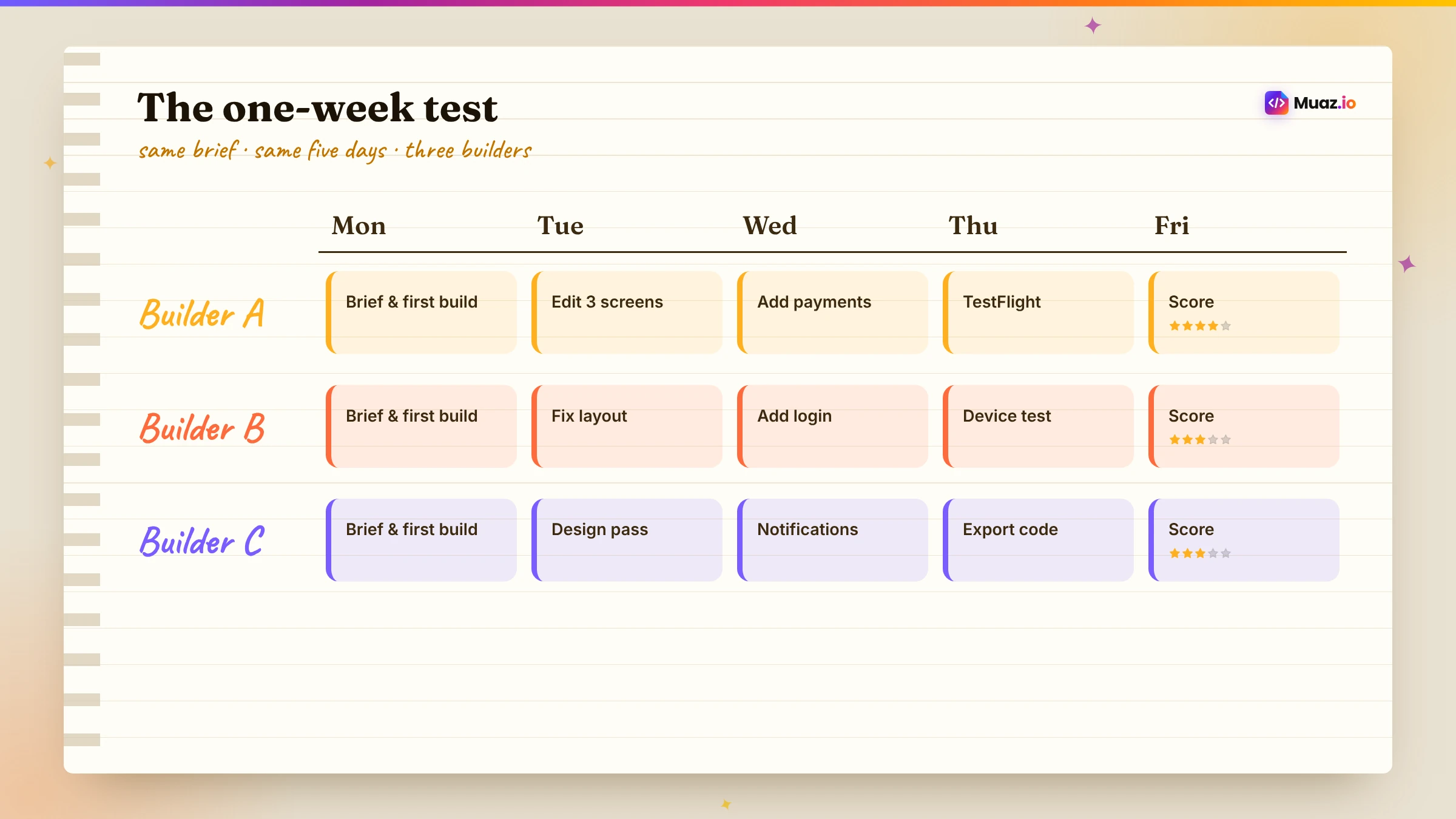
If you are deciding between two or three tools, give each the same brief and the same amount of your time. Day one: enter the idea and note how much product thinking the tool does. Day two: review the design and request three changes. Day three: connect a sample data source. Day four: install a test build on your iPhone. Day five: prepare the App Store listing. Score each on app quality, how much you had to specify, how clear its decisions were and how ready you feel to launch. The winner for your situation will usually be obvious by Friday.
What to do after you choose
Once you have picked a builder, set yourself up for a strong first release. Write a one-page brief, even if the tool writes one for you, so you can check its decisions against your own. Enrol in the Apple Developer Program early, because organisation accounts can need extra verification. Recruit ten testers before the first build is ready. Prepare a privacy policy that reflects your real data practices. And decide how you will measure success in the first 30 days: activation, retention and, if you charge, trial-to-paid conversion. With those in place, the build becomes the easy part, and launch day becomes a milestone rather than a scramble.

Monjur builds Muaz.io and incorporated MotionTrust Digital in September 2022, where he leads Amazon strategy across the client base. Eight years in e-commerce and marketplace marketing taught him how much growth a great mobile app unlocks, so every guide here is tested against the real product and current App Store rules before it goes live.
Questions about ios edition
Short, direct answers. Still curious? Ask in the builder; the assistant knows your project.
What is the best AI app builder for iPhone apps?
It depends on what you need. For a research-led native iOS app with approvals and growth support, Muaz.io. For chat-first native building in Swift, Rork. For hands-on visual building, FlutterFlow. If you only need a web app, Lovable or Bolt are faster, but they do not publish native iPhone apps on their own.
Can AI really build a native iOS app?
Yes. Several tools now generate real native apps, either in Swift or in React Native, which renders native iOS components. The quality depends on the design, the testing and how well the tool handles App Store requirements, not just on the code generator.
Which AI app builders publish to the App Store?
Muaz.io, Rork, FlutterFlow, Adalo, Bubble, Thunkable and Median support App Store publishing workflows. Lovable focuses on web apps and, according to its documentation, recommends wrapping a published URL with a tool such as Capacitor outside Lovable. Bolt does not include built-in store publishing according to native.express.
Do I need a Mac to use an AI iOS app builder?
Usually not. Cloud build services compile and sign iOS apps for you. You still need an Apple Developer Program membership to publish, and an iPhone is the best way to test.
Which AI app builder gives me the source code?
Muaz.io projects are standard React Native and Expo code you own. Rork, Lovable and Bolt generate code. FlutterFlow offers code export on paid plans. Adalo and Bubble keep apps on their platforms.
Are AI-built apps rejected by Apple more often?
Not inherently. Rejections usually come from thin functionality, missing privacy details, placeholder content or apps that are just a website in a frame. Builders that design native screens and run App Store checks reduce that risk.
How much do AI iOS app builders cost?
Published prices in late 2026 range from free tiers to around $20–$80 a month for individual plans, with higher tiers for heavier use. Muaz.io is free to research and design. Always include your own time and the Apple Developer fee in the total.
Ten builders reviewed. Try the native one.
Paste your website or say your idea. See three original iOS concepts before you pay anything.
Keep reading
 Tools & Comparisons15 min readRork vs FlutterFlow vs Adalo: Which AI App Builder Is Best in 2026?
A fair, sourced comparison of Rork, FlutterFlow and Adalo for building iPhone apps in 2026: how each works, output, publishing, code ownership, learning curve and pricing, plus who should pick which.
Monjur Hossain·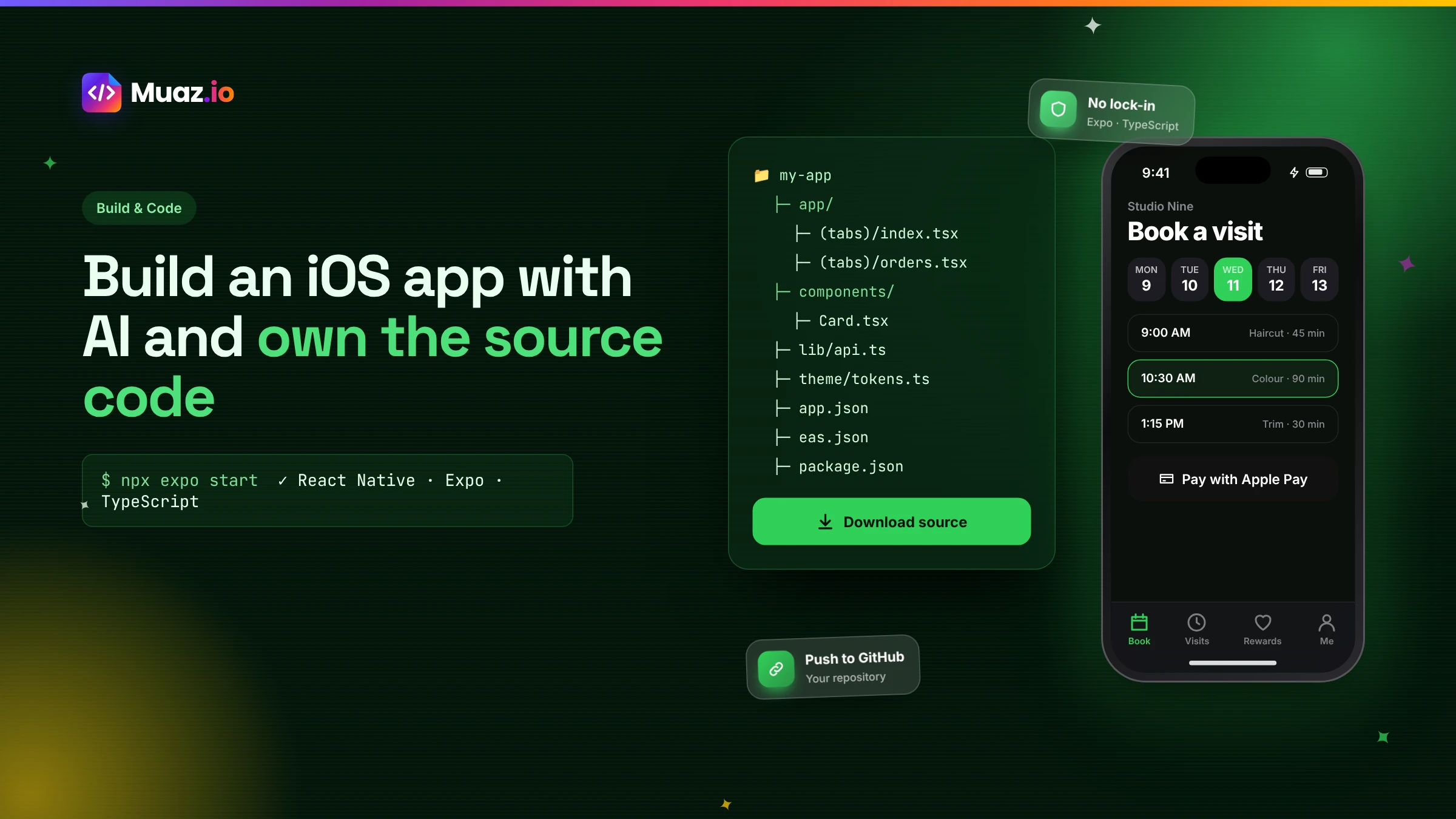 Build & Code15 min readHow to Build an iOS App with AI and Export the React Native Source Code
How AI app builders generate real React Native and Expo code, what a good exported project looks like, how to hand it to developers and why code ownership protects your app.
Monjur Hossain·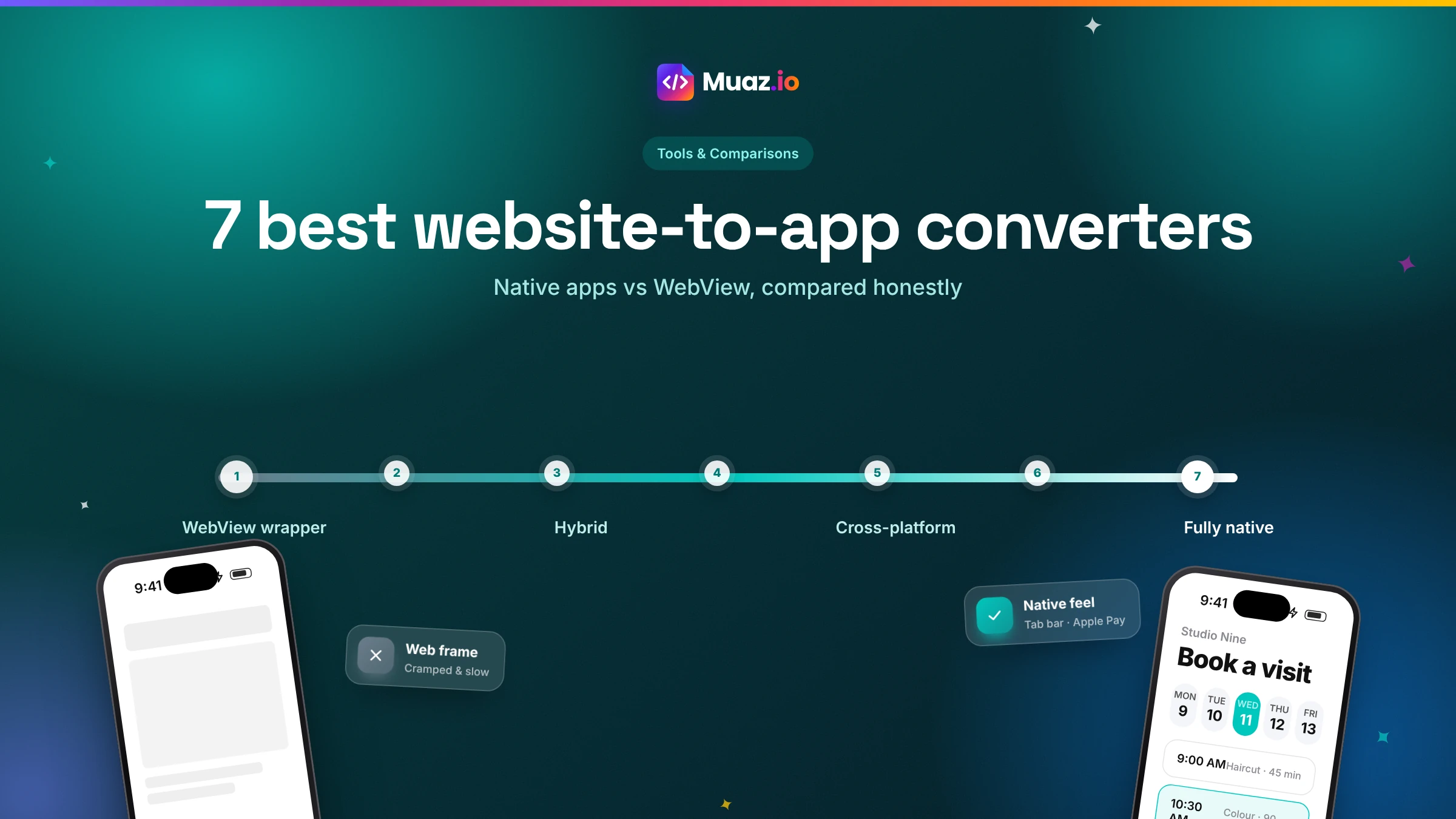 Tools & Comparisons15 min read7 Best Website-to-App Converters in 2026: Native Apps vs WebView
An honest comparison of 7 website-to-app converters in 2026, from WebView wrappers to native AI rebuilds: how each works, App Review risk, features, ownership and published pricing.
Monjur Hossain·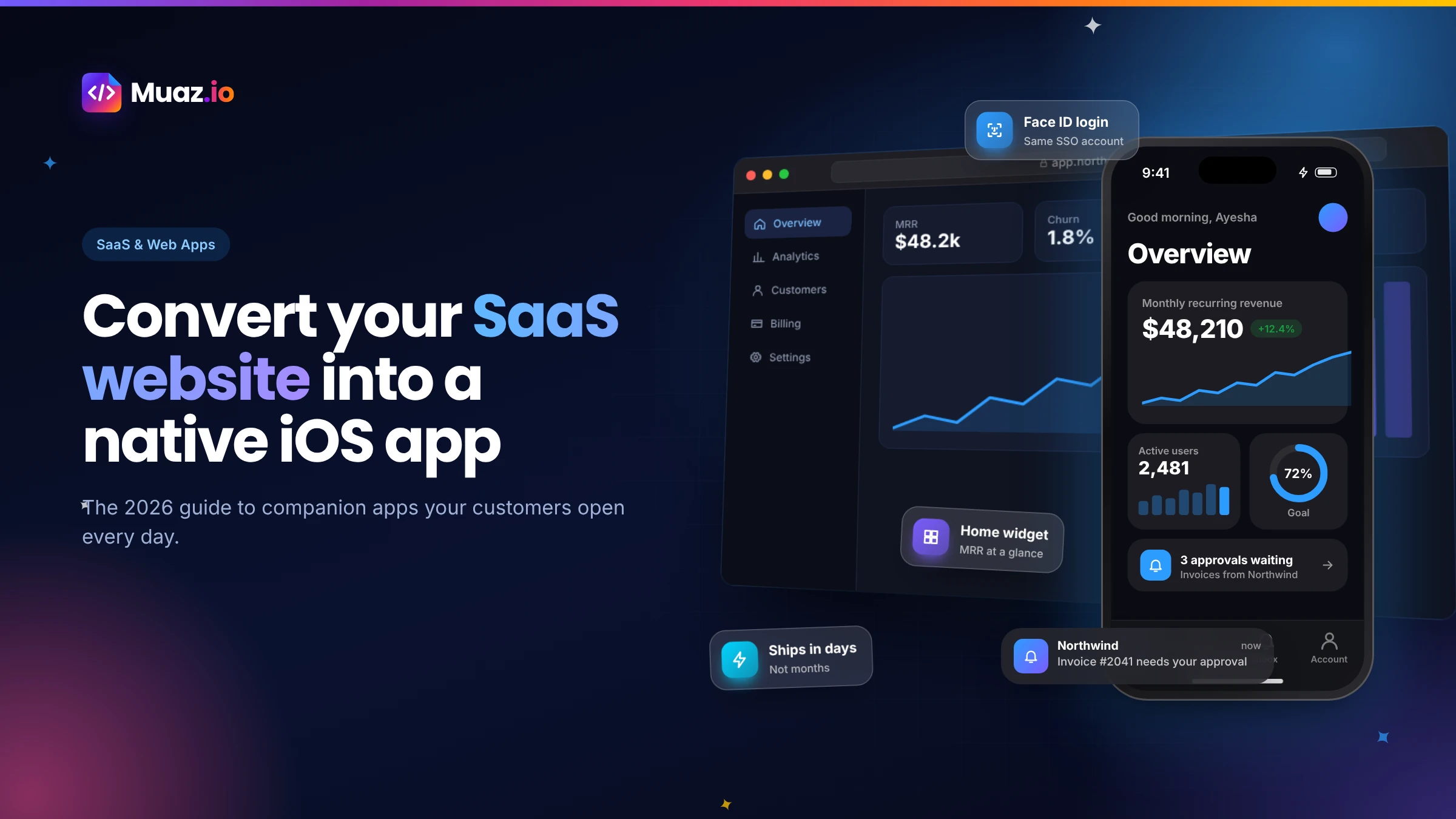 SaaS & Web Apps18 min readHow to Convert a SaaS Website into a Native iOS App Using AI (2026 Guide)
A practical, step-by-step guide to turning your SaaS web app into a native iPhone app with AI: what to build, how to connect your API and login, push alerts, App Review and cost.
Monjur Hossain·Tools and products for the next step
- Paste a URL, get three original designs
- Free research before you pay
- 5, 10 or 20 App Store rivals analysed
- Review themes, pricing and gaps
- Screenshots, metadata and privacy labels
- TestFlight and submission checklist
Where our numbers come from
Third-party figures are estimates published by the sources below. Prices and rules change; check the source before you decide.
- Toolradar: Median.co pricing (Nov 2026)toolradar.com/tools/median-co/pricing
- Lovable documentation FAQdocs.lovable.dev/introduction/faq
- Rork official websiterork.com
- Apple App Store Review Guidelinesdeveloper.apple.com/app-store/review/guidelines
- Expo documentationdocs.expo.dev
- TechCrunch: iOS app releases up 80% in Q1 2026techcrunch.com