How to validate an app idea with competitor research before you build
Competitors are the cheapest market research you will ever get. Here is how to read their apps, reviews, rankings and pricing to decide whether your idea deserves to be built, and what version one should be.
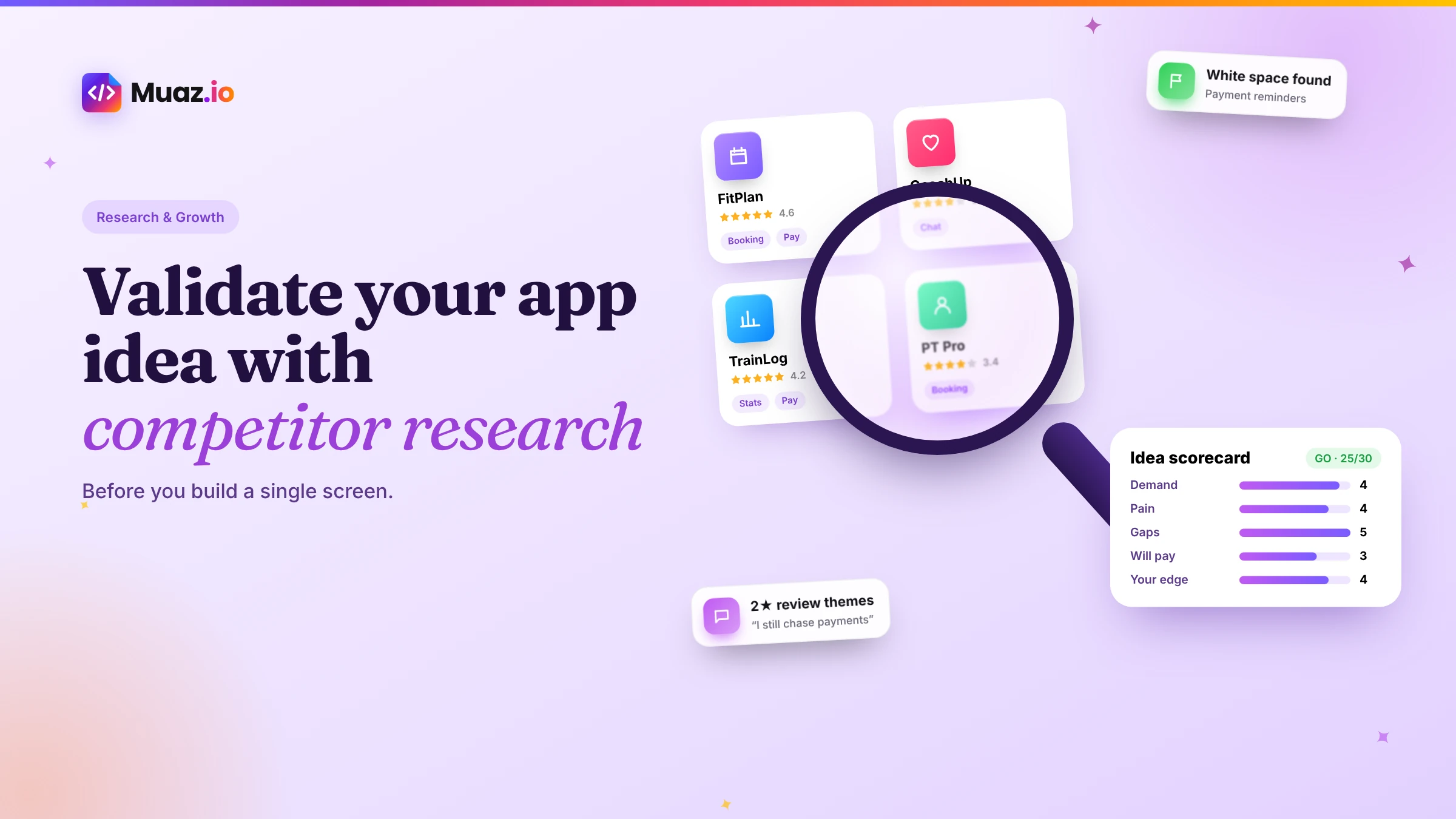
A good app idea solves a frequent, painful problem for a specific group of people who already look for solutions. Evidence includes competitor apps with real ratings and revenue, reviews that complain about gaps you can fill, search demand in the App Store and people willing to pay. If you find none of that, the idea may need reshaping.
- Usually not. Competition proves demand. What matters is whether existing apps leave customers unhappy in a way you can fix, or whether a specific audience is underserved.
- Read the one-, two- and three-star reviews of the top apps in your category and group complaints into themes.
- A focused competitor review can be done in a day or two. Adding customer conversations and a simple landing page test usually takes one to three weeks.
- AI can speed up the research by summarising competitor apps, clustering reviews and spotting gaps, but it cannot replace talking to real customers.
Most apps that fail do not fail because they were badly built. They fail because nobody needed them enough to download, come back or pay. The good news is that, unlike most businesses, app founders have a huge amount of free evidence available before writing a line of code: the App Store itself. Every competitor app publishes its features, design, pricing, ratings and thousands of honest customer reviews.
This guide shows you how to turn that evidence into a clear decision about your idea. You will learn how to find the right competitors, read their reviews for gaps, judge demand and willingness to pay, define the version one that can win and decide whether to go, pivot or stop. It is the same process Muaz.io automates when it researches your category, but you can do every step by hand.
Why competitor research beats guessing
Founders usually validate ideas by asking friends, who are polite, or by building and hoping, which is expensive. Competitor research sits in between. It tells you what people already download, what they pay for and, through reviews, what frustrates them. Those three signals answer most of the questions that matter before you build.
It also stops you from making two classic mistakes. The first is believing an idea is unique because you have not searched properly. The second is giving up because competitors exist, when in fact competition is evidence of demand. Both are cured by looking carefully.
Step 1: Write the idea as a job, not a feature
Before searching, write your idea as one sentence in this form: "[Specific people] need to [job] because [pain], and today they use [current solution]." For example: "Independent personal trainers need to schedule and charge clients from their phone because chasing payments by text wastes hours each week, and today they use spreadsheets and payment links."
This forces you to name a real audience and a real job. It also gives you the words to search with, because people search for jobs and problems, not for your feature name.
Step 2: Find the right competitors
Search the App Store the way your customer would. Use the job, the pain and the current solution as search terms, then list every app that appears in the top results. Add apps from the relevant category charts and the "You might also like" section on each competitor's product page.
You are looking for three kinds of competitor:
- Direct competitors. Apps that do the same job for the same people.
- Adjacent competitors. Apps that do the job for a different audience, or a broader job that includes yours.
- Substitutes. Whatever people use instead: spreadsheets, notes, messaging apps, a website or a paper diary.
Aim for five to ten direct and adjacent apps. Fewer than three may mean the market is very small or the search terms are wrong; more than twenty means you need to narrow your audience.
See your app before you pay for anything
Paste your website or describe your idea. Muaz.io researches your competitors and designs an original app you can try on your iPhone.
Step 3: Measure demand signals
You cannot see competitors' download numbers on the App Store, but you can see enough to judge demand.
| Signal | Where to find it | What it tells you |
|---|---|---|
| Number of ratings | Product page | Rough scale of the user base |
| Rating recency | Recent reviews | Whether the app is still actively used |
| Chart positions | Category charts | Relative popularity right now |
| Update frequency | Version history | Whether the company is investing |
| In-app purchases list | Product page | What people pay for and at what price |
| Search results | App Store search | How many apps compete for the job |
Third-party tools such as Appfigures and AppFollow add estimates of downloads and revenue, and historic rankings. Treat those estimates as directional, not exact. Appfigures' May 2026 report showing the top-grossing apps, for example, is a good way to see which categories carry the most revenue, but your niche will be much smaller, and that is fine.
Step 4: Read the reviews like a researcher
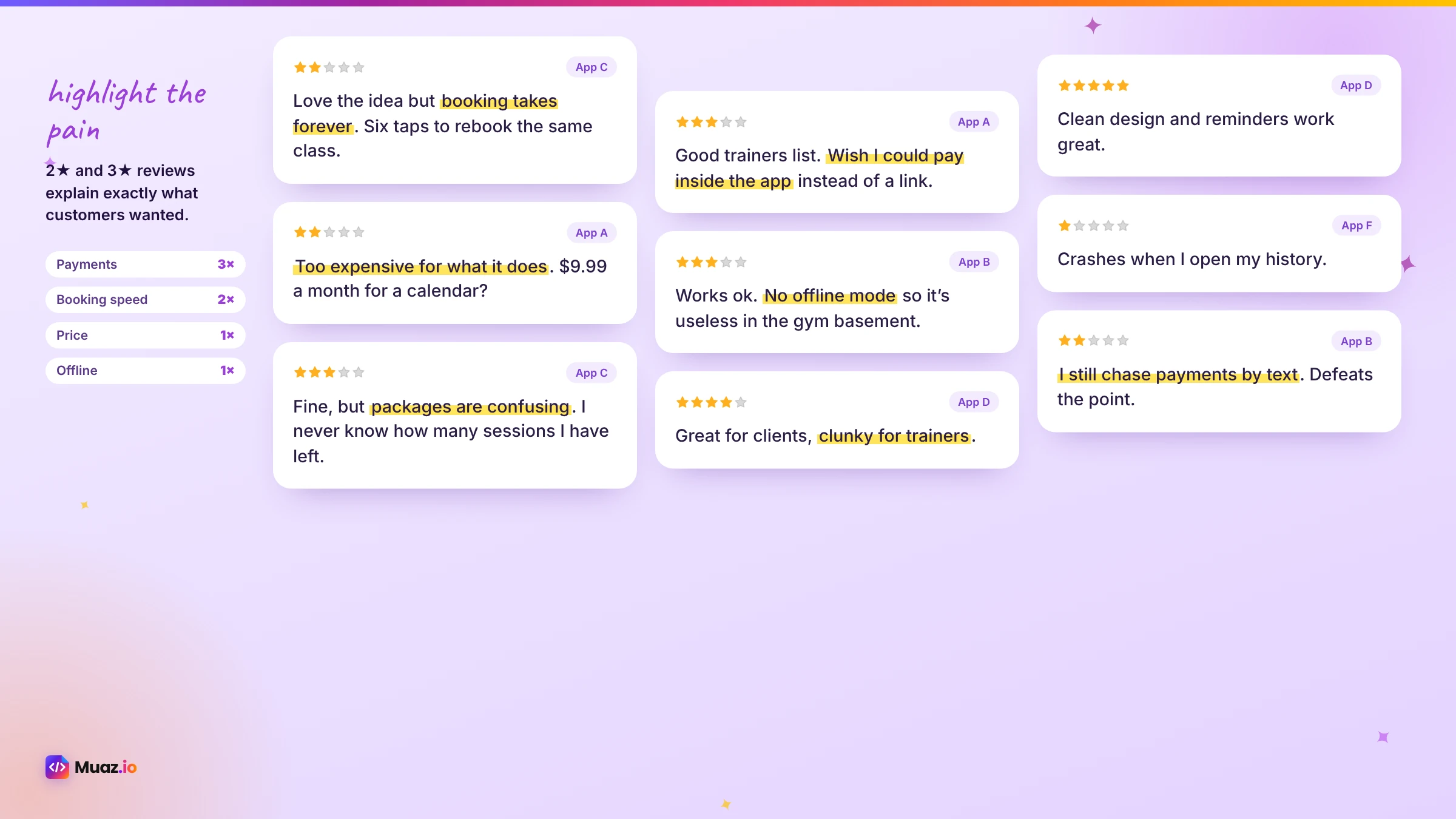
Reviews are where validation really happens. Customers tell you, in their own words, what they love, what they hate and what they wish existed. The most useful are usually the two- and three-star reviews: people who wanted the app to work and explain exactly why it did not.
Here is a simple method:
- Collect. Copy 50 to 100 recent reviews from each of your top three to five competitors, focusing on the last six to twelve months.
- Tag. Give each review one or more tags: missing feature, design, reliability, pricing, onboarding, support, privacy.
- Count. Count how often each tag appears per competitor.
- Quote. Save the clearest quotes for each theme. They become your positioning and App Store copy later.
- Rank. The themes that appear across several competitors are market gaps, not one app's bug.
Muaz.io does this automatically for your category, clustering complaints and praise into themes, but doing it by hand once is one of the best ways to understand your future customers.
Step 5: Map features and experiences
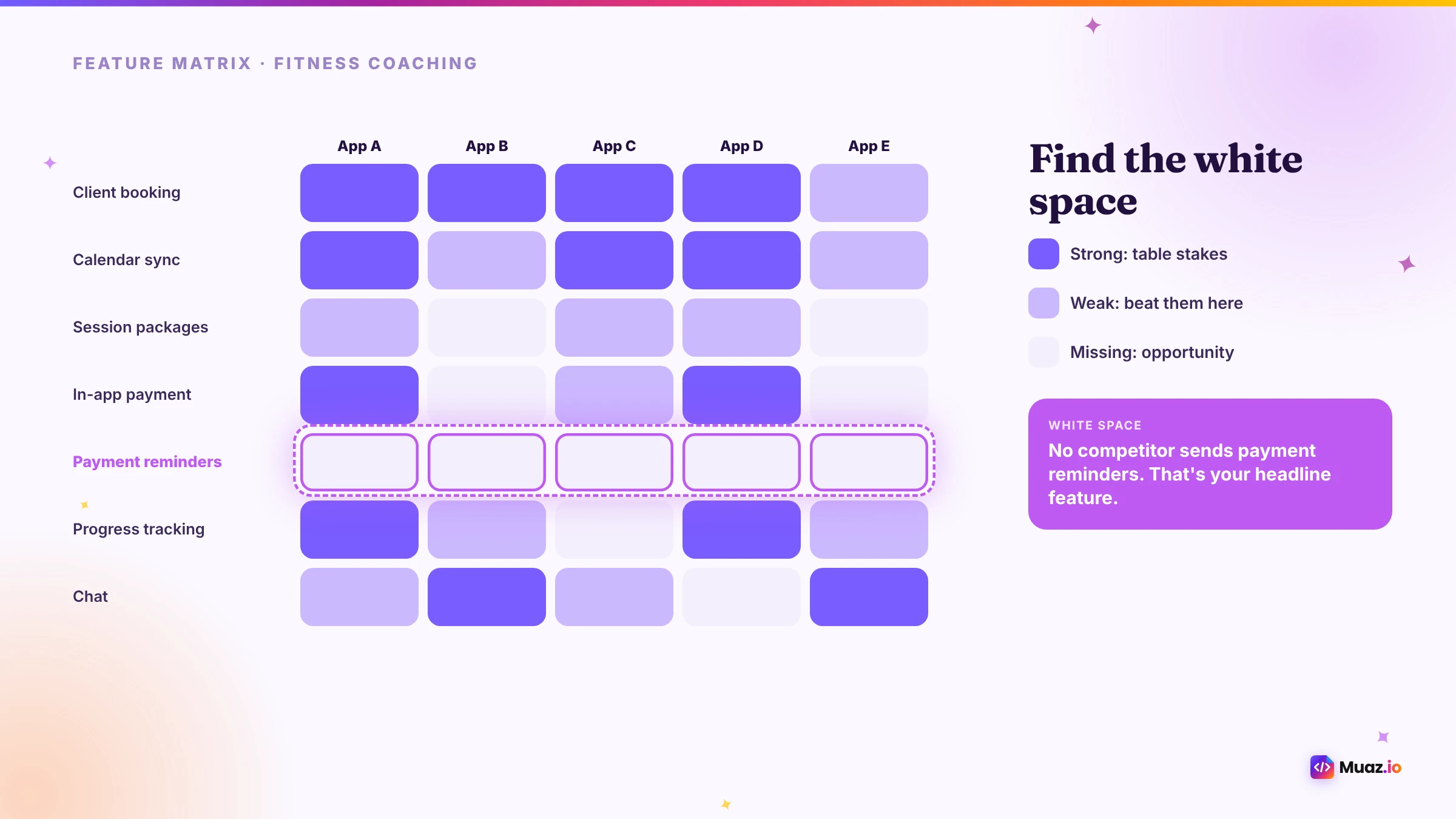
Next, build a simple matrix. List your competitors across the top and the features and experiences that matter to customers down the side. Mark each cell as strong, weak or missing.
Look for three patterns. Table stakes are features everyone has, which you must include. Weak spots are features most apps do poorly, which are your opportunity to be better. White space is something customers ask for in reviews that no app offers yet, which could become your headline feature.
Do not stop at features. Download the top apps and go through onboarding, the main task and the paywall. Note how many steps the core job takes, how the app feels, what it asks for before giving value and where you got stuck. Experience gaps are often more valuable than feature gaps, because they are harder for competitors to fix.
Step 6: Test willingness to pay
Demand is not enough; people must value the solution enough to pay, or the business must earn in another way. Competitors give you strong clues.
- Price points. The in-app purchase list on each product page shows what people pay.
- Business models. Are competitors subscription, one-time purchase, freemium or free with ads?
- Complaints about price. Reviews that say "too expensive" can mean low value, not high price. Reviews that say "worth every penny" show strong willingness to pay.
RevenueCat's 2026 subscription benchmarks are useful context: they report hard paywalls converting trials to paid at around 10.7% compared with about 2.1% for freemium models, and longer trials of 17 to 32 days improving conversion. Use these to sanity-check your plans, then test your own pricing with real people. Our free app revenue calculator lets you model scenarios.
Step 7: Talk to real people
Competitor research tells you what is happening in the market; conversations tell you why. Talk to five to ten people who match your audience. Ask about the last time they did the job, what they used, what was frustrating and what they paid. Avoid pitching your idea; listen for problems they describe without being asked.
Good questions include:
- "Tell me about the last time you had to [job]."
- "What did you use? What did you like and dislike about it?"
- "What have you tried to fix that problem?"
- "How much does that problem cost you in time or money?"
- "If it disappeared tomorrow, what would you do instead?"
Y Combinator's material on talking to users is an excellent free guide to doing this well. Combine what you hear with what you read in reviews, and patterns become clear quickly.
Step 8: Run a cheap demand test
Before building, test whether people will take action. Create a simple landing page describing the job your app does, the benefit and the price, with a waitlist or pre-order button. Share it with the communities and audiences you identified, or run a small ad test. Measure the percentage of visitors who sign up.
There is no universal benchmark, but the comparison matters: try two or three positioning angles, drawn from your review themes, and see which earns the most interest. That tells you which message to lead with in the App Store, too.
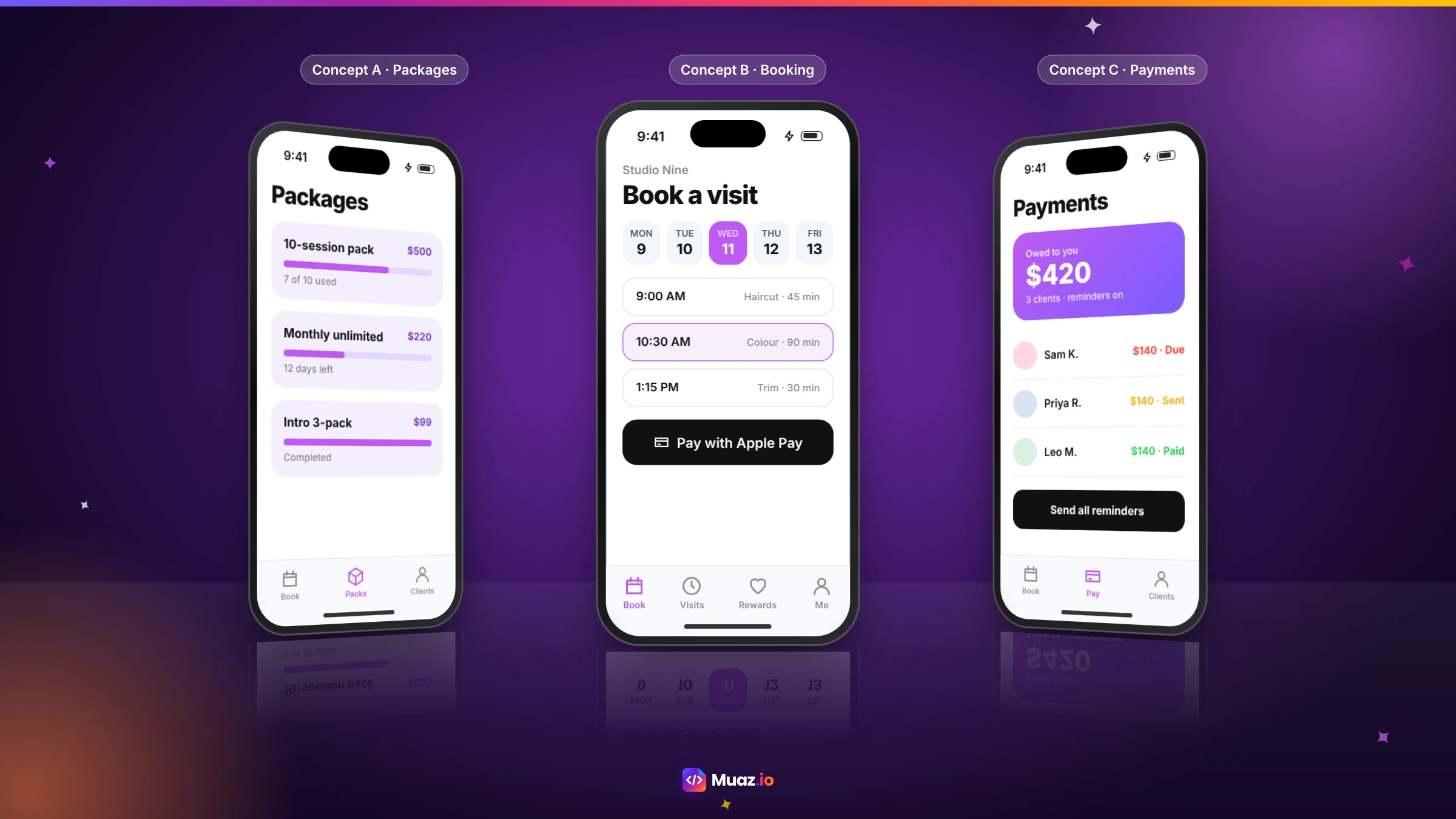
You can go further with Muaz.io: research and three native design concepts are free, so you can show people what the app would look like before building it. A realistic design in front of a customer produces much better feedback than a description.
Start free. Approve every step.
- Research 5, 10 or 20 competitors
- Original design, never copied
- Test on your iPhone today
- You own the code
Step 9: Score your idea and decide
Now bring the evidence together. Score each area from one to five.
| Area | Question | Evidence |
|---|---|---|
| Demand | Do people actively look for and use solutions? | Ratings, charts, search results |
| Pain | Is the problem frequent and costly? | Reviews, conversations |
| Gaps | Do existing apps leave customers unhappy? | Review themes, feature matrix |
| Willingness to pay | Do people pay for solutions? | Competitor pricing, tests |
| Reach | Can you reach the audience affordably? | Communities, search, your own customers |
| Your edge | Why will you win? | Data, audience, design, speed |
A total of 22 or more out of 30 usually points to "go". Between 15 and 21 suggests a pivot: narrow the audience, focus on one gap or change the model. Below 15, consider stopping or reworking the idea. The scorecard on this page includes the questions and a space for evidence.
Step 10: Define a version one that can win
Validation is not only a yes or no; it shapes what you build first. Use the evidence to define a version one with:
- The core job, done faster and better than competitors. This is the reason to switch.
- The table stakes customers expect. Without them, reviews will be harsh.
- One headline feature from the white space. This is what you put in screenshots.
- A clear business model. Based on what competitors and customers showed you.
Then leave everything else out. A focused version one launches faster, gets better reviews and tells you sooner whether customers come back.
Look beyond the App Store
The App Store shows you what exists. The wider web shows you what people are still struggling with. Spend an hour or two in the places your audience talks.
Google search. Type the job and pain into Google and read the "People also ask" box and related searches at the bottom of the page. They reveal the exact questions people have and the words they use. Searches like "best app for [job]" or "[competitor] alternative" show whether people are actively shopping for a better solution, which is a strong buying signal.
Reddit and forums. Search Reddit for the job, the pain and competitor names. Threads asking "what do you use for…?" are gold: they list the tools people actually rely on and the frustrations they share. Complaints that repeat across threads and years point to a durable problem, not a passing annoyance.
Product Hunt and launch sites. New tools launch here first. Comments show what early adopters liked and what they found missing, and the number of recent launches in a niche tells you whether it is getting crowded.
Social media and communities. Facebook groups, Discord servers, LinkedIn posts and niche newsletters often host the most honest conversations. Join as a listener first; people share real workarounds when they are among peers.
Your own data. If you run a website or business, search queries on your site, support tickets and sales call notes are validation evidence nobody else has.
Add what you find to the same tagging sheet you used for reviews. When a theme appears in App Store reviews, Reddit threads and Google questions at the same time, you have found something worth building around.
Read the timing, not just the market
A good idea at the wrong time can still struggle. A few timing signals are worth checking.
Is the category growing or shrinking? Rising chart positions for several apps, frequent new entrants and growing search interest suggest a market on the way up. Long-stagnant leaders with old version histories can mean a mature market, or an opening for a modern alternative.
Has something changed recently? New iOS features, new regulations, platform changes or shifts in how people work can make old solutions feel outdated overnight. Ideas that ride a recent change often face weaker incumbents.
Are competitors investing? Frequent updates, new features and active replies to reviews show that the leaders are paying attention. Slow updates and unanswered complaints suggest they are not, which makes it easier for a focused newcomer to win dissatisfied customers.
Your validation checklist
Use this list before you commit time or money to building.
- The idea is written as a job for a specific audience, with a named pain and current solution.
- You have listed five to ten direct and adjacent competitors and the main substitutes.
- You have recorded ratings, chart positions, update frequency and pricing for each.
- You have tagged at least 150 recent reviews across the top competitors.
- You have a feature and experience matrix showing table stakes, weak spots and white space.
- You have searched Google, Reddit and communities for the same problem in customers' words.
- You have spoken to at least five people in the audience without pitching.
- You have run a landing page or design test and measured real actions.
- You have scored the idea and written down the decision: go, pivot or stop.
- You have defined a focused version one based on the evidence.
If you can tick every item, you are in a much stronger position than most founders who start building. If some items are hard to complete, that is useful information too: it usually means the audience is too broad or the problem is not yet clear.
Turning research into App Store advantage
The work you do during validation keeps paying off after launch. The words customers use in reviews and forums become your App Store keywords and subtitle. The gaps you found become the headline of your first screenshot. The competitor weaknesses you documented become the comparison points in your marketing. And the review-tagging habit becomes your process for reading your own reviews once the app is live, so you keep improving faster than competitors.
Common validation mistakes
Searching with your own words. Customers use different language. Search with the job and pain, and borrow words from reviews.
Only looking at the top app. The leader may be strong; second-tier apps often reveal the gaps more clearly.
Reading only one-star reviews. They are often about bugs or billing issues. Two- and three-star reviews contain richer detail about what people want.
Mistaking interest for commitment. "I would use that" is not a sign-up. Ask for an email, a pre-order or time.
Ignoring substitutes. Spreadsheets and messaging apps are competitors too, and often the hardest to beat because they are free and familiar.
Copying competitors. The point of research is to find what they do poorly, not to rebuild their app. Apple's guidelines also prohibit copycat apps; design something original.
Validation for different kinds of founders
If you already have a website or business, you have a head start: your own customers and analytics. Look at what visitors do most on mobile, what they ask support about and what competitors' apps offer. Our guide to converting a SaaS website into a native iOS app explains how to turn an existing product into an app.
If you are a first-time founder, focus on a narrow audience you understand well, perhaps your own profession or hobby. You will spot real pain faster and reach people more cheaply.
If you are an agency, use this method to advise clients before quoting. A short validation report builds trust and avoids building apps that fail.
How Muaz.io helps
Muaz.io automates the heavy reading. Give it your website, a prompt or a voice note and it researches your category: competitor apps, their features and design patterns, review themes, pricing models and gaps. It then produces three original native design concepts that address those gaps, all for free. You can take those concepts to customers, use them in a landing page test or build the app when you are ready. The research is always a starting point for your judgement, not a replacement for talking to people.
For a deeper look at the research side, read our iOS app competitor analysis guide, and when you are ready to build, compare tools in our list of the best AI iOS app builders. To understand budgets before you commit, see how much it costs to convert a website into an iOS app.
Free: App Idea Validation Scorecard
A one-page scorecard to rate demand, competition, gaps, willingness to pay and your edge, with a go, pivot or stop verdict.
We’ll email the resource and a few practical tips. Unsubscribe in one click. We never sell your data.
A worked example
Imagine the personal trainer idea from step one. A search for "personal trainer scheduling", "client booking for trainers" and "fitness coaching app" turns up a handful of direct competitors and several broader booking apps. Most have thousands of ratings and recent reviews, so demand is real.
Reading the two- and three-star reviews reveals three repeated themes: clients find booking confusing, payments and packages are clunky, and trainers want a simple way to see who owes money. The feature matrix shows that every app has a calendar (table stakes), most do packages poorly (weak spot) and none offers automatic reminders for unpaid sessions with one-tap payment links (white space).
Competitors charge monthly subscriptions, and reviews praising the best apps suggest trainers will pay for something that saves time. Conversations with six trainers confirm that chasing payments is their biggest frustration. A landing page leading with "Get paid for every session, automatically" outperforms "Schedule clients easily".
The scorecard comes out strongly positive, and version one becomes clear: easy client booking, simple packages and automatic payment reminders, with the payment message front and centre in the App Store screenshots.
How often to revalidate
Validation is not a one-off gate. Markets move, competitors ship and customer expectations rise. Revisit your competitor matrix and review themes every quarter, and before any major feature or pricing change. A short refresh, an afternoon reading the latest reviews of your top three rivals and your own, keeps your roadmap anchored in what customers actually say rather than what your team assumes. It also gives you early warning when a competitor fixes the gap you built around, so you can move on to the next one first.
Final word
Validation is not about proving your idea is brilliant; it is about finding out, as cheaply as possible, what version of it people actually want. Competitors have already spent money teaching the market. Their apps, reviews and prices are a free lesson in what works and what does not. Read them carefully, talk to real people, test cheaply and build a focused version one that solves the gap you found. That is how small teams beat big ones on the App Store.
If you want a head start, paste your website or idea into Muaz.io: the free research run gives you the competitor list, review themes and design concepts in minutes, so you can spend your time on the conversations that only you can have.

Monjur builds Muaz.io and incorporated MotionTrust Digital in September 2022, where he leads Amazon strategy across the client base. Eight years in e-commerce and marketplace marketing taught him how much growth a great mobile app unlocks, so every guide here is tested against the real product and current App Store rules before it goes live.
Questions about validation
Short, direct answers. Still curious? Ask in the builder; the assistant knows your project.
How do I know if my app idea is good?
A good app idea solves a frequent, painful problem for a specific group of people who already look for solutions. Evidence includes competitor apps with real ratings and revenue, reviews that complain about gaps you can fill, search demand in the App Store and people willing to pay. If you find none of that, the idea may need reshaping.
Is it bad if there are already lots of competitors?
Usually not. Competition proves demand. What matters is whether existing apps leave customers unhappy in a way you can fix, or whether a specific audience is underserved. No competitors at all can mean no demand.
How do I find gaps in competitor apps?
Read the one-, two- and three-star reviews of the top apps in your category and group complaints into themes. Repeated complaints about missing features, poor design, pricing or reliability are gaps. Compare feature lists and onboarding flows to see what nobody does well.
How long should app idea validation take?
A focused competitor review can be done in a day or two. Adding customer conversations and a simple landing page test usually takes one to three weeks. That is far cheaper than building the wrong app.
Can AI validate my app idea?
AI can speed up the research by summarising competitor apps, clustering reviews and spotting gaps, but it cannot replace talking to real customers. Use AI for the heavy reading and people for the final judgement.
How do I check if people will pay for my app?
Look at what competitors charge and whether their apps earn money, test pricing on a landing page or waitlist, and ask potential customers about what they currently pay for alternatives. Pre-orders or deposits are the strongest signal.
What should I do if validation fails?
Pivot rather than quit. Narrow the audience, focus on the one feature people loved, change the business model or reposition against a weak competitor. Validation that fails early saves months of building.
Test the idea. Then design it.
Research 5 to 20 competing apps, spot the gaps in their onboarding and pricing, and get concepts built on what works.
Your second number, in seconds.
Get a US or UK number, receive codes and stay private.
Keep reading
 Research & Growth15 min readHow to Analyze iOS App Competitors: Screenshots, Revenue Estimates & Features
A practical method for iOS app competitor analysis: finding the right competitors, reading screenshots and reviews, estimating revenue responsibly, comparing features and turning it all into a positioning.
Monjur Hossain· Tools & Comparisons16 min read10 Best AI iOS App Builders in 2026: Features, Pricing & Native Support
We compared 10 AI app builders specifically for iPhone apps: native output, App Store publishing, code ownership, design quality and 2026 pricing, with honest picks by use case.
Monjur Hossain· Website to App15 min readHow Much Does It Cost to Convert a Website into a Native iOS App in 2026?
Real 2026 costs for turning a website into an iPhone app: agencies, freelancers, wrappers, no-code and AI builders, plus Apple fees, maintenance and the hidden costs most guides skip.
Monjur Hossain·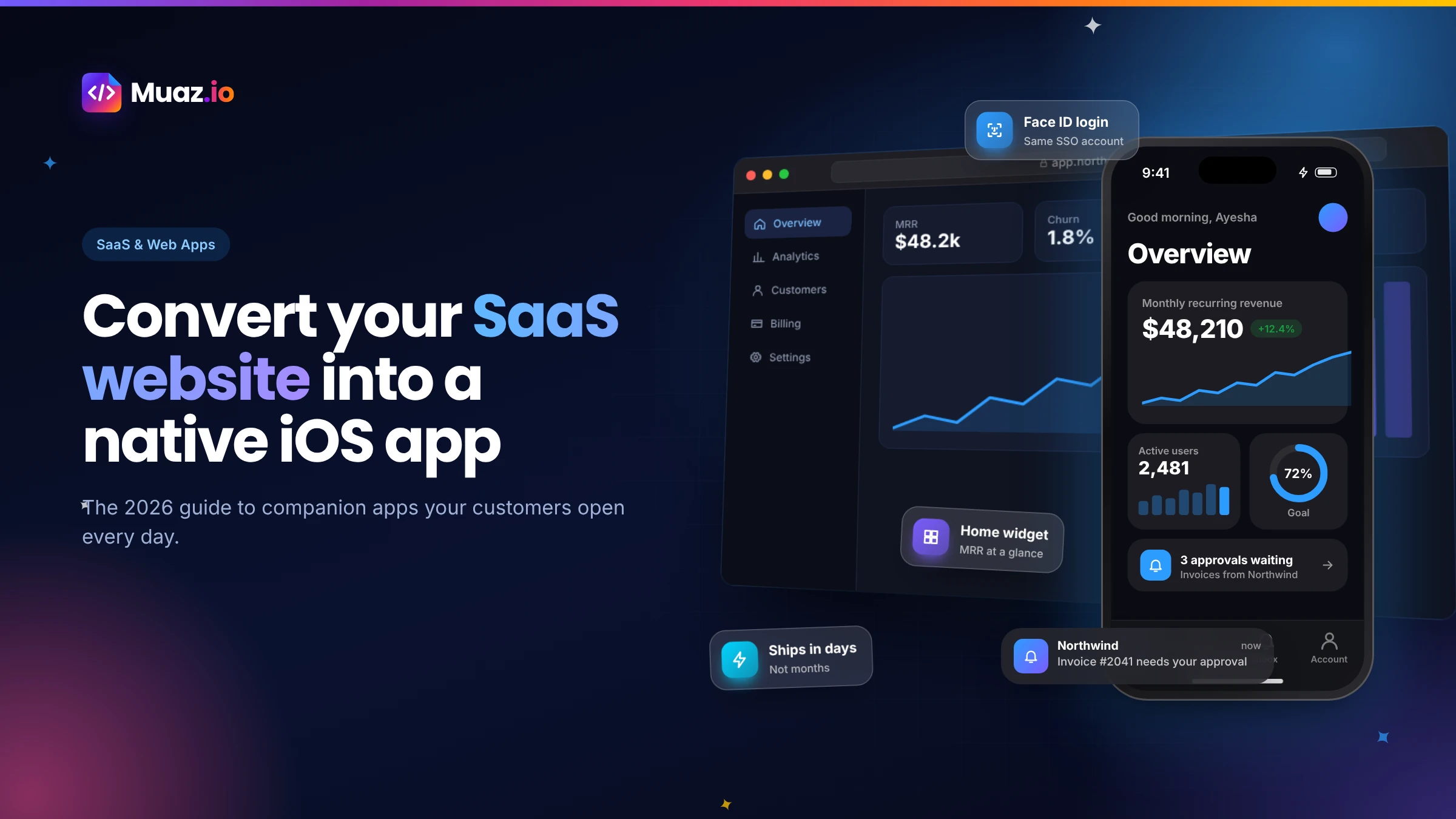 SaaS & Web Apps18 min readHow to Convert a SaaS Website into a Native iOS App Using AI (2026 Guide)
A practical, step-by-step guide to turning your SaaS web app into a native iPhone app with AI: what to build, how to connect your API and login, push alerts, App Review and cost.
Monjur Hossain·Tools and products for the next step
- 5, 10 or 20 App Store rivals analysed
- Review themes, pricing and gaps
- Trials, conversion and churn
- No sign-up needed
- Paste a URL, get three original designs
- Free research before you pay
Where our numbers come from
Third-party figures are estimates published by the sources below. Prices and rules change; check the source before you decide.
- Apple App Store Review Guidelinesdeveloper.apple.com/app-store/review/guidelines
- Apple: App Store product page and ratingsdeveloper.apple.com/app-store/product-page
- Appfigures: top-grossing apps report (May 2026)appfigures.com/resources/insights
- AppFollow: app review analysis guideappfollow.io/blog
- GoPractice: product-market fit and validationgopractice.io
- RevenueCat: State of Subscription Apps 2026www.revenuecat.com/state-of-subscription-apps
- Y Combinator: How to talk to userswww.ycombinator.com/library