From 0 to $10K MRR: The Complete App Growth and Monetization Blueprint
Only 4.6% of subscription apps reach $10K a month within two years. This blueprint gives you the maths, pricing, paywall tests, LTV and CAC formulas and the stage-by-stage plan the winners follow.
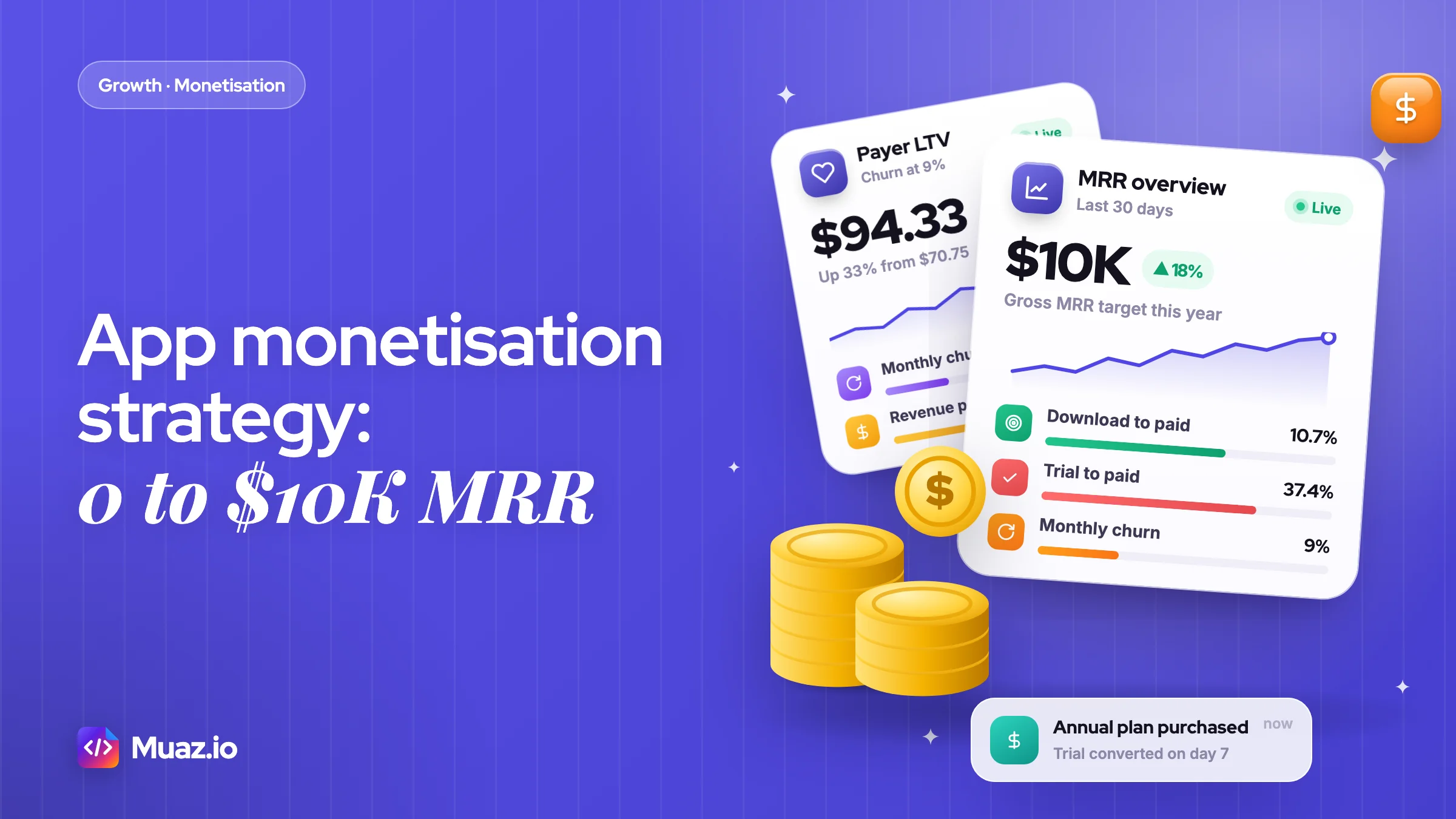
For most single-purpose consumer apps, a subscription with a paywall at the end of onboarding and a free trial on the annual plan earns the most per download. RevenueCat's 2026 data shows hard paywall apps converting 10.7% of downloads to paid by day 35, against 2.1% for freemium apps. Freemium or ads make more sense when free users bring in other users or content.
- Price, conversion and churn matter more than download volume on the way to $10K MRR.
- Longer free trials convert better, but most apps still use short ones.
- A subscription app should aim for LTV at least three times CAC, with payback well inside a year.
- Cutting churn is often the fastest way to grow MRR. Reducing monthly churn from 12% to 9% raises payer LTV by about a third without a single new download.
Your app has been live for three months. App Store Connect shows 4,200 downloads, your subscription dashboard shows 61 active subscribers, and the MRR line sits at $412. Every Sunday you decide the next feature will fix it. It probably won't. The problem usually isn't the product, it's the app monetization strategy: the maths between a download and a renewal.
The numbers say most apps never solve it. RevenueCat's State of Subscription Apps 2026, built on more than 115,000 apps and over $16 billion in revenue, found that only 17.3% of apps reach $1K in monthly revenue within two years of launch, and just 4.6% reach $10K. Adapty's 2026 data, reported by PPC Land, is even starker: the top 10% of apps take 95% of subscription revenue.
The apps that break through are rarely lucky. They pick a model on purpose, price it with intent, convert trials, keep the payers they win and only then pour money into acquisition. This blueprint walks through that sequence with the formulas, benchmarks, templates and stage-by-stage plan I'd use for a new iPhone app in 2027. It's the revenue chapter of our main guide on how to market an app, so it assumes you already have something people download.
What is an app monetization strategy?
An app monetization strategy is the plan for who pays, what they pay for, how much, when they're asked and how you keep them paying, designed so the lifetime value of each user comfortably beats what it costs to acquire them.
Most founders stop at "subscription or ads", the question most monetization roundups answer with a list of a dozen models. That's only the model, and it's one of five decisions that together set your revenue ceiling:
- Model: hard paywall subscription, freemium, consumable in-app purchases, ads, paid upfront or a hybrid.
- Price and plans: weekly, monthly or annual, how many plans, and the price on each.
- Paywall and trial: where the paywall appears, whether it can be skipped, and how long the trial runs.
- Retention: what keeps people paying after month one, and how you recover failed payments and cancellations.
- Acquisition budget: how much you can afford to pay per install, which comes from the first four, not from a guess.
Make them in that order. The most common mistake I see is the reverse: a founder spends $2,000 on ads, gets 1,500 installs at a soft paywall nobody sees, and concludes that "paid doesn't work". Paid didn't fail. The funnel behind it had nothing to convert with. Every formula below works the same on Google Play; where store rules differ, I say so.
The $10K MRR maths: how many subscribers do you actually need?
At 2026 median prices, $10K MRR takes roughly 1,000 monthly subscribers, about 3,450 annual subscribers or fewer than 400 weekly subscribers, before store fees.
MRR (monthly recurring revenue) normalises every plan to one month. A weekly plan counts as its price times 52, divided by 12. An annual plan counts as its price divided by 12. The table uses RevenueCat's 2026 median prices: $5.99 a week, $10 a month and $34.80 a year.
| Plan | Median price (2026) | Monthly value per subscriber | Subscribers for $10K gross MRR | You keep at a 15% fee |
|---|---|---|---|---|
| Weekly | $5.99 | $25.96 | 386 | $8,500 |
| Monthly | $10.00 | $10.00 | 1,000 | $8,500 |
| Annual | $34.80 | $2.90 | 3,449 | $8,500 |
First, your plan mix changes the target by a factor of nine. Second, the number on your dashboard is gross. If you're in Apple's Small Business Program and pay a 15% commission, $10K gross MRR leaves you $8,500. To bank $10K you need about $11,765 gross. Decide now which number you're chasing.
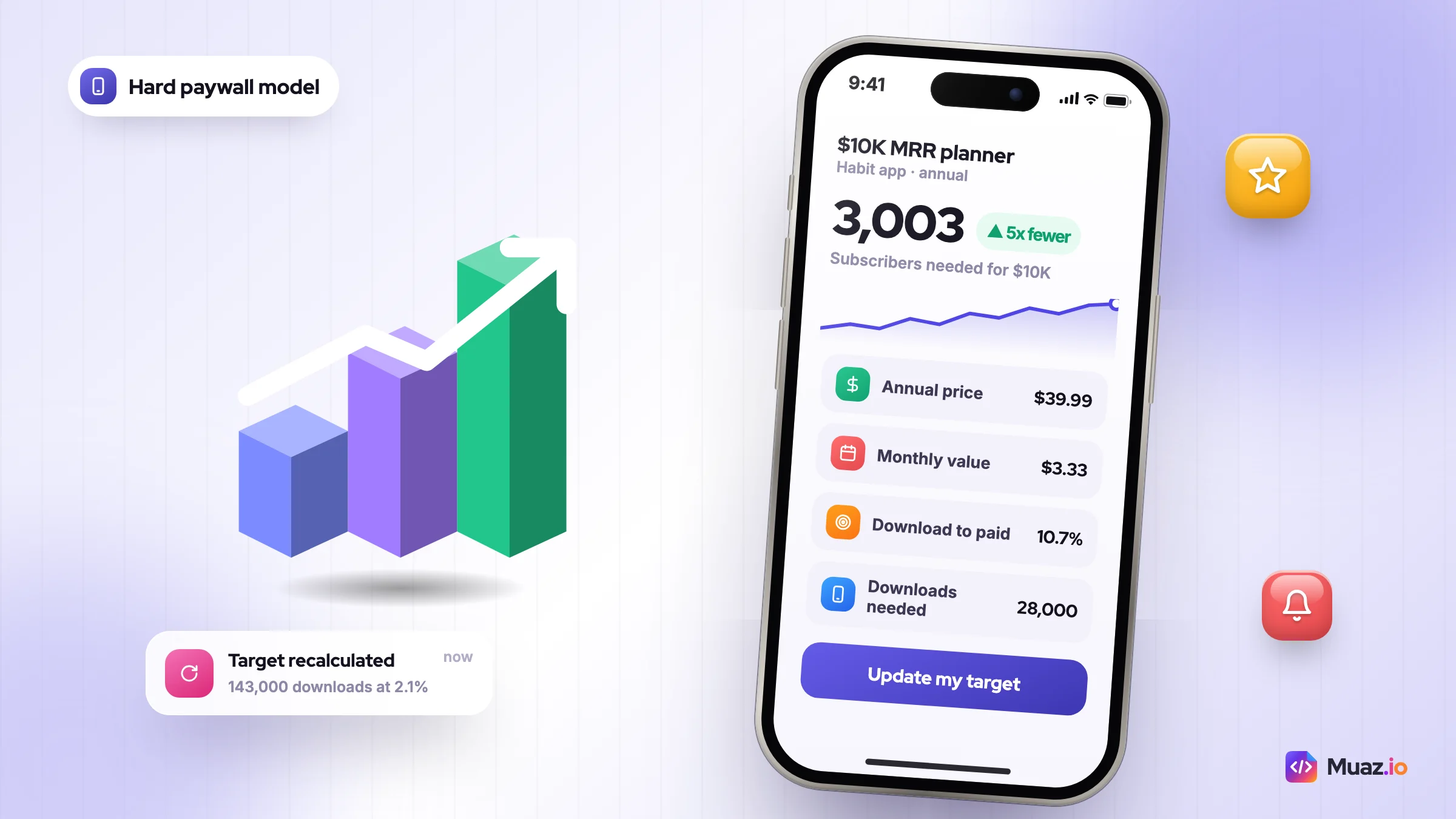
Now work backwards to downloads. Say you run a habit-tracking app with a $39.99 annual plan, so each subscriber is worth $3.33 a month. You need about 3,003 subscribers for $10K. RevenueCat's medians put download-to-paid conversion by day 35 at 2.1% for freemium apps and 10.7% for hard paywall apps. At 2.1% you'd need around 143,000 downloads. At 10.7% you'd need about 28,000. Same app, same market, five times fewer downloads.
That's before churn, which makes the real requirement higher, but the lesson holds: conversion and price are cheaper levers than traffic. Plug your own price, conversion and churn into the free app revenue calculator and you'll see exactly how many installs a month your target needs.
Freemium vs subscription apps: which model should you pick?
For most utility, health, productivity and education apps, a subscription behind a hard paywall or a trial earns more per download; freemium wins when free users create value for paying ones through network effects, shared content or word of mouth.
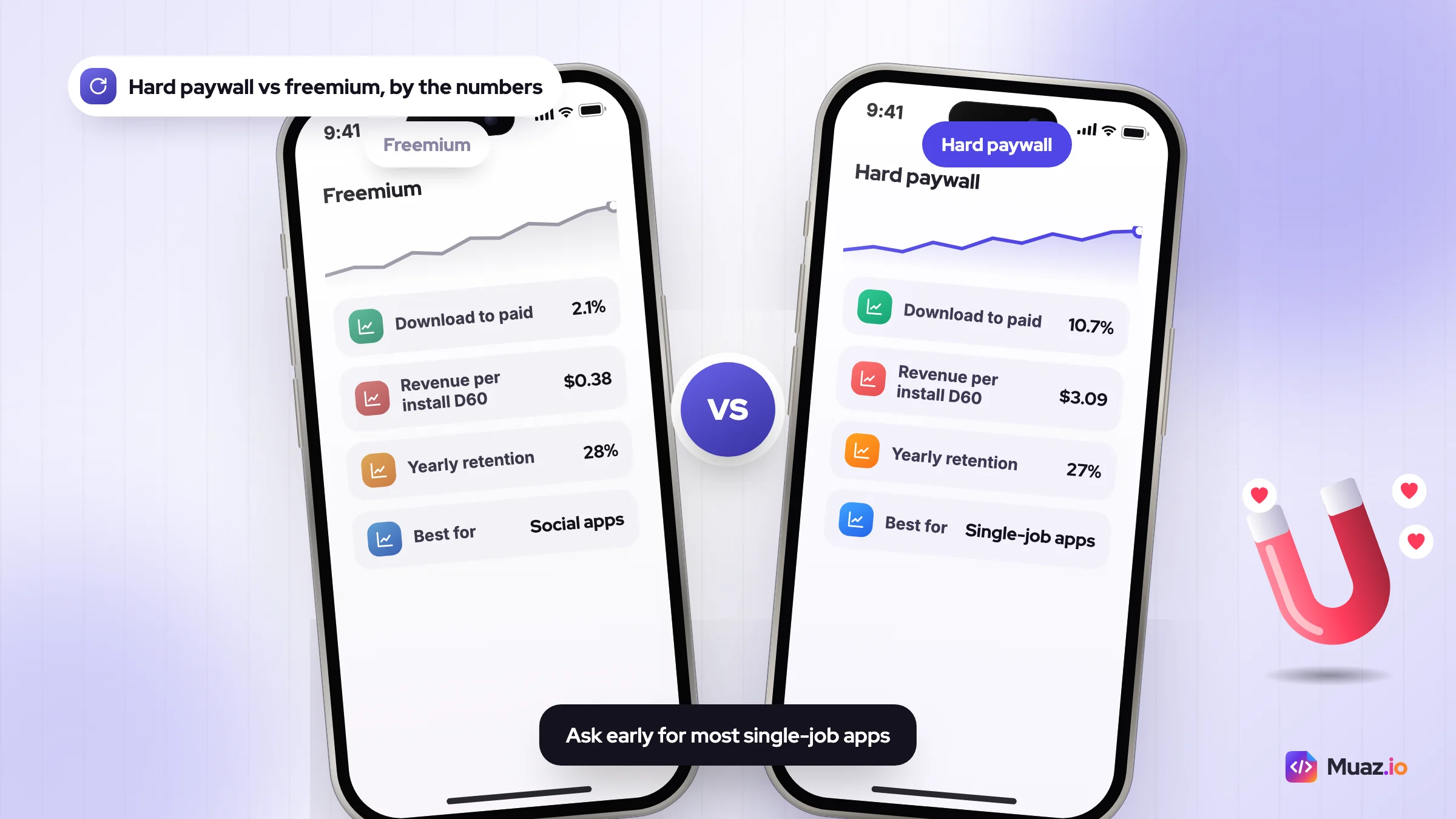
The headline data is clear. RevenueCat reports a median download-to-paid rate of 10.7% for hard paywall apps against 2.1% for freemium apps. Revenue per install at day 60 is $3.09 against $0.38. Yet yearly subscriber retention after one year is almost identical: 28% for freemium and 27% for hard paywalls. The hard paywall advantage is front-loaded. It wins on who converts, not on how long they stay.
Treat that as a correlation, not a law. Apps that choose hard paywalls tend to have a clear, single job. RevenueCat's own write-up on hard paywall vs freemium describes one team that moved to freemium, saw subscriber conversion fall by more than half, and switched back within a couple of weeks. Test rather than copy.
| Model | Best for | How it earns | Watch out for |
|---|---|---|---|
| Hard paywall subscription | Single-job apps with a fast "aha": scanners, fitness plans, AI tools | Trial or direct purchase straight after onboarding | Weak onboarding means nobody converts and reviews suffer |
| Freemium subscription | Social, collaborative and content apps where free users invite others | Small share of a big free base upgrades over time | 2.1% median download-to-paid, so you need volume |
| Consumable in-app purchases | Games, credits for AI generation, one-off upgrades | Repeat purchases by a minority of heavy users | Revenue is spiky and harder to forecast than MRR |
| Ads (rewarded, interstitial) | High-volume free apps with daily sessions | Paid per thousand impressions | Needs a large daily audience; can hurt retention |
| Paid upfront | Pro tools with a known audience | One payment per download | No recurring revenue and a big conversion hit on the product page |
| Hybrid | Apps with distinct free and power-user segments | Subscription plus credits, or ads for free users plus a paid tier | More complexity to test and explain |
What I'd do: if your app does one job well and people feel the value in the first session, start with a hard paywall at the end of onboarding and put a free trial on the annual plan. Add a free tier only when you have evidence that free users bring referrals or content. Ads are fine as a top-up for free users, but they need a big daily audience, so run the sums with your own network's figures before you rely on them to reach $10K.
Subscription app pricing strategy: weekly, monthly or annual?
Offer two plans: an annual plan, preselected and priced at roughly three times the monthly price, plus a monthly or weekly anchor, and test price increases before you add features.
RevenueCat's 2026 medians show where your price sits.
| Plan | Median price | Category medians range | Fits apps where |
|---|---|---|---|
| Weekly | $5.99 | $4.99 to $6.89 | The need is short and urgent: photo fixes, scanning, a one-off AI task |
| Monthly | $10.00 | $4.99 to $9.99 | Value is ongoing but people want low commitment |
| Annual | $34.80 (up from $31.60) | $20 (Travel) to $44.99 (Education) | The app builds a habit: fitness, learning, journaling, productivity |
One quirk: RevenueCat's headline monthly median is $10, while its category medians top out at $9.99, so read $9.99 to $10 as the going rate for a monthly plan. Adapty's 2026 numbers add useful context. Weekly plans rose from 43.3% of subscription revenue in 2023 to 55.5% in 2025. Weekly plans sold with a trial had a 12-month LTV of $54.50, against $7.40 without one. A typical annual plan costs about three times a monthly plan, and high-price apps earned around three times the LTV of low-price apps. Cheap is rarely the winning move.
My pricing rules for a new subscription app:
- Price the outcome, not your costs. If your app saves someone two hours a week, $39.99 a year is a bargain. Anchor on the value, then check it against competitors.
- Make annual the default. Preselect it and show the saving as a percentage against the monthly plan. Annual buyers pay upfront, which funds acquisition earlier.
- Use weekly only when intent is short. Weekly works for a burst need. For a habit app it often churns before the habit forms.
- Localise. Adapty found prices vary by up to four times between countries, and European prices rose 18% year on year. Review your App Store price tiers by storefront instead of accepting the automatic conversion.
- Raise prices before adding features. Test a higher price on new users only. If conversion drops less than the price rises, you've grown revenue per install without writing code.
Before you settle on a number, look at what ten competitors charge and how they frame it. You can run a free competitor scan on Muaz.io that pulls their pricing, paywall screens and review complaints into one report, which takes a lot of the guesswork out of your first price.
What is a good trial-to-paid conversion rate?
RevenueCat's 2026 medians put trial-to-paid conversion at 25.5% for trials of four days or less, 37.4% for five to nine days and 42.5% for 17 to 32 days, so a week-long trial converting above about 35% is in good shape.
The detail matters more than the headline. In RevenueCat's 2026 benchmarks summary, the share of apps using trials of four days or less rose from 42.1% to 46.5%, even though short trials convert worst. And 55.4% of all three-day trial cancellations happen on day 0. People decide in the first session whether they'll pay, then cancel straight away to avoid forgetting.
Conversion also varies a lot by category. Travel apps convert 43.5% of trials and Health and Fitness 37.7%, while Photo and Video sits at 22.2%. Compare yourself with your own category, not with the overall median.
How I'd improve app trial to paid conversion:
- Deliver the first win on day 0. If day 0 decides most cancellations, the trial is really won or lost in onboarding. Get the user to one finished result, such as a plan, a scan or a first lesson, before they leave.
- Show a trial timeline on the paywall. "Today: full access. Day 5: we remind you. Day 7: you're billed." It removes the fear that makes people cancel on day 0.
- Send that reminder. A notification two days before billing feels risky, but it builds trust and cuts refund requests and angry reviews.
- Test seven days against 14. Longer trials convert better in the data, but they also give people room to procrastinate. Run it as a test rather than switching blindly.
- Use the right Apple offer type. Apple's subscription offers include free trials, pay-as-you-go and pay-up-front introductory offers, and each customer can redeem one introductory offer per subscription group.
Free: 0 to $10K MRR App Revenue Kit
A copy-ready LTV and CAC sheet, the seven-test paywall plan, a paywall copy template and the three-stage MRR roadmap checklist.
We’ll email the resource and a few practical tips. Unsubscribe in one click. We never sell your data.
App paywall optimisation: seven tests worth running first
Paywall optimisation means testing where, when and how the purchase screen appears so more of the people who see it pay; placement and plan presentation usually move revenue far more than colours or button copy.
Run these in order. Each one is a single change, and each one is judged on revenue per install or revenue per paywall view, not on trial starts. A test that doubles trials but halves conversion to paid is a loss.
- Placement. Show the paywall at the end of onboarding, when motivation peaks, rather than on day three when someone taps a locked feature.
- Hard vs soft. Test a paywall with no close button against one that can be skipped. This is the freemium question in miniature.
- Trial or no trial. Trial on the annual plan only, against a trial on every plan, against no trial at all.
- Plan line-up. Two plans with annual preselected against three plans. More choice often slows people down.
- Price points. A higher annual price for new users, held for at least a full weekly cycle so weekday and weekend behaviour both count.
- Multi-step paywall. A benefits screen, then the trial timeline, then the plans. In one case on RevenueCat's blog, a growth adviser replaced a client's hard paywall with a multi-step paywall and, alongside other pricing and packaging changes, saw LTV per user rise 75%. It's one app and the changes weren't isolated, so treat it as a ceiling, not a benchmark.
- Copy and proof. An outcome headline, the reminder promise and your star rating. It usually moves the least, so do it last.
Copy-ready paywall template
Fill this in for your app. It works as one screen or as the last step of a multi-step paywall.
- Headline: [Outcome] in [time frame]. Example: "Run your first 5K in 8 weeks".
- Three benefit lines: [what they get], [what they stop worrying about], [what makes you different].
- Plan cards: Annual, preselected, "[price] a year, save [X]%". Monthly or weekly beneath it as the anchor.
- Trial timeline: Today: full access. Day [n minus 2]: reminder. Day [n]: billed [price].
- Button: "Start my free week", not "Subscribe".
- Reassurance: "Cancel anytime in Settings. We'll remind you before you're charged."
Already have a paywall live? Score it with the free paywall teardown to see where it loses people and whether it breaks any App Review rules before you start testing.
How to calculate LTV and CAC for a subscription app
LTV is the net revenue you expect from a paying user over their lifetime, roughly net monthly price divided by monthly churn, and CAC is acquisition spend divided by new paying users; a common target is LTV at least three times CAC, with payback well inside a year.
The 3:1 rule comes from SaaS, so treat it as a starting point rather than a law. For a bootstrapped app paying for ads out of its own revenue, payback speed matters as much as the ratio. Here's the app LTV CAC calculation I use.
- Net revenue per payer per month = monthly price × (1 − store fee).
- Payer LTV = net revenue per payer per month ÷ monthly churn rate.
- LTV per install = download-to-paid rate × payer LTV.
- CAC per payer = acquisition spend ÷ new paying users (or cost per install ÷ download-to-paid rate).
- Maximum cost per install = LTV per install ÷ 3.
- Payback in months = CAC per payer ÷ net revenue per payer per month.
Worked example
Say you sell a $9.99 monthly plan and pay a 15% fee, so you keep $8.49 a month. Monthly churn is 12%, which means the average payer stays about 8.3 months. Payer LTV is $8.49 ÷ 0.12 = $70.75.
If 4% of downloads become payers, LTV per install is $2.83. At 3:1 your maximum cost per install is about $0.94. At that price, each payer costs $23.50 to acquire and pays you back in 2.8 months. That's a business you can scale with ads.
Now sanity-check it against reality. RevenueCat's median revenue per install at day 60 is $0.34 across all categories, $0.66 in Health and Fitness and $0.55 in North America. If your model says $2.83 and your day-60 cohort says $0.40, trust the cohort. Early LTV models are almost always optimistic, because churn is a guess until you have three months of data.
Annual plans need one extra line. You collect a year upfront, which is lovely for cash flow, but RevenueCat found the first month accounts for 35% of annual cancellations. Model annual LTV as first-year net price plus expected renewals, and don't count the renewal until you've seen your own renewal rate.
These numbers also tell you which paid channels you can afford. Our comparison of Apple Ads vs Google App Campaigns vs Meta Ads covers what each one tends to cost and how to measure it.
Retention: the cheapest MRR you will ever add
Reducing churn is usually the fastest route to higher MRR, because every point of monthly churn you remove raises lifetime value for every subscriber you already have.
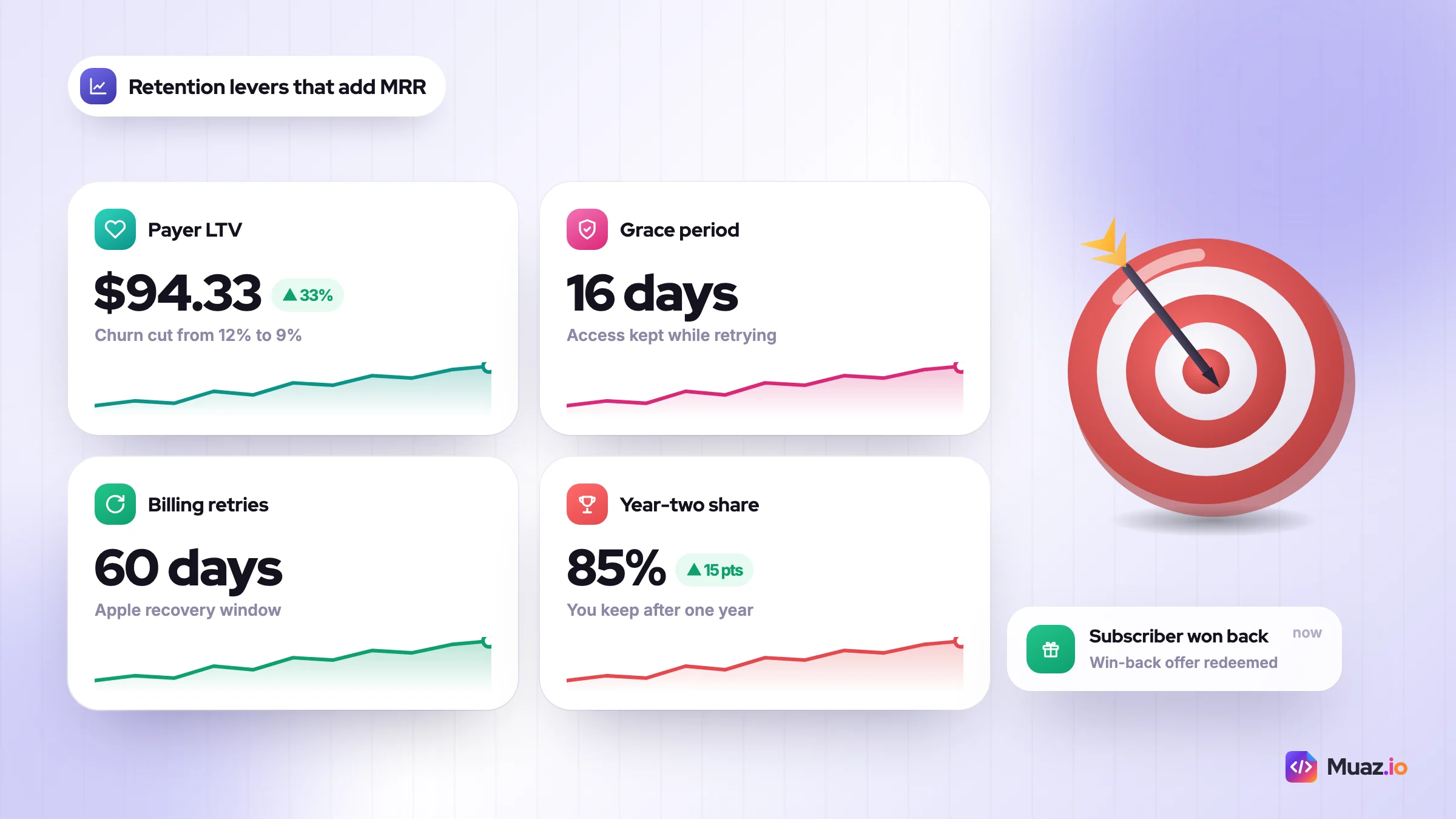
Go back to the worked example. Cut monthly churn from 12% to 9% and payer LTV rises from $70.75 to $94.33, a 33% jump with no extra downloads. That same improvement also raises the price you can pay per install, which makes every acquisition channel work better.
Apple gives you more retention tools than most founders use:
- Billing Grace Period. Enable it in App Store Connect for 3, 16 or 28 days. Subscribers keep access while Apple retries the payment, and if it recovers within the grace period you lose no paid days or revenue. Apple also keeps trying to recover failed renewals for 60 days.
- Win-back offers. Discounts for lapsed subscribers that Apple can show on the App Store, inside your app and in the customer's subscription settings.
- Promotional offers. Up to 10 per subscription, with your own rules for who sees them, such as a discount for someone heading to the cancel screen.
- Offer codes. One-time or custom codes for email campaigns, partners and support recoveries.
- The one-year bump. On Apple's standard terms you receive 70% of the price in a subscriber's first year and 85% after one year of paid service, so long-term subscribers are worth more per month as well as for longer.
My retention checklist for a subscription app: turn on a 16-day grace period, add a one-question cancellation survey, offer a cheaper plan or a pause before cancellation, schedule a win-back offer 30 days after expiry, tie push notifications to the user's goal rather than to your release notes, and send annual subscribers a short "your year" summary before renewal.
Annual subscribers who cancel in month one usually never formed the habit, so treat their first week like a second onboarding. For the full system, read our guide to app retention marketing.
Store fees, web checkout and your real margin in 2027
Most small developers pay 15%: Apple's Small Business Program charges 15% for developers under $1 million in annual proceeds, and Google Play charges 15% on auto-renewing subscriptions.
Apple's Small Business Program applies to paid apps and in-app purchases for developers who earned no more than $1 million in the previous calendar year, and new developers can join too. You have to enrol, so do it before your first sale. On Google Play, auto-renewing subscriptions cost 10% plus a 5% billing fee in the US, UK, EEA, Japan and Australia, and 15% in other markets regardless of how much you earn. Google rolled the new split out during 2026, so check the page again before you set prices.
| Scenario | Store fee | You keep (before tax) |
|---|---|---|
| Apple Small Business Program, any subscription | 15% | 85% |
| Apple standard terms, first year of a subscription | 30% | 70% |
| Apple standard terms, after one year of paid service | 15% | 85% |
| Google Play auto-renewing subscriptions | 15% (10% + 5% billing fee in five regions) | 85% |
| US web checkout via an in-app link | Pending a court-set rate; payment processing still applies | Varies |
Web checkout is the moving part. In April 2025 a US court barred Apple from charging commission on purchases made through links out of US apps. In December 2025, as 9to5Mac reported, the appeals court said Apple can charge a reasonable fee once one is agreed or set by the court, can't charge the 27% it had tried, and can require external links to be no more prominent than its own purchase buttons. Check the current App Review Guidelines before you build on it, because this is still changing.
What I'd do: enrol in the Small Business Program on day one and leave web checkout until you're past about $5K MRR. Before that, the engineering time, tax handling and support for a second payment system cost more than the fee you'd save. After that, a web funnel for paid social traffic becomes worth testing.
The app MRR growth roadmap: $0 to $1K, $1K to $5K, $5K to $10K
Grow MRR in three stages: prove people will pay (to $1K), fix conversion and retention until the unit economics support paid acquisition (to $5K), then scale only the channels that pay back (to $10K).
For context, among the apps that get there, RevenueCat's median time from launch is 58 days to $1K a month and 109 days to $10K. Those are the fast ones.
| Stage | MRR goal | Main lever | Key metric | Move on when |
|---|---|---|---|---|
| 1. Prove | $0 to $1K | Paywall, ASO, founder-led organic | Download-to-paid rate | About 100 paying users and a repeatable source of installs |
| 2. Fix | $1K to $5K | Price, trial and paywall tests; churn work | Revenue per install at day 60 | A cohort shows LTV at least 3x a realistic CAC |
| 3. Scale | $5K to $10K | Paid acquisition, creators, win-back | Payback in months | Payback stays inside your cash runway as spend grows |
Stage 1: $0 to $1K MRR, prove people pay
Ship the paywall in your first build. A free launch with "monetisation later" teaches you nothing about willingness to pay. Your installs come from App Store search and from channels that cost time rather than money: communities, short video, build-in-public posts and your own network.
Start with search. Our App Store Optimization guide covers the metadata, and the free ASO keyword tool helps you fill your name, subtitle and keyword field. Then work through the tactics in getting your first 10,000 downloads without ads. Talk to 10 payers and 10 people who cancelled. Their words become your paywall copy.
Stage 2: $1K to $5K MRR, fix the unit economics
This is where most of the growth comes from, and it rarely feels like growth. Run the seven paywall tests, test trial length and price, turn on the grace period and build your first LTV and CAC model from real cohorts. If revenue per install doubles, the same downloads take you from $2K to $4K.
Stage 3: $5K to $10K MRR, scale what pays back
Only now should you buy installs. Start with Apple Ads on the keywords that already convert for you organically, because search intent pays back fastest. Add creators and short-form video for reach, and send that traffic to a custom product page that matches the message. Keep a weekly view of payback and pause any channel that drifts past it. If you want this stage laid out week by week, our 90-day app launch plan turns it into a calendar.
Which mobile app revenue growth channels pay back at each stage?
Early on, the channels that pay back are the ones that cost time rather than cash, such as App Store search, communities and founder-made video; paid channels pay back only once your conversion and retention numbers can support a known cost per install.
- App Store search (all stages). Free, compounding and full of intent.
- Communities (stage 1 and 2). Reddit, niche forums and Discord groups where your users already ask for help. Answer questions first and mention the app second. Our guide to Reddit marketing for apps shows how to do it without getting banned.
- Short-form video (stage 1 to 3). Founder-made screen recordings first, then paid creators once you know which hooks work. See the TikTok, Reels and Shorts playbook.
- Apple Ads (stage 3). The closest paid match to organic search intent, so it's usually the first paid channel I'd test for an iPhone app.
- Meta and TikTok ads (stage 3). Bigger reach, weaker intent. They work best with a trial-optimised event and, later, a web funnel.
- Referrals (stage 2 onwards). A free month for each paid referral.
Pick two of these per stage, not six. A channel you run every week beats three you test once and abandon.
Tools and services: what to pay for, and when
Before $1K MRR you need a subscription SDK and the free store dashboards; paywall A/B testing tools earn their cost from around $1K MRR, and an app marketing agency or growth consultant only makes sense once you have profitable channels to scale.
Here's how I'd sequence spend on app monetization tools.
| Need | Typical options | When to pay |
|---|---|---|
| In-app purchase SDK and subscription analytics | RevenueCat, Adapty, or StoreKit with your own backend | Day one; most have free tiers for small apps |
| Paywall A/B testing tools | Built-in experiments in your subscription platform, or a dedicated paywall builder such as Superwall | From about $1K MRR, once you get a few hundred paywall views a week |
| ASO tools | Free keyword tools first, paid suites later | Free from day one; paid once you track dozens of keywords |
| Competitor research | Manual teardowns or a research report | Before you set prices and before each big paywall test |
| App growth consultant or agency | Freelance growth marketers, performance agencies | From about $5K MRR with a proven channel and a clear budget; agree fees and scope in writing |
Get two or three quotes for any agency or consultant. Anyone who promises installs without asking about your LTV is selling volume, not revenue.
Where Muaz.io fits: it researches competitors, then designs, builds and launches a native iPhone app from your website, a text prompt or a voice note, and helps it grow with ASO and Growth Studio 30, 60 and 90-day plans. If you want the competitor research, the app and the growth plan in one place, the Muaz.io plans start at $19 a month. If you already have an app and just need the subscription plumbing, a dedicated SDK is the right tool, and I'd say so to a friend.
Your 0 to $10K MRR checklist: what to do this week
Copy this into your notes and work through it in order.
This week
- Enrol in the App Store Small Business Program if you're under $1 million in proceeds.
- Decide your target: $10K gross MRR or $10K net, and write down the subscriber count it needs.
- Check your current download-to-paid rate, trial-to-paid rate and monthly churn against the benchmarks above.
- Move the paywall to the end of onboarding if it isn't there already.
- Add a trial timeline and a reminder promise to the paywall.
- Turn on Billing Grace Period in App Store Connect.
This month
- Run test 1 (placement) and test 3 (trial or no trial). Judge them on revenue per install.
- List ten competitors' prices and paywall layouts, and set your annual price against them.
- Add a one-question cancellation survey and a cheaper plan or pause option.
- Build your first LTV and CAC sheet using the formulas in this guide.
This quarter
- Run the remaining paywall tests one at a time.
- Set up a win-back offer and a promotional offer for people heading to cancel.
- Once a day-60 cohort shows LTV at least three times your realistic CAC, start Apple Ads on your best organic keywords.
- Review payback every week and cut any channel that drifts past it.
If you're still at the idea stage, the order is the same, just earlier: research what competitors charge, build with the paywall in place and launch with ASO done. You can start building your app free on Muaz.io and have the competitor research, the native iPhone app and the first growth plan side by side. Get the model, price, paywall and retention right before you spend on ads. That's how the 4.6% get to $10K.

Monjur builds Muaz.io and incorporated MotionTrust Digital in September 2022, where he leads Amazon strategy across the client base. Eight years in e-commerce and marketplace marketing taught him how much growth a great mobile app unlocks, so every guide here is tested against the real product and current App Store rules before it goes live.
Questions about 2027 guide
Short, direct answers. Still curious? Ask in the builder; the assistant knows your project.
What is the best monetization strategy for an app?
For most single-purpose consumer apps, a subscription with a paywall at the end of onboarding and a free trial on the annual plan earns the most per download. RevenueCat's 2026 data shows hard paywall apps converting 10.7% of downloads to paid by day 35, against 2.1% for freemium apps. Freemium or ads make more sense when free users bring in other users or content.
How many subscribers do you need for $10K MRR?
Price, conversion and churn matter more than download volume on the way to $10K MRR. At RevenueCat's 2026 median prices, $10K MRR takes about 1,000 monthly subscribers, 3,449 annual subscribers or 386 weekly subscribers. Moving from a 2.1% to a 10.7% download-to-paid rate cuts the downloads you need by roughly five times.
What is a good trial-to-paid conversion rate for apps?
Longer free trials convert better, but most apps still use short ones. RevenueCat's 2026 medians show 25.5% trial-to-paid for trials of four days or less, 37.4% for five to nine days and 42.5% for 17 to 32 days. Test seven days against 14 rather than defaulting to three.
How do you calculate LTV and CAC for a subscription app?
A subscription app should aim for LTV at least three times CAC, with payback well inside a year. Calculate payer LTV as net monthly price divided by monthly churn, then multiply by your download-to-paid rate to get LTV per install. Check the model against real day-60 revenue per install before you scale ads.
What is the fastest way to grow app MRR?
Cutting churn is often the fastest way to grow MRR. Reducing monthly churn from 12% to 9% raises payer LTV by about a third without a single new download. Billing Grace Period, win-back offers and promotional offers in App Store Connect make this easier than most founders expect.
How long does it take an app to reach $10K MRR?
Among the apps that get there, RevenueCat's 2026 report puts the median at 109 days from launch to $10K in monthly revenue, and 58 days to $1K. Only 4.6% of apps reach $10K within two years, so plan for longer and treat those medians as the fast end.
Is freemium or a subscription better for apps?
A hard paywall subscription usually converts far more downloads to paid and earns more per install, while yearly retention is almost the same for both models (27% and 28% in RevenueCat's 2026 data). Freemium is the better choice when free users drive referrals, network effects or shared content.
How much does Apple take from app subscriptions?
Developers in the App Store Small Business Program, which covers those under $1 million in annual proceeds, pay 15%. On standard terms Apple takes 30% in a subscriber's first year and 15% after one year of paid service. Google Play charges 15% on auto-renewing subscriptions.
Should I offer weekly, monthly or annual subscriptions?
Most apps do best with an annual plan as the preselected default plus one shorter plan as an anchor. Weekly plans suit short, urgent needs, and Adapty's data shows they now make up more than half of subscription revenue, but habit-based apps usually retain better on annual plans.
Keep reading
 SaaS & Web Apps18 min readHow to Convert a SaaS Website into a Native iOS App Using AI (2026 Guide)
A practical, step-by-step guide to turning your SaaS web app into a native iPhone app with AI: what to build, how to connect your API and login, push alerts, App Review and cost.
Monjur Hossain· Tools & Comparisons16 min read10 Best AI iOS App Builders in 2026: Features, Pricing & Native Support
We compared 10 AI app builders specifically for iPhone apps: native output, App Store publishing, code ownership, design quality and 2026 pricing, with honest picks by use case.
Monjur Hossain· Website to App15 min readHow to Turn Any Website into an iPhone App Without Coding (Step-by-Step)
A step-by-step, no-code guide to turning your website into a real iPhone app: checking readiness, choosing native vs WebView, AI conversion, testing on TestFlight and App Store approval.
Monjur Hossain· Tools & Comparisons15 min read7 Best Website-to-App Converters in 2026: Native Apps vs WebView
An honest comparison of 7 website-to-app converters in 2026, from WebView wrappers to native AI rebuilds: how each works, App Review risk, features, ownership and published pricing.
Monjur Hossain·Tools and products for the next step
- Trials, conversion and churn
- No sign-up needed
- Paste a URL, get three original designs
- Free research before you pay
- 5, 10 or 20 App Store rivals analysed
- Review themes, pricing and gaps
Where our numbers come from
Third-party figures are estimates published by the sources below. Prices and rules change; check the source before you decide.
- RevenueCat: State of Subscription Apps 2026www.revenuecat.com/state-of-subscription-apps
- RevenueCat: The State of Subscription Apps in 10 minutes, benchmarks for 2026www.revenuecat.com/blog/growth/subscription-app-trends-benchmarks-2026
- RevenueCat: Hard paywall vs freemiumwww.revenuecat.com/blog/growth/hard-paywall-vs-freemium
- PPC Land: 95% of app subscription revenue goes to the top 10%, Adapty 2026 benchmark reportppc.land/95-of-app-subscription-revenue-goes-to-top-10-adaptys-2026-benchmark-report
- Apple Developer: Auto-renewable subscriptionsdeveloper.apple.com/app-store/subscriptions
- Apple Developer: App Store Small Business Programdeveloper.apple.com/app-store/small-business-program
- Google Play Console Help: Service feessupport.google.com/googleplay/android-developer/answer/112622?hl=en
- 9to5Mac: Apple defeats ban on charging commission on linked-out purchases (December 2025)9to5mac.com/2025/12/11/apple-defeats-ban-on-charging-commission-on-linked-out-purchases-from-ios-apps
- Adapty: Top 12 ways to monetize your app in 2026adapty.io/blog/mobile-app-monetization-strategies