App Store Optimization (ASO) in 2027: The Complete Guide to Ranking on iOS & Android
Most downloads still start with a search in the App Store or Google Play. Here is how ranking works in 2027, what every field does, and a 30-day plan to get your app found and installed.
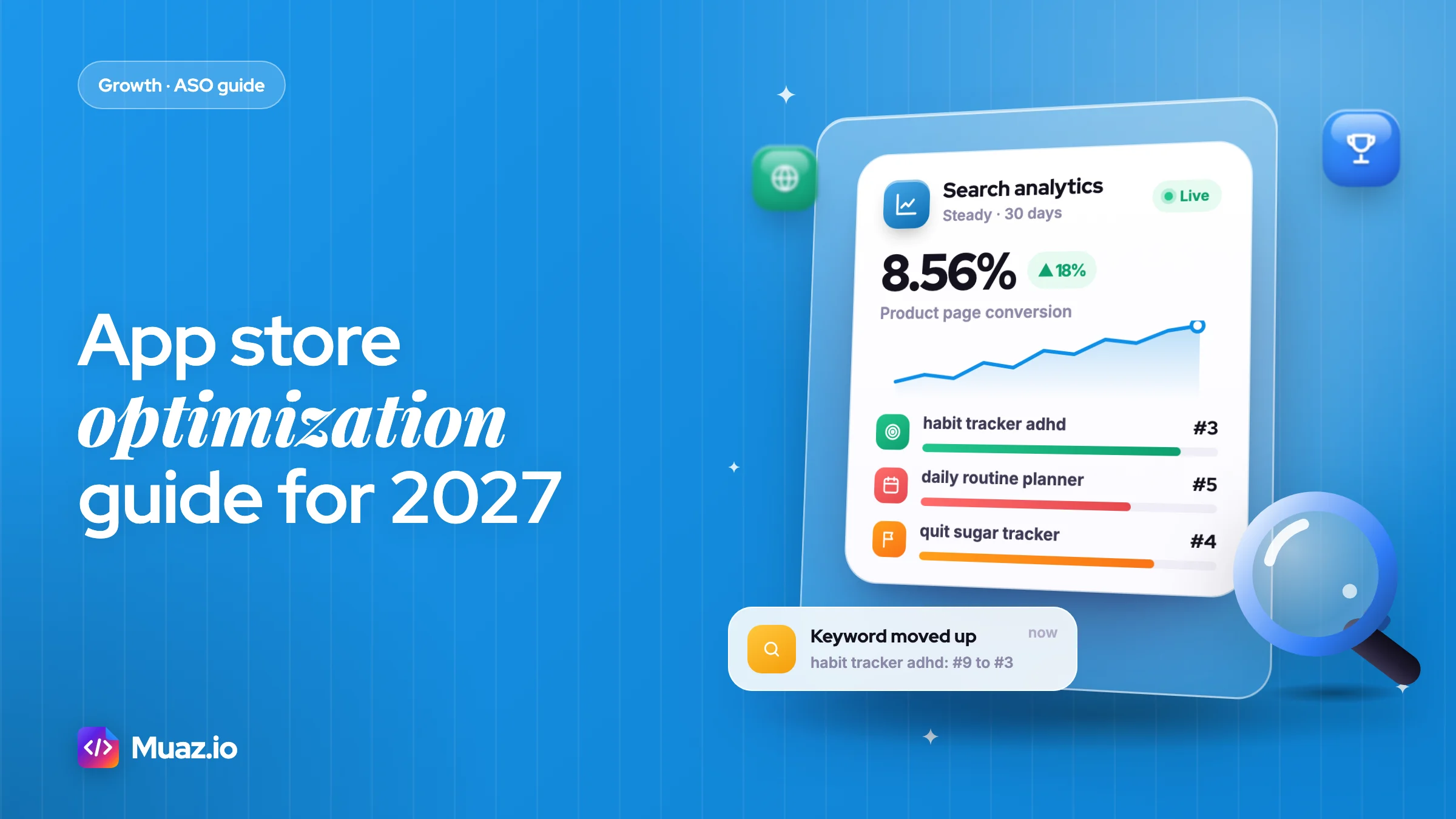
App store optimization (ASO) is the work of improving how often your app appears in App Store and Google Play search and how many people install it after seeing the listing. It works on two levers: metadata that matches what people search (name, subtitle, keywords, descriptions) and conversion assets that persuade them (icon, screenshots, ratings). Apple says search results depend on text relevance and user behaviour such as downloads and ratings.
- The app name, subtitle (or Google Play short description) and the iOS keyword field are the strongest text signals you control.
- Focus on specific two to four word phrases where you can reach the top five, not the head term.
- Screenshots mainly drive conversion, and better conversion feeds the behaviour signals that ranking uses.
- Google Play has no hidden keyword field, so your title, 80-character short description and 4,000-character full description carry the text signals.
Why ASO still decides most of your downloads
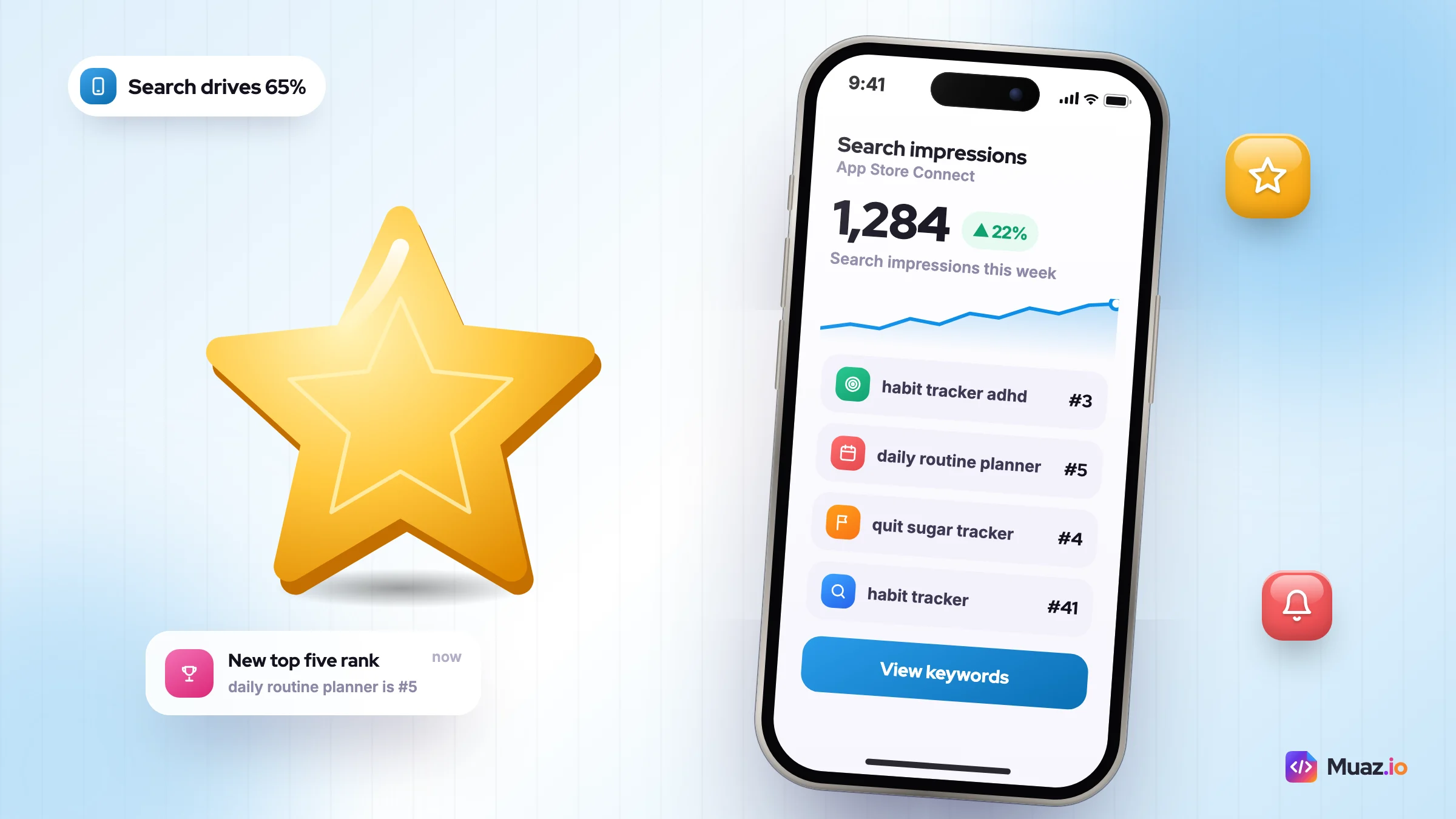
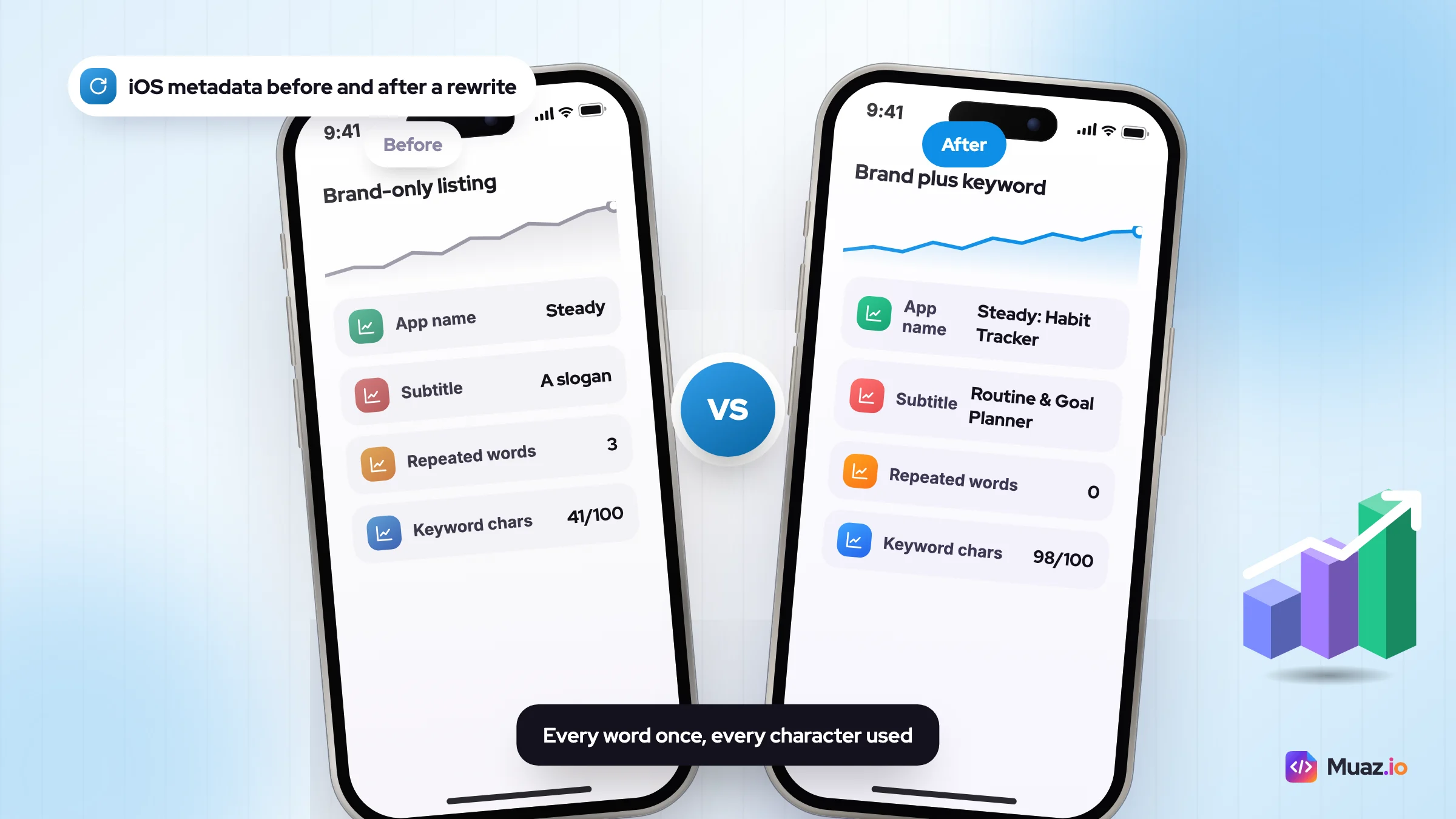
Here is a listing I see some version of every month, and it is the reason this app store optimization guide starts with search. Say you run a habit app with 4.7 stars, a clean paywall and a small but loyal audience. App Store Connect shows a few dozen search impressions a day. The app name is the brand and nothing else, the subtitle is a slogan, and the keyword field repeats three words already used above it. Nobody can find the app, so nobody downloads it.
That is the problem app store optimisation solves. Apple says that almost 65% of App Store downloads happen directly after a search (its 2022 figure) and that more than 850 million people visit the store every week. If your listing is invisible for the words people type, the rest of your marketing has to work twice as hard.
What follows is the playbook I use for small and mid-sized apps on both iOS and Android. It covers how ranking works in 2027, what each metadata field actually does, keyword research you can finish in an afternoon, screenshots that convert, the tools worth paying for and a 30-day plan. Every limit and statistic links to the Apple, Google or vendor page it came from, so you can check it yourself.
ASO is one channel inside a wider growth system. If you want the full picture first, read our pillar on how to market an app in 2027, then come back here for the store side.
What is app store optimization?
App store optimization (ASO) is the ongoing work of improving an app's visibility in App Store and Google Play search and browse, and the share of people who install it after seeing the listing. It has two halves that you have to work on together.
- Discovery: getting your app to appear, and rank high, for the searches your future users make. This is driven by metadata (name, subtitle, keywords, descriptions, category) and by behaviour signals (downloads, ratings, engagement).
- Conversion: turning an impression or a product page view into an install. This is driven by the icon, screenshots, preview video, rating and the first lines of text.
The two halves feed each other. Better conversion produces more downloads for a keyword, which tells the store your app satisfies that search, which tends to lift your rank, which produces more impressions. A listing that ranks well but converts badly wastes its position. A listing that converts well but ranks for nothing never gets the traffic to prove it.
People often ask whether ASO is the same as SEO. The thinking is similar: match intent, write for people first, earn trust signals. The mechanics are different. You get far fewer characters, the store tells you less, and changes on iOS mostly ship with app versions rather than whenever you hit save.
How do the App Store and Google Play rank apps in 2027?
Both stores rank search results on text relevance (does your metadata match the query) and on user behaviour (do people who search that term choose, keep and rate your app), with Google Play also weighing technical quality. Neither store publishes weights, so treat any article that quotes exact percentages with suspicion.
Apple's own wording is unusually clear. On its App Store search page, Apple says results are based on "text relevance (matches for your app's title, subtitle, keywords, and primary category), as well as user behavior (downloads, ratings and reviews, and more)." That sentence is the whole of Apple's public algorithm, and it is enough to plan around.
Google is less explicit about text, but more explicit about quality. Its Android vitals documentation says core vitals "affect your app's visibility on Google Play", and lists bad behaviour thresholds of a 1.09% user-perceived crash rate and a 0.47% user-perceived ANR rate. Cross them and Play may reduce your visibility and show a warning on your listing.
| Ranking factor | Apple App Store | Google Play | What you control |
|---|---|---|---|
| App name / title | Indexed, strongest text signal (30 chars) | Indexed, strongest text signal (30 chars) | Brand plus your main keyword |
| Subtitle / short description | Subtitle indexed (30 chars) | Short description (80 chars), used for relevance | Second-priority keywords, written as a benefit |
| Keyword field | Hidden 100-char field, indexed | Does not exist | Words not already in name or subtitle |
| Long description | Not listed by Apple as a search input | Read for relevance; keyword stuffing breaks policy | Natural copy with your terms on Play |
| Category | Primary and secondary indexed | One category plus tags | The category where you can win a chart |
| Downloads and conversion | "User behavior" signal | Install and engagement signals | Screenshots, icon, rating, paid boosts |
| Ratings and reviews | Apple says they influence rank | Shown in search; affect conversion | Prompt timing, replies, bug fixes |
| Technical quality | Indirect, through reviews and retention | Crash and ANR thresholds reduce visibility | Stability work before marketing spend |
Two newer layers sit on top of this. In 2025 Apple announced AI-generated App Store tags that draw on your description, category, screenshots and other metadata; TechCrunch reported that the extraction uses AI rather than simple OCR, that tags are reviewed by humans, and that developers will be able to control which tags appear. And AI assistants such as ChatGPT, Gemini and Perplexity now recommend apps directly, which is a separate discovery surface we cover in app discoverability on ChatGPT, Gemini and Perplexity.
What I'd take from all this: write metadata for relevance, make the listing convert, keep the app stable, and stop chasing rumoured ranking weights. The fundamentals have not moved; the stores have simply become better at reading meaning.
Every metadata field, its limit and whether it ranks
Most ASO mistakes come from not knowing which fields count. Here is the reference table I keep open when writing a listing, built from Apple's product page guidance and Google's Play Console listing help.
| Field | Store | Limit | Ranks? | Change without an update? |
|---|---|---|---|---|
| App name | iOS | 30 characters | Yes | No, ships with a version |
| Subtitle | iOS | 30 characters | Yes | No |
| Keyword field | iOS | 100 characters, comma separated | Yes | No |
| Promotional text | iOS | 170 characters | No (Apple says so) | Yes |
| Description | iOS | 4,000 characters | Not a listed input | No |
| Screenshots | iOS | Up to 10 per device size | Conversion, and feeds AI tags | No (test with PPO) |
| App previews | iOS | Up to 3, 30 seconds each | Conversion | No |
| App title | Google Play | 30 characters | Yes | Yes |
| Short description | Google Play | 80 characters | Yes | Yes |
| Full description | Google Play | 4,000 characters | Yes | Yes |
| Screenshots | Google Play | 2 minimum, up to 8 per device type | Conversion | Yes |
| Feature graphic | Google Play | 1024 x 500 px | Conversion | Yes |
The big practical difference: on Google Play you can edit text whenever you like and see the effect within days, so Play is the faster lab. On iOS, name, subtitle and keywords only change when you submit a new version, so batch your keyword changes with releases and give each one at least three to four weeks before judging it.
One rule people miss on iOS: Apple tells you not to repeat words across fields, not to add plurals of words you already use, and not to waste space on the word "app" or your category name. Each wasted character in the keyword field is a search you could have ranked for.
ASO keyword research: a 7-step method for small apps
ASO keyword research means finding the search terms your target users type, then choosing the ones where you have a realistic chance of ranking in the top five. For a new app, that almost never means the head term. It means specific, two to four word phrases with clear intent.
Say you run a habit-tracking app. "Habit tracker" is dominated by apps with tens of thousands of ratings. "Habit tracker for ADHD", "daily routine planner" or "quit sugar tracker" are smaller, but you can rank for them in weeks, and the people searching them convert better because the listing matches what they asked for.
- Write down the job your app does in users' words. Read 50 to 100 reviews of the top three competitors and copy the phrases people use to describe their problem. "Keep me consistent" and "stop forgetting my meds" are keyword ideas hiding in plain sight.
- Collect seeds from store autocomplete. Type your core term into the App Store and Google Play search bars and note every suggestion. Then type it with each letter of the alphabet after it. Autocomplete reflects real queries, which makes it the best free data you have.
- Mine competitor metadata. Look at the names and subtitles of the top ten apps for each seed. Words that appear again and again are the terms the category has agreed matter. A competitor research report can pull this for 5, 10 or 20 apps at once if you would rather not do it by hand.
- Score each keyword on three things. Popularity (Apple Ads shows a search popularity score; ASO tools estimate volume), difficulty (how strong are the top five apps), and relevance (would someone searching this be happy to find your app). Relevance is a veto: if it is low, drop the keyword whatever its volume.
- Pick one primary, three to five secondary and a long tail. The primary goes in the name or title. Secondaries go in the subtitle or short description. The long tail fills the iOS keyword field and the Play description.
- Check intent by searching each term yourself. If the results are full of games and you are a finance app, the store reads that query differently from you. Drop it.
- Record a baseline rank for every chosen term. You cannot tell whether a change worked unless you wrote down where you started. Track 20 to 50 keywords per app per country.
If you want a shortcut for steps two and five, our free ASO keyword tool suggests terms, counts characters as you type and flags repeated words across name, subtitle and keyword field. It will not replace your judgement on relevance, but it removes the arithmetic.
A word on Apple Ads data. The search popularity score in Apple Ads is the only first-party volume signal Apple gives you, and you can see it while setting up a campaign, before you spend anything. Third-party volume numbers are estimates modelled from that and from panel data, so use them to compare keywords, not as absolute traffic forecasts.
Apple App Store optimization: name, subtitle and keyword field
On iOS, three fields do almost all of the ranking work: the 30-character app name, the 30-character subtitle and the hidden 100-character keyword field. Apple combines words across them, so you do not need to repeat a word to rank for phrases that include it.
That combining behaviour is the key to apple app store optimization. If "habit" is in your name and "tracker" is in your keyword field, you can rank for "habit tracker". So the job is to cover as many useful single words as possible, once each, and to put the most important ones in the name.
A copy-ready metadata template
Here is the template I use. Fill it in, then count characters before you paste anything into App Store Connect.
- App name (30): [Brand] + [primary keyword phrase]. Example: "Steady: Habit Tracker" (21 characters).
- Subtitle (30): [benefit using 2 to 3 new keywords]. Example: "Daily Routine & Goal Planner" (29 characters).
- Keyword field (100): single words, commas, no spaces, no words already used above. Example: "adhd,streak,reminder,journal,mood,water,meditation,sobriety,quit,sugar,checklist,motivation,self,care".
- Promotional text (170): this week's news or offer. It does not rank, so write it for humans.
- Description, first line: the outcome in one sentence, because only that shows before "more".
A few rules that save rejections and wasted space. Do not use competitor brand names in the keyword field; App Review rejects it and it is a trademark risk. Avoid plurals when you have the singular, and skip "app", "iphone" and your category name, which Apple's guidance says are wasted. Numbers can be written as digits to save characters.
The name deserves its own thought. A pure brand name (just "Steady") gives you no keyword coverage until you are famous. A pure keyword name ("Habit Tracker Daily Planner") looks spammy and converts badly. Brand plus one clear descriptor is the balance that works for most apps. If you are still choosing a name, our app name generator keeps suggestions inside the 30-character limit.
Custom product pages now rank too
This is the most underused iOS feature in 2027. Apple lets you publish up to 70 custom product pages, each with its own screenshots, previews and promotional text, and you can now assign keywords to them so they appear in search for those terms instead of your default page. Each keyword combination has to be unique to a single page, so plan which page owns which phrase.
In practice, that means a habit app can show a "quit sugar" set of screenshots to people who search "quit sugar tracker" and a "medication reminder" set to people who search for that, without cramming both stories into one listing. Start with your two or three biggest use cases, give each a page and matching keywords, and compare their conversion rate with the default page after a month.
Google Play Store optimization: title, short and full description
Google Play store optimization relies more on written copy than iOS does, because Play reads your title, short description and full description, and lets you change them at any time. It also polices that copy more strictly.
Google's metadata policy bans emoji and repeated special characters in the title, all caps unless it is your brand, and claims about store performance or price such as "#1", "Best of Play", "Editor's choice", "10% off" or "free for limited time only". It also warns against repetitive or unrelated keywords. Listings that break these rules get rejected or pulled, which costs more than any ranking gain.
How I write each field
- Title (30): same logic as iOS. Brand plus primary keyword. "Steady: Habit Tracker" works on both stores.
- Short description (80): one benefit sentence with two secondary keywords. Example: "Build daily routines, track streaks and hit your goals with gentle reminders." Google's own help says stuffing this field "will not impact ranking", so write it to convert.
- Full description (4,000): open with two lines that sell, then use short paragraphs or bullet-style lines covering each use case. Mention your primary keyword naturally three to five times and each secondary once or twice. Read it aloud; if it sounds like a robot wrote it, a reviewer will think so too.
Play also gives you two conversion tools iOS users envy. Store listing experiments let you test up to two variants against your current listing, including the description text in localised experiments. And custom store listings (up to 50) can target specific countries, pre-registration users, lapsed users who have not opened the app in 28 days, or churned users who uninstalled it.
Finally, check Android vitals before you spend a week on copy. If your crash or ANR rate is above the thresholds quoted earlier, fixing stability is the highest-return ASO task you have. Play judges these on a rolling 28-day average, so a fix takes a few weeks to clear a warning. Google has also said that apps exceeding its new memory usage, bitmap memory and code optimisation thresholds may see a store visibility impact from February 2027, so add those to the checklist if you ship on Android.
App screenshot conversion optimization: the first three frames
Your first three screenshots do most of the conversion work, because they are what people see in search results before they ever open your page. Apple says the first one to three screenshots appear in search when you have no preview video, depending on orientation.
How much does conversion vary? AppTweak's 2025 benchmark puts the average US product page conversion rate at 8.56% on the App Store and 16.15% on Google Play, with huge swings by category (from 5.2% for trivia games to 52.8% for food and drink on iOS). Definitions differ between vendors, so compare yourself against your own category in App Store Connect's peer benchmarks rather than against a blog post.
The screenshot formula that works for most apps
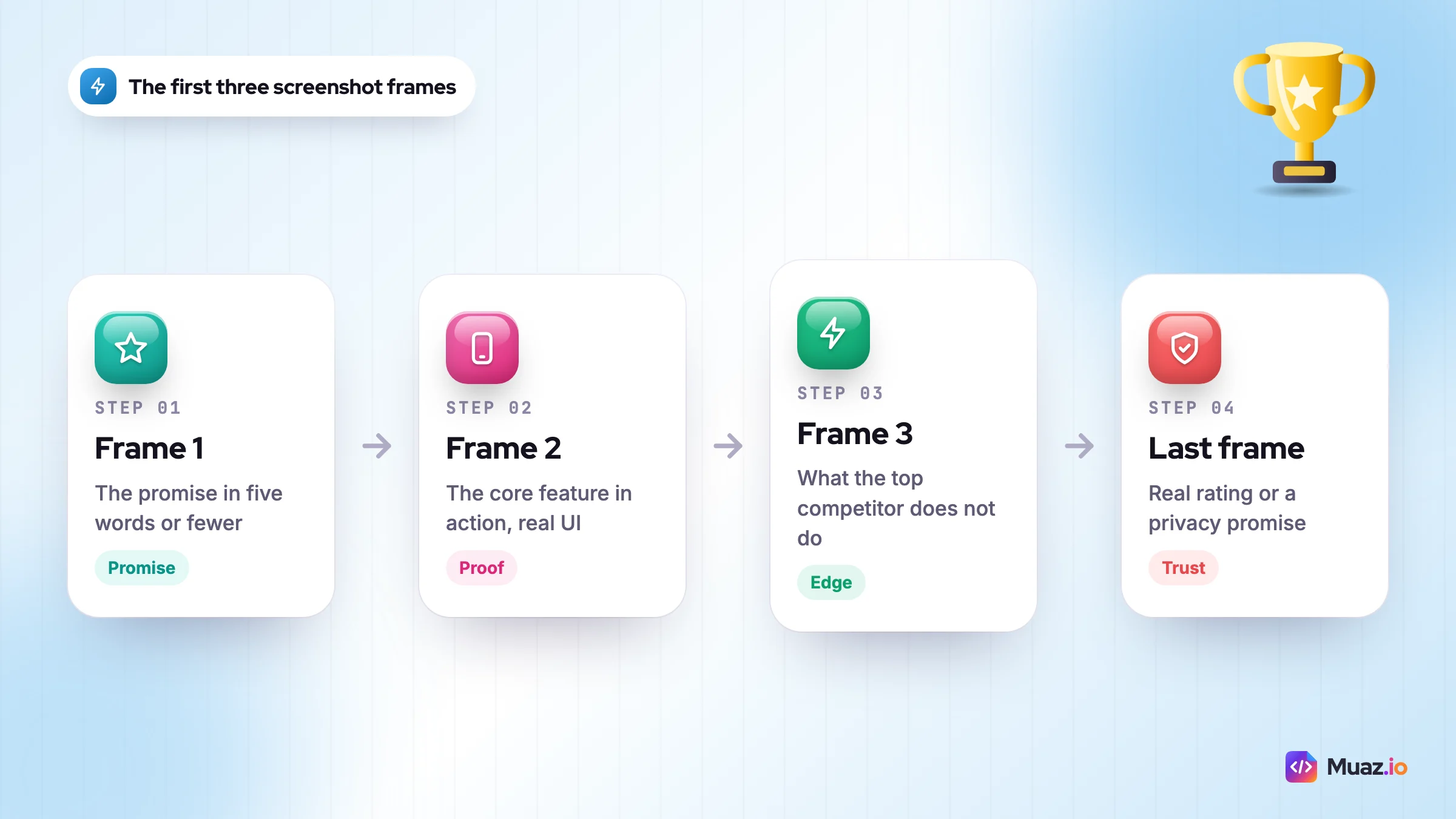
- Frame 1, the promise: the single outcome people want, in five words or fewer, over your best screen. "Never break a streak again."
- Frame 2, the proof: the core feature in action, with one caption. Show real UI, not a stock photo.
- Frame 3, the differentiator: the thing the top competitor does not do, such as "Works offline" or "No account needed".
- Frames 4 to 6: secondary features, one per frame.
- Last frame: social proof you can back up (your real rating, a press mention you actually got) or a privacy promise.
Captions matter beyond conversion now. Apple has said screenshots feed its AI-generated tags, so a caption that states what the app does in plain words ("Track water, sleep and mood") helps the store understand you. Write captions for humans first; there is no evidence that stuffing keywords into images helps, and it reads badly.
Technical sizes change, so check Apple's screenshot specifications before each release. At the time of writing you can upload up to 10 screenshots per device size, the large Dynamic Island iPhone class accepts 1320 x 2868 pixels, and images cannot contain transparency. Our free App Store screenshot generator exports every required iPhone and iPad size from one design, which saves an evening of resizing.
Icons, preview videos, in-app events and A/B tests
Screenshots get the attention, but four other assets quietly move numbers.
- Icon: it appears in search, on the home screen and in every ad. Test one bold shape on a strong colour against your current icon. Simple usually wins at small sizes. If you need a starting point, the app icon maker exports a 1024 x 1024 icon with no alpha channel, which is what App Store Connect requires.
- Preview video: Apple allows up to three previews of up to 30 seconds, and they autoplay muted, so the first three seconds must make sense without sound. On Google Play, a preview video may autoplay muted inline for up to 30 seconds, so the same rule applies.
- In-app events (iOS): events appear in search results and on your product page. Apple's in-app events rules allow up to 10 published at a time, each lasting up to 31 days and promoted up to 14 days before it starts. A monthly challenge or seasonal feature gives you a fresh search card for free.
- Promotional content (Google Play): the Play equivalent for sales, launches and events. Use it for the same reasons.
Run tests the stores will actually finish
Apple's product page optimisation lets you test up to three treatments of your icon, screenshots and previews for up to 90 days, one test at a time. The trap for small apps is traffic: with a few hundred page views a week, a test of subtle changes may never reach confidence.
So test big differences. A new first-frame message, a different colour story, or vertical versus horizontal screenshots. Leave button colours to apps with millions of visitors. And because Google Play gives answers faster, I often run the first version of a creative idea on Play and carry the winner to iOS.
How do ratings and reviews affect app store ranking?
Ratings and reviews affect ranking directly on the App Store, where Apple says they "can influence how your app ranks", and indirectly everywhere through conversion, because a low star average shown in search puts people off before they tap.
Since iOS 18.4, Apple also shows an AI-generated review summary above individual reviews on many product pages. That means the themes in your reviews, not just the stars, now appear on your listing in one paragraph. If 30 people complain about sync, your summary will probably say so.
What works, in order of impact:
- Fix the top complaint. Read your one and two star reviews from the last 90 days, group them, and fix the biggest group. No prompt strategy beats this.
- Ask at a moment of success. Use the native prompt (Apple limits it to three times in 365 days) after a user completes something meaningful, such as a seven-day streak or a first export, never on first launch or after an error.
- Reply to reviews. Short, specific, human replies. When you ship a fix, reply again saying so; many users update their rating.
- Decide about resetting. iOS lets you reset your summary rating when you release a version. It is worth it only when an old, low rating no longer reflects a much improved app.
Ratings are where ASO meets product. Apps that keep users tend to collect better reviews, which is one reason retention marketing belongs in the same plan as your store listing.
Localisation: the cheapest way to multiply keyword coverage
Localising your listing means writing native metadata for each country and language you target, which gives you a new set of keyword slots and usually a higher conversion rate in that market. It is the highest-return ASO task most small apps have not done.
On iOS there is a useful quirk worth knowing. Several App Store countries index more than one localisation; the United States, for example, is widely reported by ASO practitioners to index English (US) and Spanish (Mexico) among others. Apple does not document the full list on its developer site, so test it yourself: add extra English keywords in a secondary locale and watch whether your US ranks for them move. Do not put content in a locale that the people reading it would find strange.
For any market you take seriously, do not machine-translate your English keywords. People in Germany do not search for a direct translation of "habit tracker"; they use their own phrases. Run steps two to six of the keyword method in each language, ideally with a native speaker checking relevance. Translate screenshot captions too, because a localised listing with English images loses much of its benefit.
Where to start: the countries already sending you organic downloads without any effort. They are telling you there is demand.
Free: ASO Metadata & 30-Day Checklist
A fill-in template for your iOS and Google Play metadata with character counts, plus the week-by-week 30-day ASO checklist.
We’ll email the resource and a few practical tips. Unsubscribe in one click. We never sell your data.
ASO tools comparison: what to pay for and what to skip
You do not need an expensive tool to start. You need autocomplete, App Store Connect, Play Console, a spreadsheet and a way to track ranks. Paid tools earn their keep when you track many keywords across several countries or need competitor download estimates. Here is how the best ASO tools compare on publicly listed pricing at the time of writing.
| Tool | Best for | Public pricing | Watch out for |
|---|---|---|---|
| App Store Connect and Play Console | Your own impressions, conversion, sources, peer benchmarks | Free | No keyword rank data |
| Appfigures | Indie developers wanting analytics plus keyword tracking | Free Starter plan (no keyword tracking); Monitor with 100 tracked keywords from $35.99 a month billed annually | The $7.99 entry tier is analytics only |
| AppTweak | Keyword research, metadata suggestions, multi-country tracking | Essential from about $79 a month billed annually; 7-day trial | Price climbs with followed apps |
| Sensor Tower | Market intelligence, download and revenue estimates at scale | Custom quotes only | Overkill for a single small app |
| Apple Ads (search popularity) | First-party iOS keyword popularity | Free to view; you pay only for ads you run | Popularity is relative, not volume |
| Muaz.io free tools | Writing and checking metadata and screenshots | Free; research reports are one-off | Not a daily rank tracker |
My honest recommendation for a new app: use the free stack for the first month, then buy one month of a mid-tier tool when you are ready to do a proper keyword refresh. Cancel if you do not open it weekly. App store optimization software is only worth what you act on.
What about agencies? ASO services and freelance ASO consultants make sense when you have meaningful traffic, several markets and no one in-house who owns the store. Before you hire, ask for their keyword research process, how they measure lift separately from paid and seasonal effects, and what they need from you each month. If they promise a top-three rank for a head term, walk away. For many small teams, a one-off competitor research report plus a clear template does more than a retainer.
How do you track app store keyword rankings and measure ASO?
You measure ASO by tracking keyword ranks, search impressions, product page conversion rate and organic downloads, before and after each change, while keeping other variables (paid spend, features, seasonality) in view.
An app store keyword ranking tracker shows where you appear for each term, daily, by country. Rank alone is a vanity metric, though. Moving from position 40 to 15 often produces almost no extra traffic, while a move inside the top five usually shows up in installs, because that is where most people tap. Watch the terms that are in or near the top ten.
The weekly dashboard I keep for each app has six numbers:
- App Store search impressions and Google Play search store listing visitors
- Product page conversion rate by source (search, browse, referrer)
- First-time downloads from search
- Rank for the primary keyword and the top ten secondaries
- Average rating in the last 30 days and count of new ratings
- Crash and ANR rate (Play) or crash rate (App Store Connect)
Log every change with a date: new subtitle, new first screenshot, new locale, a big Apple Ads push. When the numbers move, you will know why. Without a log, ASO turns into folklore.
How long should you wait? On Google Play, text changes are usually picked up within days, so a two-week read is fair. On iOS, give each metadata change three to four weeks after the version goes live, because ranks often wobble for several days while the store re-indexes. Judge creative tests on conversion rate, not on downloads, so that a busy week does not fool you. And compare like with like: the same weekdays, the same countries, the same paid spend.
Paid search and ASO are linked. A short burst of Apple Ads on a keyword can raise downloads for it, and some practitioners see organic rank follow. That effect is not guaranteed and Apple does not confirm it, so treat it as an experiment with a budget cap, not a strategy. If you would rather grow without ads at all, our guide to the first 10,000 downloads without ads covers the organic channels that feed store signals.
ASO mistakes that quietly cost you downloads
These are the problems I see most often when I review listings. Most take less than an hour to fix.
- Brand-only name. "Steady" ranks for "steady". "Steady: Habit Tracker" ranks for far more.
- Repeated words. The same word in name, subtitle and keyword field earns nothing extra on iOS.
- Spaces after commas in the keyword field, burning characters for no gain.
- Going after head terms only. A new app ranking 80th for "fitness" gets no downloads. Ranking 3rd for "kettlebell workout timer" does.
- Feature-list screenshots. "Cloud sync, dark mode, widgets" tells people nothing about why they should care.
- Changing everything at once, so you cannot tell what worked.
- Ignoring Google Play because iOS revenue is higher. Play is the faster place to learn what message converts.
- Breaking policy with "#1", "best" or price claims in titles and graphics on Play.
- Prompting for reviews on first launch, when users have not had any success yet.
- Never revisiting keywords. Competitors and search behaviour change; review your keyword set at least every quarter.
If you are building a new iPhone app, it is easier to get this right before launch than to fix it later. Muaz.io's App Store Studio prepares the name, subtitle, keywords and screenshots as part of the build and walks you through TestFlight and review, so your listing is optimised on day one rather than six months in.
Your 30-day ASO plan
Here is how to increase app store visibility in one month without a big budget. It assumes one person, a few hours a week, and an app that is already live. If you are pre-launch, slot it into the store weeks of our 90-day app launch plan.
Week 1: audit and baseline
- Export 90 days of impressions, page views, conversion and downloads by source from both consoles.
- Check Android vitals against the 1.09% crash and 0.47% ANR thresholds.
- List your current ranks for 20 to 50 keywords per main country.
- Screenshot the top five competitors' listings for your primary term.
Week 2: keyword research and metadata
- Run the seven-step keyword method and pick one primary, three to five secondaries and a long tail.
- Rewrite the iOS name, subtitle and keyword field with zero repeated words.
- Rewrite the Play title, short description and full description; publish Play changes now.
- Queue the iOS changes for your next version submission.
Week 3: creative and tests
- Redesign the first three screenshots around promise, proof and differentiator.
- Start a Google Play store listing experiment on the new first screenshot.
- Set up one custom product page for your second-biggest use case with matching keywords.
- Plan one in-app event or promotional content item for next month.
Week 4: ratings, localisation and review
- Move the review prompt to a success moment and reply to the last 30 reviews.
- Localise metadata for the top non-English country already sending you downloads.
- Compare week four with your baseline and write down what changed.
- Book the next keyword review in your calendar for 90 days from now.
Copy this checklist into your notes, work through it in order, and resist the urge to change everything in week one. ASO rewards steady, logged, repeatable changes. If you want help with the first step, try the free ASO keyword tool on your current metadata today; it takes about five minutes and will show you where your characters are being wasted.

Monjur builds Muaz.io and incorporated MotionTrust Digital in September 2022, where he leads Amazon strategy across the client base. Eight years in e-commerce and marketplace marketing taught him how much growth a great mobile app unlocks, so every guide here is tested against the real product and current App Store rules before it goes live.
Questions about 2027 guide
Short, direct answers. Still curious? Ask in the builder; the assistant knows your project.
What is app store optimization and how does it work?
App store optimization (ASO) is the work of improving how often your app appears in App Store and Google Play search and how many people install it after seeing the listing. It works on two levers: metadata that matches what people search (name, subtitle, keywords, descriptions) and conversion assets that persuade them (icon, screenshots, ratings). Apple says search results depend on text relevance and user behaviour such as downloads and ratings.
What are the most important app store ranking factors in 2027?
The app name, subtitle (or Google Play short description) and the iOS keyword field are the strongest text signals you control. Behaviour signals such as downloads, conversion and ratings decide which relevant app wins. On Google Play, crash and ANR rates above Android vitals thresholds can also reduce visibility.
How do I do ASO keyword research for a new app?
Focus on specific two to four word phrases where you can reach the top five, not the head term. Collect seeds from store autocomplete and competitor reviews, score each keyword on popularity, difficulty and relevance, and record a baseline rank before you change anything. Relevance is a veto: drop any keyword your app does not truly serve.
Do screenshots affect App Store ranking?
Screenshots mainly drive conversion, and better conversion feeds the behaviour signals that ranking uses. Apple has also said screenshots inform its AI-generated App Store tags, so plain, descriptive captions help the store understand your app. There is no evidence that stuffing keywords into images helps.
How is Google Play store optimization different from iOS?
Google Play has no hidden keyword field, so your title, 80-character short description and 4,000-character full description carry the text signals. You can edit Play metadata at any time and run store listing experiments, which makes Play the faster place to test. Play also enforces stricter metadata rules on claims like "#1" or price promotions.
How long does ASO take to show results?
On Google Play, text changes can show an effect within days. On iOS, metadata only updates with a new app version, so give each change three to four weeks before judging it. Log every change with a date so you can tie movements in rank and conversion to what you did.
What are the best ASO tools for a small app?
Start with the free stack: App Store Connect, Play Console, store autocomplete and Apple Ads search popularity. When you need keyword rank tracking, Appfigures Monitor (100 keywords) starts at about $36 a month on annual billing, and AppTweak Essential starts at about $79 a month on annual billing with a 7-day trial. Sensor Tower is quote-based and better suited to larger teams needing market estimates.
Should I hire an ASO agency?
An ASO agency or consultant makes sense once you have meaningful traffic, several markets and nobody in-house who owns the store listing. Ask how they research keywords, how they separate ASO lift from paid and seasonal effects, and what they need from you. Be wary of anyone who guarantees a top rank for a competitive head term.
Keep reading
 SaaS & Web Apps18 min readHow to Convert a SaaS Website into a Native iOS App Using AI (2026 Guide)
A practical, step-by-step guide to turning your SaaS web app into a native iPhone app with AI: what to build, how to connect your API and login, push alerts, App Review and cost.
Monjur Hossain· Tools & Comparisons16 min read10 Best AI iOS App Builders in 2026: Features, Pricing & Native Support
We compared 10 AI app builders specifically for iPhone apps: native output, App Store publishing, code ownership, design quality and 2026 pricing, with honest picks by use case.
Monjur Hossain· Website to App15 min readHow to Turn Any Website into an iPhone App Without Coding (Step-by-Step)
A step-by-step, no-code guide to turning your website into a real iPhone app: checking readiness, choosing native vs WebView, AI conversion, testing on TestFlight and App Store approval.
Monjur Hossain· Tools & Comparisons15 min read7 Best Website-to-App Converters in 2026: Native Apps vs WebView
An honest comparison of 7 website-to-app converters in 2026, from WebView wrappers to native AI rebuilds: how each works, App Review risk, features, ownership and published pricing.
Monjur Hossain·Tools and products for the next step
- Paste a URL, get three original designs
- Free research before you pay
- 5, 10 or 20 App Store rivals analysed
- Review themes, pricing and gaps
- Screenshots, metadata and privacy labels
- TestFlight and submission checklist
Where our numbers come from
Third-party figures are estimates published by the sources below. Prices and rules change; check the source before you decide.
- Apple Ads: Reach customers on the App Storeads.apple.com/app-store
- Apple Developer: App Store searchdeveloper.apple.com/app-store/search
- Apple Developer: Creating your product pagedeveloper.apple.com/app-store/product-page
- Apple Developer: Custom product pagesdeveloper.apple.com/app-store/custom-product-pages
- App Store Connect Help: Screenshot specificationsdeveloper.apple.com/help/app-store-connect/reference/app-information/screenshot-specifications
- Play Console Help: Metadata policysupport.google.com/googleplay/android-developer/answer/9898842
- Play Console Help: Add preview assets to showcase your appsupport.google.com/googleplay/android-developer/answer/1078870
- Play Console Help: Store listing experimentssupport.google.com/googleplay/android-developer/answer/6227309
- Android Developers: Android vitalsdeveloper.android.com/topic/performance/vitals
- AppTweak: Average app conversion rate per category (2025)www.apptweak.com/en/aso-blog/average-app-conversion-rate-per-category
- TechCrunch: The App Store's new AI-generated tags are live in the betatechcrunch.com/2025/06/14/the-app-stores-new-ai-generated-tags-are-live-in-the-beta
- MacRumors: Apple explains AI-generated App Store review summarieswww.macrumors.com/2025/04/24/apple-ai-generated-review-summaries
- Appfigures pricingappfigures.com/pricing
- AppTweak pricingwww.apptweak.com/en/pricing