Apple Ads vs Google App Campaigns vs Meta Ads: Which Is the Best App Install Ads Platform for ROI in 2027?
The cheapest install is rarely the cheapest customer. Compare Apple Ads, Google App Campaigns and Meta Ads on cost per paying user and ROAS, with 2025 to 2026 benchmarks, a budget split and a 30-day test plan.
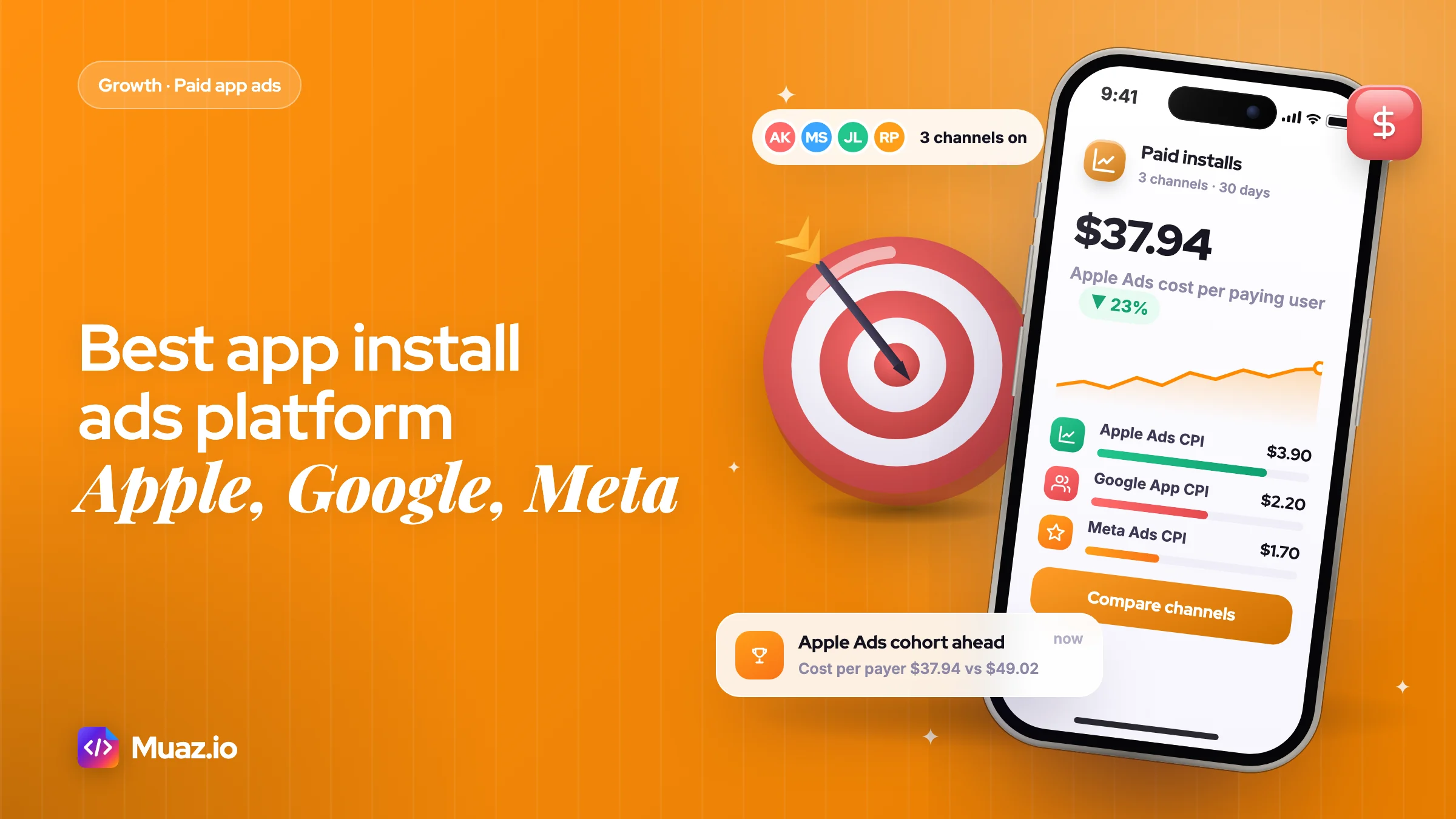
For most iPhone apps, Apple Ads gives the best return on the first dollar because it reaches people already searching the App Store. Meta Ads gives the best return at scale once you have winning creative, and Google App Campaigns is the best choice when Android matters. Judge them on cost per paying user, not cost per install.
- In Adapty's subscription data, Apple Ads installs converted to paid at 1.92% against 0.91% for other paid channels.
- That comes from AppTweak's analysis of nearly 3,500 apps and $1 billion in spend.
- That is Google's own guidance for install campaigns, with 10 times target CPA for action-optimised campaigns.
- Advantage+ app campaigns automate audiences and placements and let you test up to 50 creative combinations.
You have $3,000 to spend on paid installs this month. Three dashboards are open in three tabs. Apple Ads says your cost per install is $3.90. Meta says $1.70. Google says $2.20. Meta looks like the obvious winner, so you move the money there.
Thirty days later, the Meta cohort has twice the installs and fewer paying subscribers than the Apple Ads cohort. The cheapest install was the most expensive customer.
That is the trap in almost every "best app install ads platform" debate. The three big platforms sell different things. Apple Ads sells intent. Meta sells attention you have to turn into intent with creative. Google sells reach across Search, YouTube, Google Play and its partner network, with Android as its home ground. This guide compares them on the number that matters, return on ad spend, using current 2025 and 2026 benchmarks, and gives you a budget split and a 30-day test plan you can copy.
It is the paid-ads chapter of our pillar guide on how to market an app in 2027. If you have not set up your App Store page yet, start there, because every platform below sends people to it.
Which is the best app install ads platform in 2027?
For most iPhone apps, Apple Ads delivers the best ROI on the first dollar, Meta Ads delivers the best ROI at scale once you have winning creative, and Google App Campaigns is the best choice when Android matters or you need reach beyond search.
That is the short answer. The long answer depends on four things: which platform your users are on, whether people already search for what your app does, how much creative you can produce, and how you make money.
Independent data points the same way. The 2026 AppsFlyer Performance Index, which ranks 57 media sources across 27.2 billion installs from nearly 25,000 apps, says Apple Ads and AppLovin lead on iOS while Google Ads dominates Android, with Meta leading remarketing. None of the three wins everywhere, which is exactly why the choice matters.
| Your situation | Start with | Add second | Why |
|---|---|---|---|
| iOS-only subscription app, people search for the category | Apple Ads | Meta Ads | Searchers convert to paid at roughly twice the rate of feed users |
| iOS app in a new category nobody searches for | Meta Ads | Apple Ads (brand terms) | You have to create demand before you can capture it |
| Android and iOS, broad consumer appeal | Google App Campaigns | Meta Ads | Google owns Play Store search and reaches YouTube |
| Mobile game with ad or in-app revenue | Google App Campaigns | Meta Ads, then ad networks | Volume and value bidding matter more than search intent |
| Under $1,500 a month in total | Apple Ads only | Nothing yet | Too little budget to feed two learning algorithms |
How Apple Ads, Google App Campaigns and Meta Ads actually differ
Before comparing costs, it helps to see what you are buying on each platform. The mechanics explain most of the ROI gap.
Apple Ads (renamed from Apple Search Ads on 14 April 2025) shows your app inside the App Store: at the top of search results, in the Search tab, in the Today tab and on other apps' product pages. You pay per tap on most placements. Apple says nearly 65% of App Store downloads happen directly after a search, which is why search ads catch people at the moment they want an app like yours.
Google App Campaigns are almost fully automated. You give Google text lines, images, videos and a target cost, and it decides where to show them across Google Search, Google Play, YouTube, Discover and the Display Network. You do not pick keywords or placements.
Meta Ads for app installs run across Facebook, Instagram and Meta's other placements. Advantage+ app campaigns now do most of the targeting for you, so your creative does the real work of finding the right people.
| Feature | Apple Ads | Google App Campaigns | Meta Ads |
|---|---|---|---|
| User intent | High: user is searching the App Store | Mixed: Play search is high, YouTube and Display are low | Low: user is scrolling a feed |
| Platforms | iOS and iPadOS only | Android and iOS | Android and iOS |
| Pricing model | Cost per tap (Advanced), cost per install (Basic) | Target cost per install, cost per action or ROAS | Auction on impressions, optimised to installs, events or value |
| What you control | Keywords, bids, countries, custom product pages | Assets, budget, target, countries, languages | Creative, budget, countries, optimisation goal |
| Creative workload | Low: uses your App Store assets | Medium: text, images, videos | High: fresh video and image creative every few weeks |
| Optimises for subscriptions? | No, optimises to downloads | Yes, with in-app events and value | Yes, with app events and value |
| iOS attribution | Deterministic via Apple's AdServices API, no ATT prompt needed | Modelled, plus SKAdNetwork postbacks | Aggregated Event Measurement or SKAdNetwork |
Read that last row twice. On iOS, Apple Ads is the only one of the three that tells you, user by user, which campaign and keyword drove an install. The other two are working with partial signals, which affects both how well their algorithms learn and how much you can trust their dashboards.
Apple Ads: cost per install, placements and when it wins
Apple Ads cost per install in the US had a median of $4.06 in 2025, against $1.80 globally, according to AppTweak's analysis of nearly 3,500 apps and $1 billion in spend.
That headline hides a huge spread by category. Sports apps paid a US median of $26.70 per install, while shopping apps paid $1.33. Here is the AppTweak data for a selection of categories, from AppTweak's Apple Ads benchmarks 2026.
| US category (2025) | Median CPT | Median CPI | Conversion rate |
|---|---|---|---|
| Sports | $14.56 | $26.70 | 63.8% |
| Finance | $4.17 | $9.65 | 50.7% |
| Business | $3.33 | $6.86 | 55.6% |
| Games | $2.03 | $4.63 | 61.8% |
| Photo & Video | $1.61 | $2.79 | 67.5% |
| Music | $1.14 | $1.92 | 61.4% |
| Social Networking | $0.90 | $1.45 | 65.3% |
| Shopping | $0.82 | $1.33 | 58.9% |
The campaign type matters just as much. In the same US data, brand campaigns for apps had a median CPI of $2.84, generic keywords $5.31 and competitor keywords $6.78. Brand campaigns also converted 73.5% of taps into installs. So the cheapest, best-converting Apple Ads traffic is people already searching your name, which is why you should almost always bid on it.
What changed in 2026
- More ad slots in search results. From 3 March 2026, starting in the UK and Japan and reaching other markets by the end of March, Apple added ad positions further down search results. You cannot bid for a specific slot. AppTweak measured generic-keyword CPT falling 5.6% in the 28 days after the rollout, as extra supply cooled the auction.
- Maximize Conversions for everyone. According to Adapty's 2026 Apple Ads guide, this bidding option opened to all advertisers in February 2026, replacing the older CPA cap. It needs Search Match switched on, which means Apple chooses some of the queries your ads appear for.
- Basic still exists. Apple Ads Basic charges per install, runs in search results only and caps monthly spend. Advanced charges per tap and opens up all four placements. If you want real keyword data, use Advanced.
When Apple Ads wins, and when it stalls
Apple Ads wins when your category has search volume and your product page converts. It also has a downstream quality edge. In Adapty's subscription data, Apple Ads installs started a trial 3.66% of the time against 1.45% for other paid channels, and converted to paid at 1.92% against 0.91%.
It stalls on volume. Search demand is finite, so once you own your brand terms and the best generic terms, more budget mostly buys more expensive taps. It also cannot optimise toward trials or purchases, only downloads. And it does nothing for Android.
The fix for a weak conversion rate is usually your store page, not your bids. Tighten the first three screenshots with the free App Store screenshot generator, and match keywords to custom product pages. AppTweak found apps using a custom product page converted at 58.7% against 55.5% on the default page, yet 61% of apps ran none in 2025. Our ASO guide for 2027 covers the page itself.
Google App Campaigns optimization: feeding a black box
Google App Campaigns optimization means giving Google's automation enough budget, conversion data and creative variety to learn, and then leaving it alone long enough to finish learning.
You cannot choose keywords or placements, so your levers are the budget-to-bid ratio, the event you optimise for, your assets and your patience. Google's own best practices for App campaigns are specific about the ratios:
- Install campaigns (target CPI): daily budget at least 50 times your target cost per install. At a $2 target, that is $100 a day.
- Install campaigns optimised to an in-app action (target CPA): daily budget at least 10 times your target CPA.
- Engagement campaigns (target CPA): at least 15 times your target.
- Learning: avoid changes until the first 100 conversions have registered, and avoid raising and lowering bids repeatedly.
- Assets: at least one approved asset of every type in each ad group, and Ad Strength of at least "Good".
The 50x rule is the one that catches small teams. If your target CPI is $3, Google wants $150 a day, or roughly $4,500 a month, for a single install campaign. Below that, you can run, but expect slow and noisy learning.
Moving from installs to value
Install-only campaigns are where Google is weakest on ROI, because cheap installs from YouTube and Display can be low quality. The better path is to optimise for an in-app action such as a trial start or purchase, then to target ROAS once you have value data.
Google's guidance on setting an initial target ROAS for App campaigns suggests starting new apps on Maximize Conversions or target CPA and moving to target ROAS after roughly 30 or more conversions in 30 days. It also says to avoid big budget or target changes more than once every one to two weeks, since they can restart a 7 to 14 day learning phase, and to keep target changes within about 15% to 20%.
Google on iOS
Google App Campaigns can run for iPhone apps, but measurement is the weak spot. Google works from SKAdNetwork postbacks and its own modelling, and Branch's documentation notes that Google does not forward individual SKAdNetwork postbacks to it, only aggregate data through its API. In practice, iOS results in Google Ads are harder to verify than on any other channel here, so I treat Google as an Android-first tool and only test it on iOS once Apple Ads and Meta are profitable.
What I'd do: run one campaign per platform, optimise for the event closest to revenue that still fires at least a few times a day, upload four or five horizontal and vertical videos, and do not touch it for two weeks. Most poor Google results I see come from fiddling, not from the platform.
Meta ads for app installs: creative is the targeting
Meta ads for app installs work best as Advantage+ app campaigns, where Meta's machine learning picks the audience and placements, and your job is to supply creative that tells the algorithm who the app is for.
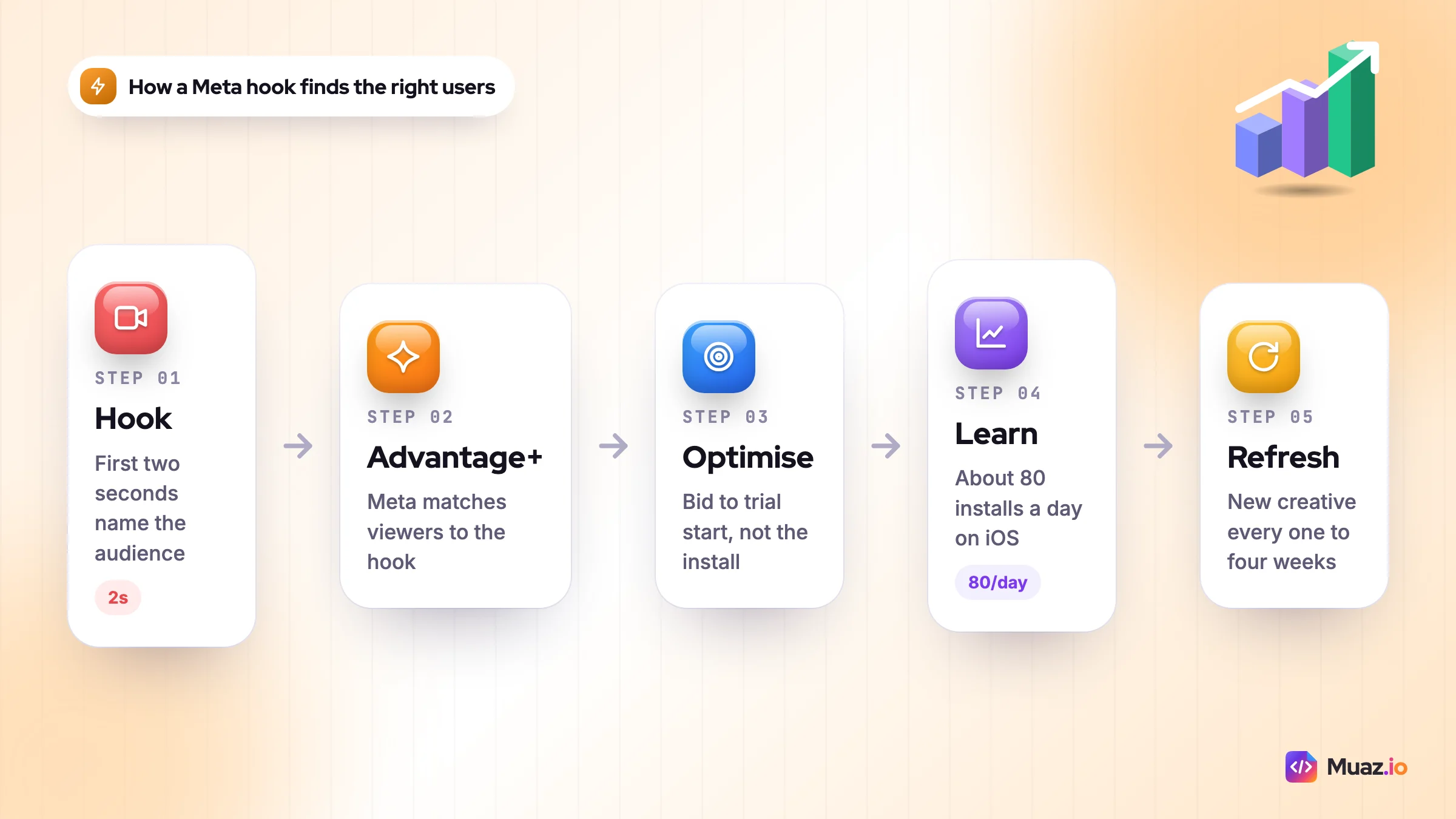
According to Meta's developer documentation for Advantage+ app campaigns, each campaign has a single ad set, you set countries and languages, and you can test up to 50 creative combinations. You choose to optimise for installs, app events, installs plus purchases, or value with a minimum ROAS. For iOS 14 and later, you choose Aggregated Event Measurement or SKAdNetwork for attribution.
Because targeting is mostly automated, the creative is the targeting. A video that opens with "Busy parents, this is how I plan a week of dinners in five minutes" finds busy parents. A generic product montage finds whoever is cheapest to reach. That is why Meta CPIs swing wildly between advertisers in the same category.
Three Meta rules that protect ROI
- Optimise for an event, not the install. SplitMetrics says, from its own accounts, that event-optimised campaigns deliver actions at roughly three to four times lower cost than install-optimised ones. Treat that as a vendor observation, but it matches the logic: the algorithm finds what you ask it to find.
- Budget for learning. On iOS, Meta's minimum is set by conversion volume, not a dollar figure. SplitMetrics' working rule is about 80 installs a day, the level it says clears SKAdNetwork privacy thresholds. At a $2 CPI, that is roughly $160 a day. Below it, much of your data comes back blank.
- Refresh creative every one to four weeks. SplitMetrics puts Meta creative lifespan at one to four weeks depending on category. Build a pipeline of short vertical videos, ideally creator-style, and recycle your organic winners. Our TikTok, Reels and Shorts playbook has hooks and scripts you can reuse as Meta ads.
Meta's weakness is quality per install. Feed users did not come looking for an app, so they convert to paid at a lower rate. Its strength is scale: once a creative works, you can usually spend far more on Meta than on Apple Ads without the cost curve breaking.
Apple Ads vs Google App Campaigns vs Meta Ads: the ROI scorecard
Here is how the three compare on the factors that decide ROI for a typical iPhone-first app. The ratings are my judgement from the data above, not a published benchmark.
| ROI factor | Apple Ads | Google App Campaigns | Meta Ads |
|---|---|---|---|
| User quality per install | Highest | Medium, varies by placement | Lower, depends on creative |
| Cost per install | Often highest | Medium | Often lowest |
| Scale ceiling | Low: limited by search volume | High | Very high |
| Minimum useful budget | Lowest | Highest (50x CPI per day) | Medium |
| Measurement clarity on iOS | Best | Weakest | Middling |
| Value optimisation | None (downloads only) | Target ROAS | Value with minimum ROAS |
| Android reach | None | Best | Strong |
The pattern is simple. Apple Ads is efficient but small. Meta is big but needs creative and good measurement. Google is broad and automated, strongest on Android, and needs the most budget to learn. The best app install ad networks for you are the ones whose strengths match your stage.
How much does mobile app advertising cost in 2027?
Mobile app advertising cost is best measured as cost per paying user, not cost per install, because install costs on Apple Ads, Google and Meta differ far less than the share of those installs that ever pay.
Published CPI benchmarks for Meta and Google vary so much between sources that I would not plan around any single figure. Category, country, platform and creative move them more than the network does. Apple Ads is the exception, because AppTweak and others publish large, current samples.
So build your own maths. Here is a worked example, with assumptions labelled.
Say you run a habit-tracking iPhone app with a hard paywall and an annual plan that nets you $30 in year one after Apple's commission. RevenueCat's State of Subscription Apps 2026, based on more than 115,000 apps, puts the median download-to-paid rate for hard-paywall apps at 10.7% by day 35, against 2.1% for freemium apps.
| Line | Apple Ads (example) | Meta Ads (example) |
|---|---|---|
| Cost per install | $4.06 (US median, AppTweak) | $2.50 (assumption) |
| Install to paid | 10.7% (RevenueCat hard-paywall median) | 5.1% (assumes half the Apple rate, in line with Adapty's gap) |
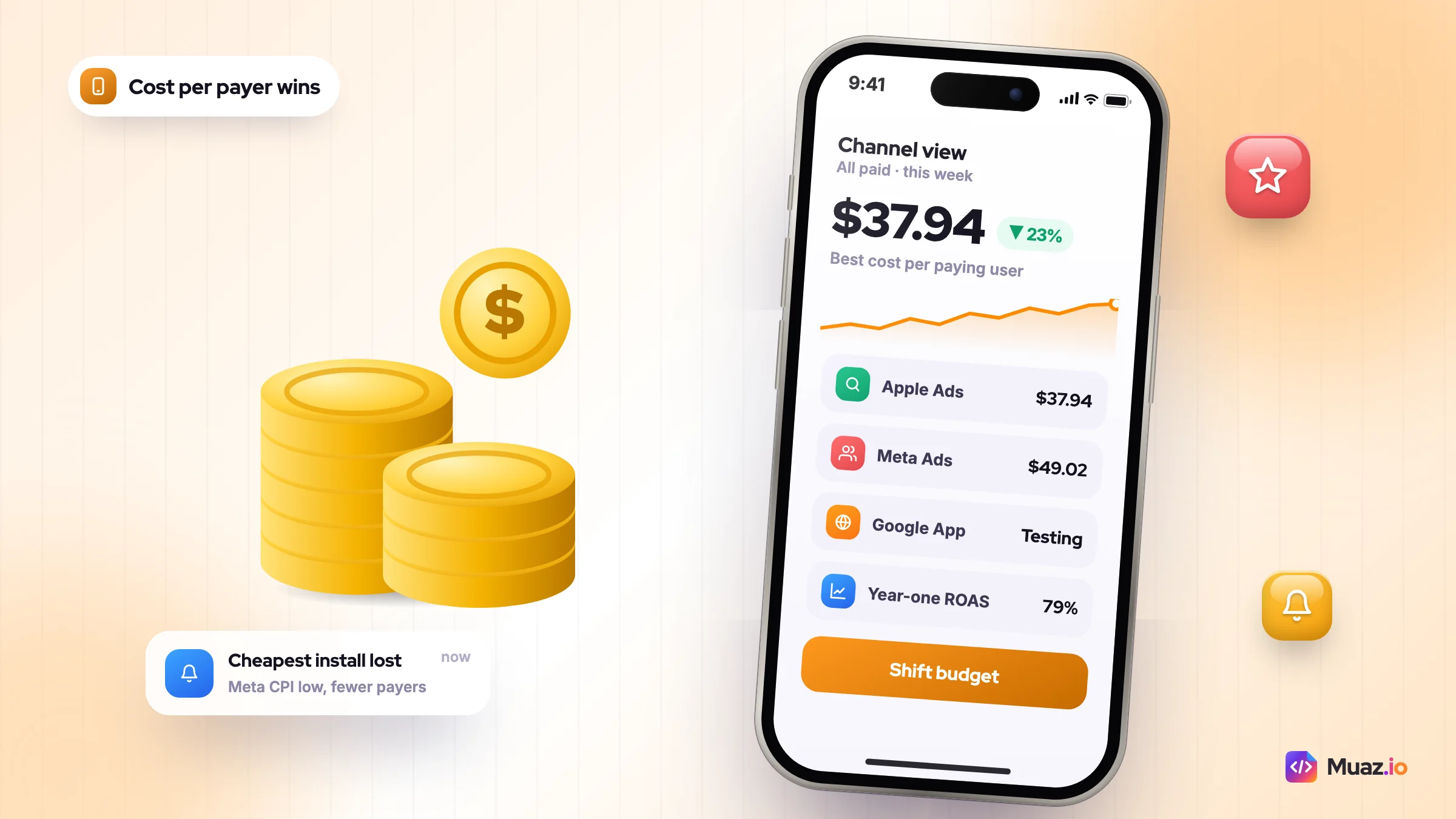
| Cost per paying user | $37.94 | $49.02 |
| Year-one net revenue per payer | $30 | $30 |
| Year-one ROAS | 79% | 61% |
In this example, the "expensive" Apple Ads install is the cheaper customer, and neither channel pays back in year one. That second point is the real lesson. If your numbers look like this, the fix is pricing, trial length or paywall design, not a different ad network. RevenueCat's data shows trials of 17 to 32 days converting at a median of 42.5% against 25.5% for trials of four days or less.
Plug your own price and conversion rates into the app revenue calculator, then score your paywall with the free paywall teardown before you scale spend. For pricing models, see our guide from 0 to $10K MRR.
How do you measure app install ads ROI?
App install ads ROI is the net revenue a cohort of paid users generates within a set window, divided by what you spent to acquire them.
Three numbers do most of the work:
- Cost per paying user (CPPU): spend divided by the number of users who paid. This is the fairest way to compare channels.
- ROAS at day 7, 30 and 90: cohort revenue divided by spend at each point. Day 7 is an early warning, day 90 is closer to the truth for subscriptions.
- Payback period: how many months until cumulative net revenue covers acquisition cost. My rule of thumb is under 12 months for a subscription app, but your cash position decides your real limit.
Copy this weekly scorecard into a spreadsheet, one row per channel:
| Column | How to calculate | Where the data comes from |
|---|---|---|
| Spend | Total spend for the week | Ad platform |
| Installs | Attributed installs | MMP or AdServices, not the ad platform |
| Trials | Trials started by that cohort | Subscription platform |
| Payers | Users who paid at least once | Subscription platform |
| CPPU | Spend ÷ payers | Calculated |
| D30 ROAS | Net revenue by day 30 ÷ spend | Calculated |
| Decision | Scale, hold or cut | You |
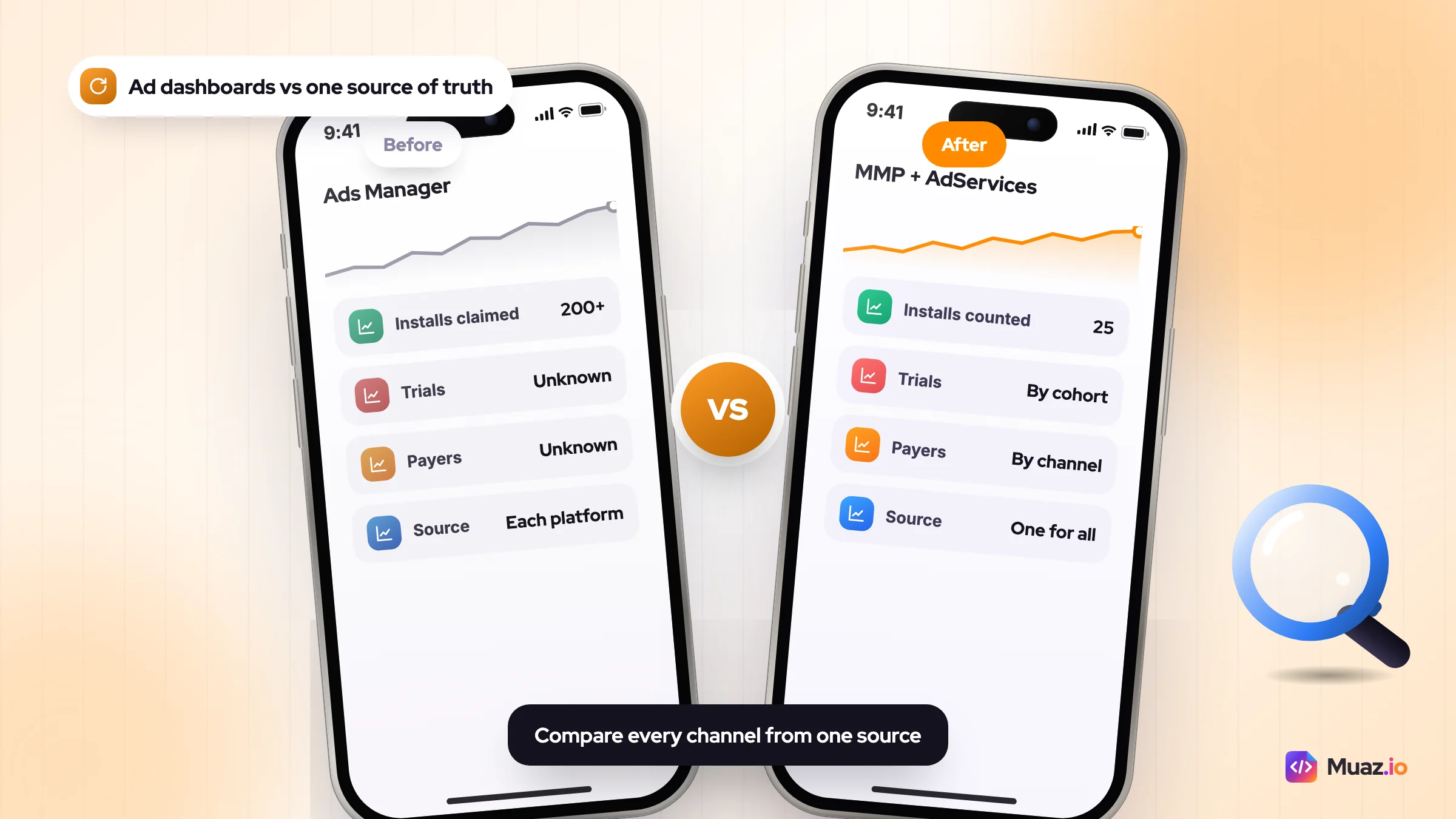
One warning: never compare channels using each platform's own dashboard. Every network counts generously in its own favour. SplitMetrics reports seeing one Meta campaign claim more than 200 installs in Ads Manager against 25 in the measurement partner. Pick one source of truth and use it for every channel.
App install attribution tracking after ATT
App install attribution tracking on iOS now relies on a mix of Apple's privacy frameworks, platform modelling and a measurement partner, because most users decline tracking.
Adjust's Mobile App Trends 2026 report put the global App Tracking Transparency opt-in rate at 38% in Q1 2026, up from 35% a year earlier. So for most iOS users, Meta and Google cannot see who installed after which ad. Here is what each tool gives you:
- Apple's AdServices API: attributes Apple Ads installs directly, without an ATT prompt. Subscription platforms such as RevenueCat and Adapty can read it, so you can see revenue by keyword.
- AdAttributionKit and SKAdNetwork: Apple's privacy-preserving frameworks for other networks. Apple's AdAttributionKit page describes a 30-day click-through window, a 24-hour view-through window, postbacks 24 to 48 hours after launch and re-engagement attribution from iOS 18. Data is aggregated and delayed, so it is good for trends, weak for daily decisions.
- Meta Aggregated Event Measurement: Meta's own modelled measurement for iOS campaigns, chosen at ad set level.
- A mobile measurement partner (MMP): AppsFlyer, Adjust, Singular, Branch or Airbridge pull these signals into one view and deduplicate them. Pricing and free allowances vary a lot between them, so check current mobile measurement partner pricing before you sign an annual contract.
- A "How did you hear about us?" question in onboarding: free, imperfect and surprisingly useful for spotting channels the models miss.
What I'd set up before spending a dollar: AdServices through your subscription platform, an MMP if you plan to run Meta or Google, and the onboarding question. That takes a day and saves months of arguing with dashboards.
How should you split an app ads campaign budget?
Split an app ads campaign budget by stage: put everything into one channel until it is profitable or clearly failing, then move 15% to 30% into a second channel as a time-boxed test.
Spreading a small budget across three platforms is the most common mistake I see. Each algorithm needs enough conversions to learn, and three half-fed campaigns usually lose to one well-fed one. Airbridge is even stricter in its guide to choosing app ad channels: it recommends one channel below $10,000 a month, and a 30 to 45 day test with 15% to 20% of budget when you add a second, judged on cost per paying user.
Here is the split I would use for an iPhone-first subscription app. It tests a second channel earlier than Airbridge suggests, because Apple Ads search volume often runs out before $5,000 a month in a niche category. Treat it as a starting point, not a law.
| Monthly budget | Apple Ads | Meta Ads | Google App Campaigns | Notes |
|---|---|---|---|---|
| Under $1,500 | 100% | 0% | 0% | Brand plus exact-match generic keywords only |
| $1,500 to $5,000 | 70% | 30% | 0% | One Meta campaign optimised to trial starts |
| $5,000 to $20,000 | 40% | 45% | 15% | Add Google if the 50x rule is affordable |
| Over $20,000 | 25% to 35% | 40% to 50% | 20% to 30% | Shift weekly toward the lowest CPPU |
For an Android-first app, swap Apple Ads for Google in the first two rows. For a game monetised by ads, weight Google and Meta value bidding more heavily and test ad networks such as AppLovin once you pass the top row.
Also, do not let paid ads replace the free channels. The cheapest installs still come from search, community and content. Our guides to your first 10,000 downloads without ads and the 25 best app marketing channels show where paid fits in the wider mix.
Free: Paid App Ads ROI Scorecard
A copy-ready spreadsheet with the weekly channel scorecard, CPPU and ROAS formulas, the budget split table and the 30-day Apple Ads and Meta test plan.
We’ll email the resource and a few practical tips. Unsubscribe in one click. We never sell your data.
Which platform fits your app? Four scenarios
These are hypothetical examples to show the reasoning, not case studies.
1. A meditation app, iOS only, $19.99 annual plan
People search "sleep sounds" and "meditation" every day. Start with Apple Ads on your brand and five to ten generic terms, with a custom product page for each theme. Add Meta in month two with creator-style videos about falling asleep faster, optimised to trial starts.
2. A budgeting app on Android and iOS
Finance keywords are expensive on Apple Ads ($9.65 US median CPI in AppTweak's data), and half your market is on Android. Start with Google App Campaigns optimised to "account linked", then add Apple Ads on brand terms only to protect your name from competitors.
3. A new category app nobody searches for yet
If people do not know your solution exists, there is little search demand to buy. Lead with Meta and short-form video to create demand, and run a small Apple Ads brand campaign to catch people who search your name after seeing an ad.
4. An ecommerce store's shopping app
Shopping is cheap on Apple Ads ($1.33 US median CPI), and your existing customers already know the brand. Use Apple Ads for brand and category terms, then Meta and Google retargeting to move website buyers into the app, where push notifications and saved payment details make repeat orders easier.
Not sure which keywords your competitors are buying? Run a competitor research scan to see their store pages, keywords and estimated revenue before you set bids, and check which of those keywords people actually search before you bid on them.
Seven mistakes that burn app ad budgets
- Judging channels on CPI. As the example above shows, cheap installs can be expensive customers.
- Sending paid traffic to a weak store page. Every platform ends at your product page. Fix the screenshots and first line before you buy traffic.
- Underfunding automation. A Google campaign at 10x CPI instead of 50x, or a Meta campaign getting three conversions a week, rarely leaves learning.
- Editing campaigns daily. Each big change can restart learning. Make changes weekly and in steps of 20% or less.
- Skipping brand keywords on Apple Ads. Competitors can bid on your name. Brand campaigns are cheap and convert at more than 70% in AppTweak's US data.
- Running one creative on Meta for months. Plan for fatigue and keep a queue of new videos ready.
- Buying installs for an app that does not retain. If day-7 retention is weak, paid ads just fill a leaking bucket. Our guide to app retention marketing covers the fixes.
Hiring help: agencies, tools and what they cost
If you would rather hire an app marketer or an app user acquisition agency, ask three questions before you sign. Do they report on cost per paying user from your MMP or subscription data, not platform dashboards? Do they produce creative, or only manage bids? And is the fee a percentage of spend, which rewards spending more, or a flat retainer?
App marketing agency cost varies widely, from freelancers on small retainers to agencies charging a percentage of ad spend with monthly minimums. Ask for pricing in writing and compare it with what the same money would buy in media.
On the tools side, Apple Ads management tools such as SplitMetrics, AppTweak and Adapty add keyword automation and revenue reporting on top of Apple's console. They are worth it once you manage dozens of keywords across several countries, rarely before.
Muaz.io sits earlier in the chain. It researches competitors, builds and launches native iPhone apps, then produces ASO and Growth Studio 30/60/90-day plans, so the store page and paywall are ready before you pay for traffic. You can see what is included on the pricing page.
Your 30-day paid ads test plan
Here is the plan I would run for a new iPhone app with $3,000 for the month. Copy it, change the numbers, and stick to the dates.
Before day 1: setup checklist
- App Store page tested: first three screenshots, subtitle and preview video final.
- Subscription platform connected to Apple's AdServices for keyword-level revenue.
- MMP SDK installed if you will run Meta or Google, with trial and purchase events mapped.
- "How did you hear about us?" question added to onboarding.
- Weekly scorecard spreadsheet created with the columns above.
- Target CPPU written down: the most you can pay for a paying user and still pay back within 12 months.
Days 1 to 14: Apple Ads baseline
- Brand campaign, exact match, your app name and common misspellings.
- Generic campaign, exact match, 10 to 20 keywords from your ASO research.
- Discovery campaign with Search Match on, low bids, to mine new keywords.
- Spend about $1,400. Move any search term that converts into the generic campaign.
Days 15 to 30: add Meta as a test
- One Advantage+ app campaign optimised to trial start, about $1,000 over 16 days. That sits below the 80-installs-a-day level, so read the result as directional and judge it on payers in your own data.
- Four to six short vertical videos with different hooks.
- Keep Apple Ads running on the winners with the remaining $600.
Day 30: decide
- Compare CPPU and D30 ROAS by channel from one data source.
- Scale the channel under your target CPPU by 20% a week.
- Cut or fix anything more than 50% over target: store page first, creative second, bids last.
- Only add Google App Campaigns when you can fund 50x your target CPI per day.
When the 30 days are up, fold the results into your 90-day app launch plan. Still building the app? Start your iPhone app free on Muaz.io and get the store page and paywall right first, because every ad platform performs better when the page it sends people to converts.

Monjur builds Muaz.io and incorporated MotionTrust Digital in September 2022, where he leads Amazon strategy across the client base. Eight years in e-commerce and marketplace marketing taught him how much growth a great mobile app unlocks, so every guide here is tested against the real product and current App Store rules before it goes live.
Questions about 2027 guide
Short, direct answers. Still curious? Ask in the builder; the assistant knows your project.
What is the best app install ads platform?
For most iPhone apps, Apple Ads gives the best return on the first dollar because it reaches people already searching the App Store. Meta Ads gives the best return at scale once you have winning creative, and Google App Campaigns is the best choice when Android matters. Judge them on cost per paying user, not cost per install.
Apple Ads usually wins on user quality because its users are already searching for an app like yours.
In Adapty's subscription data, Apple Ads installs converted to paid at 1.92% against 0.91% for other paid channels. The trade-off is scale, because search demand is limited, and it only covers iOS.
Apple Ads cost per install had a US median of $4.06 in 2025, against $1.80 globally.
That comes from AppTweak's analysis of nearly 3,500 apps and $1 billion in spend. Category matters enormously: US sports apps paid a median of $26.70 per install, while shopping apps paid $1.33.
Google App Campaigns need a daily budget of at least 50 times your target cost per install to learn properly.
That is Google's own guidance for install campaigns, with 10 times target CPA for action-optimised campaigns. Google also advises avoiding changes until a campaign has registered its first 100 conversions.
Meta Ads scale furthest, but the creative does the targeting, so ROI depends on how well your videos speak to the right user.
Advantage+ app campaigns automate audiences and placements and let you test up to 50 creative combinations. Optimise for an in-app event such as a trial start rather than raw installs to protect ROI.
How much should I spend on app install ads per month?
Below about $1,500 a month, put everything into one channel, usually Apple Ads for iPhone apps. Between $1,500 and $5,000, test a second channel with 15% to 30% of budget. Only add Google App Campaigns when you can fund about 50 times your target CPI per day.
How do I track app install attribution on iOS?
Use Apple's AdServices API for Apple Ads, AdAttributionKit or SKAdNetwork for other networks, and a mobile measurement partner to combine them. Add a 'How did you hear about us?' question in onboarding. Adjust put the global ATT opt-in rate at 38% in Q1 2026, so most iOS data is aggregated or modelled.
Is Apple Ads worth it for a small app?
Usually yes, if people search for your category and your product page converts. Start with a brand campaign and 10 to 20 exact-match generic keywords. You set your own daily budget, so you can test with a few hundred dollars before committing more.
Should I use an agency for app ads?
An app user acquisition agency makes sense once you spend several thousand dollars a month and lack time or creative capacity. Ask whether they report cost per paying user from your own data, whether they make creative, and whether fees are a flat retainer or a percentage of spend.
Keep reading
 SaaS & Web Apps18 min readHow to Convert a SaaS Website into a Native iOS App Using AI (2026 Guide)
A practical, step-by-step guide to turning your SaaS web app into a native iPhone app with AI: what to build, how to connect your API and login, push alerts, App Review and cost.
Monjur Hossain· Tools & Comparisons16 min read10 Best AI iOS App Builders in 2026: Features, Pricing & Native Support
We compared 10 AI app builders specifically for iPhone apps: native output, App Store publishing, code ownership, design quality and 2026 pricing, with honest picks by use case.
Monjur Hossain· Website to App15 min readHow to Turn Any Website into an iPhone App Without Coding (Step-by-Step)
A step-by-step, no-code guide to turning your website into a real iPhone app: checking readiness, choosing native vs WebView, AI conversion, testing on TestFlight and App Store approval.
Monjur Hossain· Tools & Comparisons15 min read7 Best Website-to-App Converters in 2026: Native Apps vs WebView
An honest comparison of 7 website-to-app converters in 2026, from WebView wrappers to native AI rebuilds: how each works, App Review risk, features, ownership and published pricing.
Monjur Hossain·Tools and products for the next step
- Paste a URL, get three original designs
- Free research before you pay
- 5, 10 or 20 App Store rivals analysed
- Review themes, pricing and gaps
- Screenshots, metadata and privacy labels
- TestFlight and submission checklist
Where our numbers come from
Third-party figures are estimates published by the sources below. Prices and rules change; check the source before you decide.
- AppTweak: Apple Ads benchmarks 2026 (CPT, CPI, CR and TTR by category)www.apptweak.com/en/aso-blog/apple-ads-benchmarks
- MacRumors: Apple to show more ads in App Store search starting in Marchwww.macrumors.com/2026/01/23/more-app-store-ads-coming-soon
- Adapty: Apple Ads vs other paid channels in 2026adapty.io/blog/apple-ads-vs-other-channels
- Adapty: Apple Search Ads in 2026, cost, placements and biddingadapty.io/blog/apple-search-ads
- Google Ads Help: Best practices for App campaignssupport.google.com/google-ads/answer/14104492?hl=en
- Google Ads Help: Set a recommended initial Target ROAS for App campaignssupport.google.com/google-ads/answer/15995101?hl=en
- Meta for Developers: Advantage+ app campaignsdevelopers.facebook.com/docs/app-ads/advantage-app-campaigns
- AppsFlyer Performance Index, 2026 editionwww.appsflyer.com/blog/sneak-peek-mwc-edition-appsflyer-performance-index
- RevenueCat: State of Subscription Apps 2026www.revenuecat.com/state-of-subscription-apps-2026
- Apple Developer: Measuring ad performance with AdAttributionKitdeveloper.apple.com/app-store/ad-attribution
- Mobile Marketing Reads: Adjust report, app installs up 10% and ATT opt-ins climbmobilemarketingreads.com/?p=50195
- Branch Help: Google SKAdNetworkhelp.branch.io/using-branch/docs/google-skadnetwork
- SplitMetrics: Paid UA channels for mobile appssplitmetrics.com/blog/paid-ua-channels-mobile-apps
- Airbridge: How to choose app ad channelswww.airbridge.io/en/blog/how-to-choose-app-ad-channels