App Marketing Strategy 2027: How to Market an App from Launch to Scale
Most apps stall a week after launch because marketing was treated as an event, not a system. This playbook gives you the five stages, the templates and the numbers to take an app from first install to profitable growth.
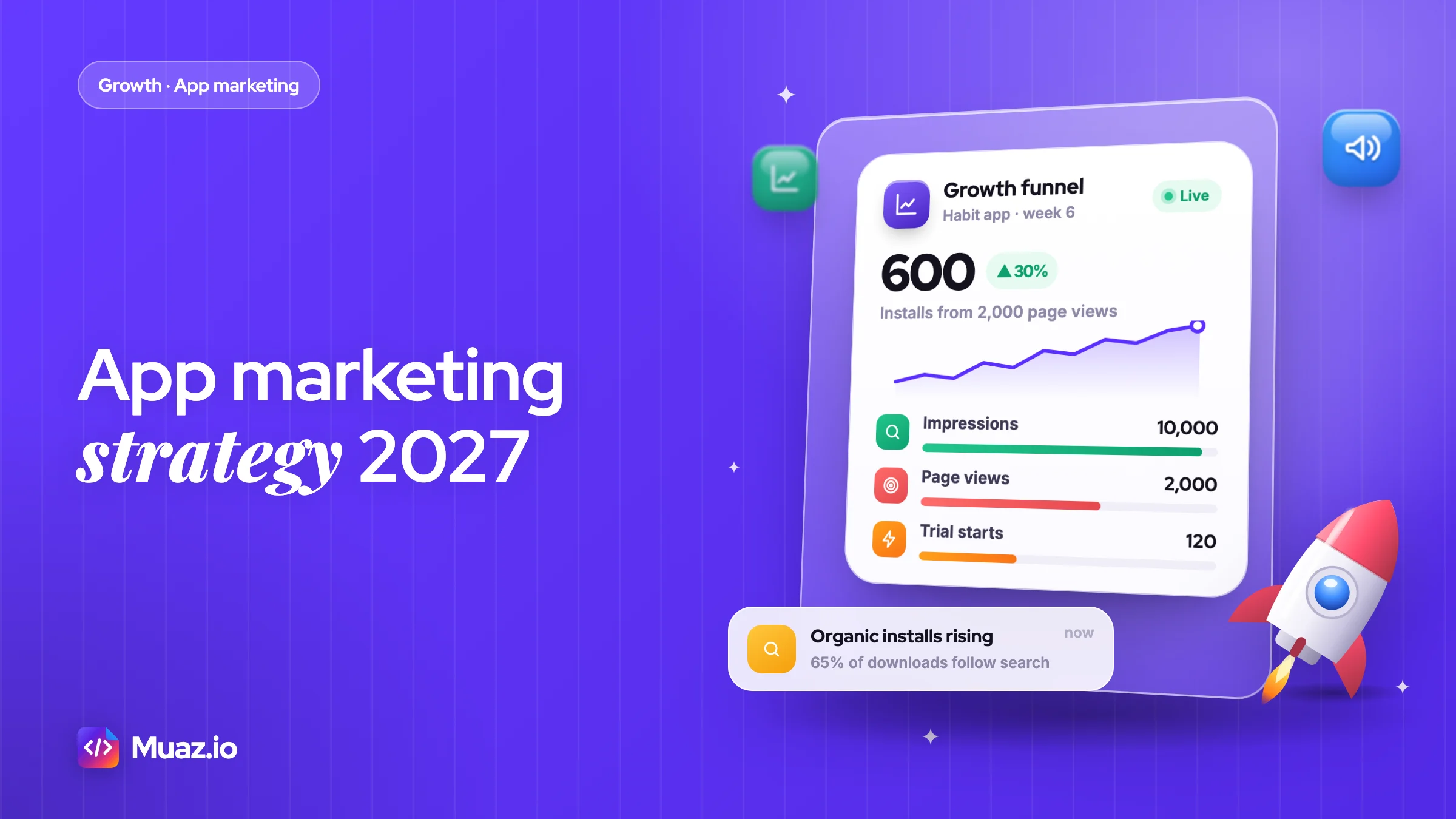
Treat it as a five-stage system: research competitors, position the app with a clear promise and optimised store page, launch on several platforms in one week, find one acquisition channel that pays back, then improve retention before scaling spend. App Store search drives almost 65% of downloads, so ASO comes first.
- The most important part of an app marketing strategy is a store page that converts, because every channel, paid or organic, sends people to it.
- A startup can launch an app with $0 to $500 a month by focusing on ASO and organic channels, and should raise spend only after one channel shows a payback under six months.
- You should start paid user acquisition only when your store page converts well and Day 7 retention is stable, because ads multiply your funnel's existing results.
- A good retention rate is one that beats your category benchmark, since Day 30 retention varies widely by category.
Why most apps stall after launch week
It is the Tuesday after launch. You posted on X, your friends downloaded the app, a Slack community gave you 40 installs, and the App Store Connect graph looked like a ski jump. Now it is a flat line at 6 downloads a day, and you are wondering whether the app was a mistake.
It usually is not the app. It is the plan. Most founders treat marketing as a launch event. A working app marketing strategy for 2027 treats it as a system with five stages: research, positioning, launch, acquisition and retention. Skip one and the next one leaks.
The numbers back this up. RevenueCat's State of Subscription Apps 2026 report, built on more than 115,000 apps, found that only 17.3% of new apps reach $1,000 in monthly revenue within their first two years. In January 2022 about 2,000 new subscription apps launched each month. By January 2026 that figure was over 14,700. The shelf is more crowded than it has ever been.
The good news is that the audience is huge. Apple says the App Store had over 850 million average weekly users across 175 countries and regions in 2025. People are searching. Your job is to be the obvious answer when they do.
This playbook is the system I would use to market a new iPhone app in 2027, from the week before you write code to the month you start scaling paid spend. Every stage links to a deeper guide, so treat this page as the map and the cluster articles as the street views.
What is an app marketing strategy in 2027?
An app marketing strategy is the plan for how the right people will find, install, keep using and pay for your app, with a channel, a message and a metric for each step.
That definition has three parts that matter. "The right people" means you pick a narrow audience first. "Keep using and pay" means retention and monetisation are marketing problems, not just product problems. "A metric for each step" means you can tell which part is broken.
What changed going into 2027 is mostly where discovery happens and who controls the levers:
- Search still drives most App Store downloads. Apple's own Apple Ads page says almost 65% of downloads happen directly after a search, and 70% of visitors use search to discover apps.
- Apple Search Ads is now Apple Ads. Apple rebranded it in April 2025 and ads now run in the Today tab, the Search tab and the "You Might Also Like" row on other apps' product pages.
- Custom product pages doubled. You can now publish up to 70 custom product pages and assign keywords to them, so different searches can land on different pitches.
- AI assistants are a discovery channel. People ask ChatGPT, Gemini and Perplexity "what's the best app for…" before they open the store. Being cited there is now part of the job, which is why we wrote a full guide on app discoverability in ChatGPT, Gemini and Perplexity.
- Short-form video does the awareness work that display ads used to do, at a fraction of the cost, if you can make it native to the feed.
A mobile app marketing strategy is not a list of 31 tactics. It is a short set of choices: who you serve, what you promise, which two or three channels you will own, and what number tells you it is working.
The 2027 app marketing strategy: five stages and one rule
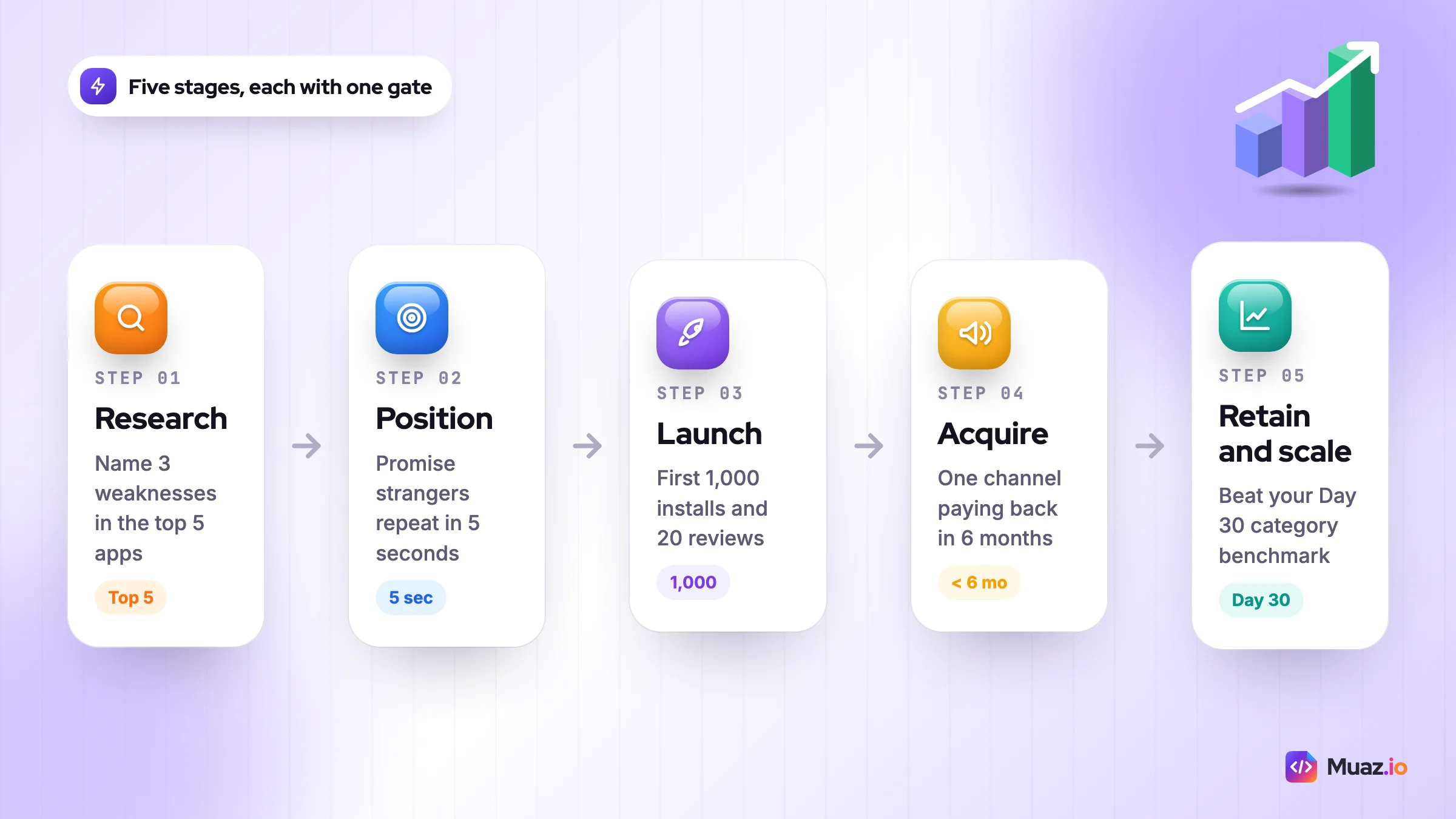
Here is the model the rest of this guide is built around. Each stage has a single job and a single number that tells you whether to move on.
| Stage | Main job | Move on when | Deep dive |
|---|---|---|---|
| 1. Research | Find a gap competitors leave open | You can name 3 weaknesses in the top 5 apps | Stage 1, below |
| 2. Position | Write the one-line promise and store page | Strangers can repeat what the app does in 5 seconds | ASO guide |
| 3. Launch | Get the first 1,000 installs and 20 reviews | Organic search installs appear without you posting | Launch platforms |
| 4. Acquire | Find one channel that brings users at a cost you can afford | One channel delivers a payback under 6 months | 25 channels |
| 5. Retain and scale | Keep users, raise revenue per user, then pour in spend | Day 30 retention beats your category benchmark | Retention guide |
The one rule: do not scale a stage that the previous stage has not earned. Paying for installs before your store page converts is the most expensive mistake in mobile. Pushing a launch before you know your positioning burns your one shot at a first-week spike.
Stage 1: research the market before you write the plan
Research means studying the five to ten apps your users already use, so your plan targets the gaps they leave rather than the features they already own.
I start with three questions for every competitor:
- What do they rank for? Search your main keyword in the App Store and note the top 10 apps, their titles and subtitles. Those are the words Apple thinks matter for that search.
- What do users hate? Sort their reviews by most recent and read every 1 and 2 star review from the last 90 days. Write down repeated complaints word for word. Those phrases become your headlines.
- How do they make money? Install, hit the paywall, screenshot it. Note the price, the trial length and what is locked. You will need this for Stage 5.
Say you run a habit-tracking app. Your review mining might show that the top three competitors all get the same complaint: "too many features, I just want a streak." That one line is a positioning gift. Your subtitle writes itself.
You can do this by hand in an afternoon with a spreadsheet. If you would rather have it done for you, Muaz.io's app competitor research reports cover 5, 10 or 20 competitors with screenshots, pricing and review themes. The manual method works fine too: one row per app, one column per question above.
Pick the audience narrower than feels comfortable
"Busy people" is not an audience. "Nurses on 12-hour night shifts who want to track water and sleep" is. A narrow audience gives you better keywords, cheaper ads, sharper creative and communities you can actually find on Reddit or TikTok. You can widen later. You cannot start wide and get noticed.
How do you build an app marketing plan? A one-page template
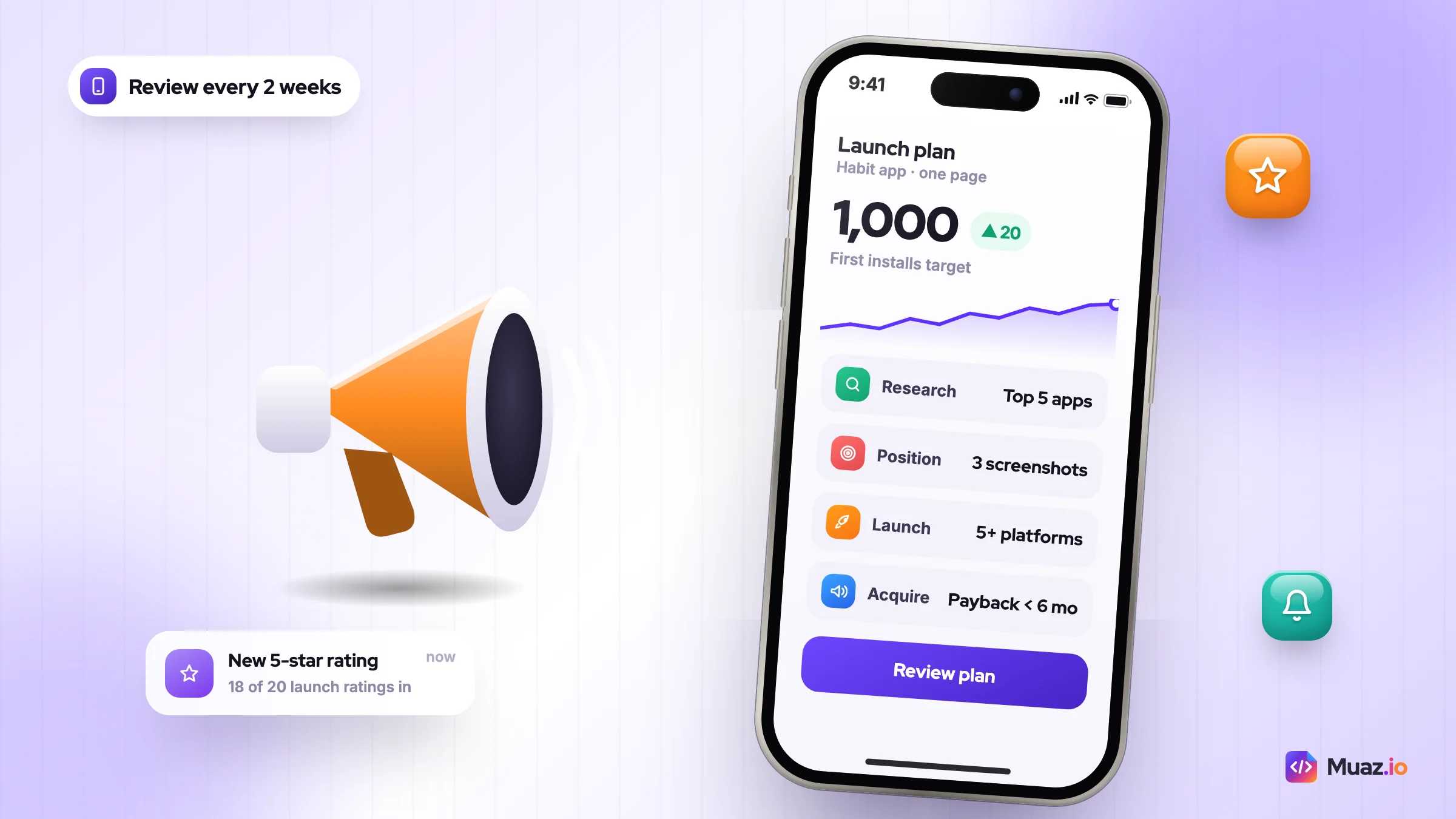
You build an app marketing plan by writing down your audience, promise, channels, budget and one success metric on a single page, then reviewing it every two weeks.
Long plans do not get read. One page does. Here is the app marketing plan template I give founders. Copy it into a doc and fill in every bracket before you spend a dollar.
- Audience: [who, in one sentence, with a situation] e.g. new runners training for their first 5K
- Promise: [the outcome in under 10 words] e.g. Run your first 5K in 8 weeks, no gym
- Proof: [why believe it] e.g. a plan that adapts to missed days
- Top 3 competitors and their weak spot: [app: weakness] x 3
- Primary keyword set (5–10): [from the store search and the ASO tool]
- Owned channels (pick 2–3): [e.g. ASO, short video, Reddit]
- Launch date and launch platforms: [date] [Product Hunt, communities, newsletter]
- North-star metric: [e.g. weekly active users who complete one run]
- Monthly budget: [$ and split by channel]
- Stage gate: [the number that lets you move to paid acquisition]
- Review date: [every 2 weeks, same day]
Two notes on filling it in. First, the promise has to be specific enough that it could be false. "Better sleep" cannot be wrong. "Fall asleep in 15 minutes with guided breathing" can, and that is why it persuades. Second, the stage gate is the most important line. Write it before launch, while you are still honest.
If you want this stretched across a calendar, our 90-day app launch marketing plan turns each line into weekly tasks, with owners and checkpoints.
App Store Optimization: the channel that compounds
App Store Optimization (ASO) is the work of improving your store listing so it ranks for more searches and turns more page views into installs.
If almost two thirds of downloads follow a search, ASO is not optional. It is also the only channel where the effort you put in this month still pays you next year. Here are the fields that matter and their limits, straight from Apple and Google.
| Field | App Store limit | Google Play limit | What to put there |
|---|---|---|---|
| App name / title | 30 characters | 30 characters | Brand plus your top keyword |
| Subtitle / short description | 30 characters | 80 characters | The promise, with a second keyword |
| Keyword field | 100 characters | None (description is indexed) | Comma-separated terms, no spaces, no repeats |
| Promotional text | 170 characters | Not available | Seasonal or launch messages, editable without review |
| Screenshots | Up to 10 | Up to 8 per device type | Benefit headline on each, first 3 do the selling |
| Preview video | Up to 3, 30 seconds each | One YouTube video link | Show the core action in the first 3 seconds |
The App Store limits come from Apple's product page guidelines, and the 30-character title rule from Google Play's metadata policy, and the short description, screenshot and video rules from Google's preview assets help page.
The 30-minute ASO pass I do on every new app
- List 30 to 50 phrases a user might type. Use the store's own autocomplete and your review-mining notes.
- Run them through a keyword tool for popularity and difficulty. Our free ASO keyword tool checks your name, subtitle and keyword field against the character limits as you type.
- Put the single best phrase in the title, the second in the subtitle, and the rest as single words in the keyword field. Apple combines words across fields, so do not repeat any.
- Write screenshot headlines as outcomes, not features. "Never miss a dose" beats "Reminder settings". Muaz.io's free screenshot generator exports every required iPhone and iPad size.
- Plan your first test. Apple's product page optimisation lets you test up to three treatments of icon, screenshots and preview for up to 90 days. Google Play's store listing experiments let you test up to two variants against your current listing.
Custom product pages are the most underused tool here. Apple reports that sending people to a custom product page lifted conversion by 2.5 percentage points on average, from a 1.6% average on default pages. Build one page per audience or ad theme, then assign matching keywords so organic searchers see the right pitch too.
Ratings are part of ASO
Your star rating sits beside your icon in search results, so it affects whether people tap at all. Three habits keep it healthy: prompt for a rating only after a success moment, reply to every negative review within a few days with a fix or a date, and ship the fix in a named update so reviewers can see you listened. Some reviewers update their rating after a helpful reply, and every future visitor reads your response either way.
Refresh your keyword field every four to six weeks. Check which terms you now rank for, drop the ones that bring impressions but no installs, and test new phrases from recent reviews. ASO is a monthly habit, not a launch task.
There is far more to cover, including localisation, ratings strategy and keyword refresh cycles, in the complete App Store Optimization guide linked in the stage table above.
How to promote a new app: the launch marketing checklist
To promote a new app, build a small audience before release, launch on a fixed date across several platforms in the same week, and ask your first users for reviews while their enthusiasm is fresh.
A launch is a concentration of attention. Its job is to push your app high enough in category rankings and search that the store starts sending you organic traffic. That only works if the attention lands in a short window.
Four weeks before
- Pick your launch date (a Tuesday or Wednesday works well for most launch platforms).
- Set up a simple landing page with an email or waitlist form. Even 200 addresses is enough to seed a launch.
- Start posting progress publicly. Short weekly updates work: what you built, what broke, one screenshot.
- Shortlist 10 to 20 small creators in your niche and start engaging with their content now, not on launch day.
- Lock your name early. If you are still deciding, test each option against the 30-character limit and search the store for clashes.
One week before
- Submit the build with enough margin for review. Use TestFlight to get 20 to 50 beta testers who will leave honest feedback.
- Prepare launch posts for each platform: Product Hunt, two or three subreddits where self-promotion is allowed, Indie Hackers, relevant Discord and Slack groups.
- Write a launch email to your waitlist with one clear button: download.
- Record three short videos showing the app solving one problem each.
Launch week
- Post everywhere within 48 hours so installs cluster together.
- Reply to every comment, review and message personally.
- Trigger the native review prompt after a user completes a meaningful action, not on first open.
- Watch crash reports hourly. A one-star review about a crash in week one can hurt for months.
A launch post script you can copy
Most launch posts fail because they lead with the founder, not the problem. Use this structure and adjust the tone for each community:
- Line 1, the problem: "I kept losing track of which plants I had watered."
- Line 2, what you tried: "Every app I tried wanted me to log 12 things."
- Line 3, what you built: "So I built a one-tap tracker that only reminds you when a plant needs water."
- Line 4, the ask: "It is free to try. I would love honest feedback on what is missing."
Asking for feedback rather than downloads gets more replies, and replies push your post up in most communities.
For the full list of 20+ places to launch, from Product Hunt to AppSumo to niche directories, see the launch platforms guide in the stage table. If your app is not built yet, Muaz.io's App Store Studio handles the TestFlight, screenshot and review steps so launch week is about marketing, not paperwork.
Organic channels that work for small teams
The best organic channels for a new app are the ones where your specific audience already gathers and where you can show up every week without a budget.
You do not need all of them. Pick two, maybe three, and go deep. Here is how I would rank them for a solo founder or a team of two.
| Channel | Best for | Effort | Time to first results |
|---|---|---|---|
| ASO | Every app | Medium, then low | 2 to 6 weeks |
| TikTok, Reels, Shorts | Consumer apps with a visual moment | High (3 to 5 posts a week) | 1 to 4 weeks |
| Niche tools, productivity, finance, hobbies | Medium | Days | |
| Micro-influencers | Lifestyle, fitness, education, parenting | Medium | 2 to 6 weeks |
| Build in public | Founder-led and B2B apps | Low to medium | Weeks to months |
| AI assistant visibility | Apps people ask about by problem | Medium | 1 to 3 months |
Short-form video
The format rewards showing, not telling. The best-performing app videos tend to open on the problem ("I kept forgetting my plants"), show the app fixing it in one tap, and end there. No logo intro, no voiceover reading features. Post the same idea in three or four hooks and let the feed tell you which one works. Our TikTok, Reels and Shorts playbook has 20 hook templates.
Reddit hates ads that pretend not to be ads. It loves founders who help. Spend two weeks answering questions in your niche subreddits before you mention your app, and read each community's rules on self-promotion. The Reddit marketing guide for apps covers how to post without getting banned.
Micro-influencers
Creators with 5,000 to 50,000 followers in a tight niche often beat big names on cost per install, because their audience trusts them on that one subject. Start with product swaps or small flat fees, and track each creator with their own link or custom product page. Keep the first message short: why their audience fits, what you offer, and one clear ask.
For the full menu, including PR, email, referrals and partnerships, see the 25-channel guide linked in the stage table near the top.
Paid user acquisition: when to start and where
Start paid user acquisition only when your store page converts well and your Day 7 retention is stable, because ads multiply whatever your funnel already does, good or bad.
A good app user acquisition strategy starts with a number you calculate yourself, not one you read in a benchmark report: your maximum affordable cost per install.
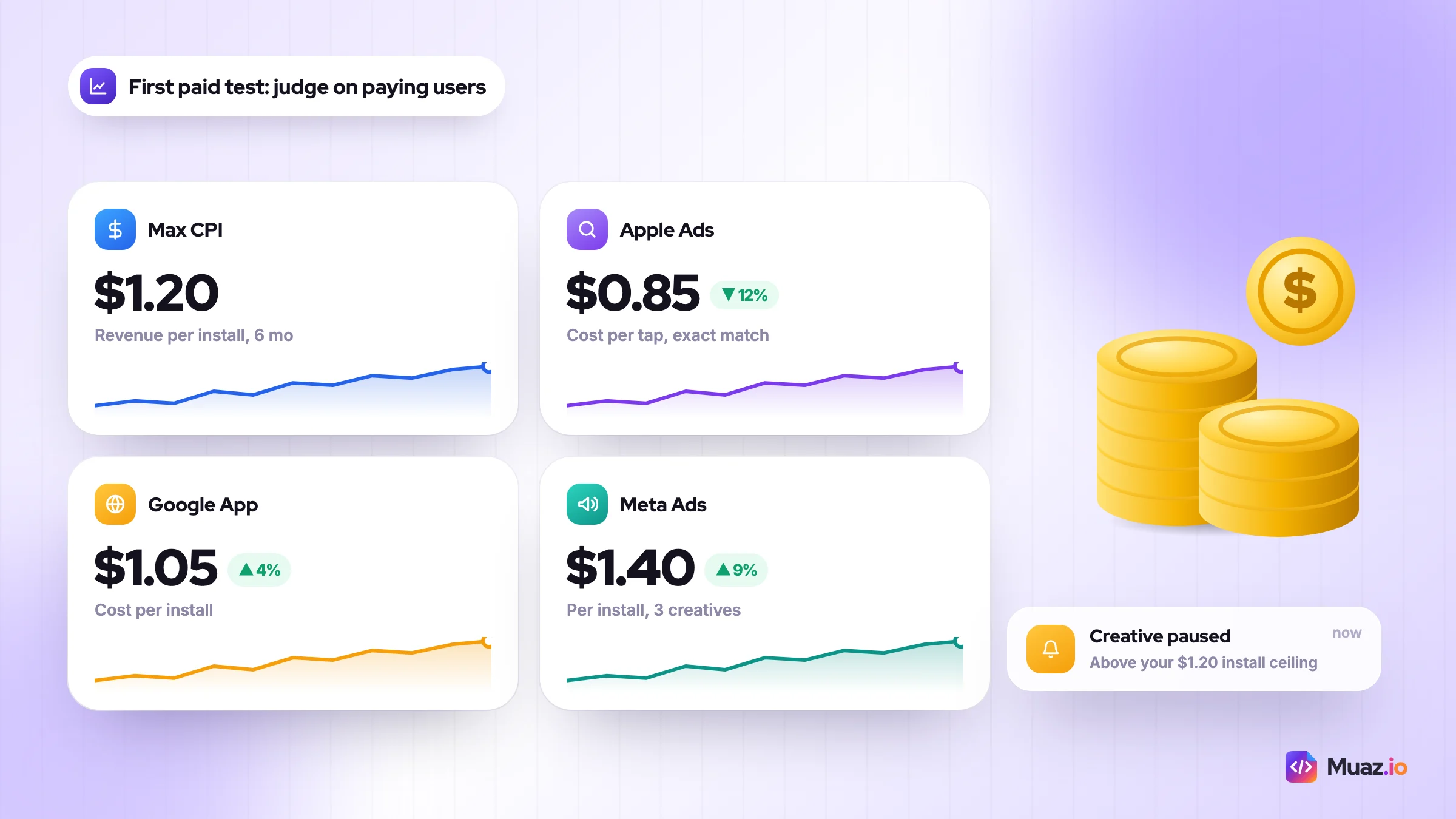
The formula is simple. Take the revenue an average install generates in its first 90 to 180 days, then multiply by the share you are willing to spend to acquire it. Say your habit app earns $1.20 per install in the first six months and you want to break even within that window. Your ceiling is $1.20 per install. Anything above that loses money until retention improves. Muaz.io's free app revenue calculator does this maths for subscription apps.
The three platforms worth testing first
- Apple Ads sits closest to the moment of intent: someone is already searching. Apple uses cost-per-tap pricing, so you set the most you will pay for a tap. Start with exact-match bids on your brand name and your three best keywords.
- Google App Campaigns run across Search, Play, YouTube and the Display network from one setup. You give Google assets and a target, and its system decides placement. It needs conversion volume to learn, so it suits Android apps with steady installs.
- Meta Ads (Facebook and Instagram) are strongest for interest-based audiences and visual products. Creative is the targeting now: test many ad variations and let the algorithm find the audience.
Which one should you start with? For most iPhone-first apps, Apple Ads on a small budget, because the intent is already there and the learning is fast. We break down setup, bidding and attribution for all three in Apple Ads vs Google App Campaigns vs Meta Ads.
How to run your first paid test
Keep the first test small and boring. Pick one platform, one audience and three creatives. Run it for two weeks with a fixed daily budget, then compare cost per trial start, not cost per install. Kill the worst creative, make a new variation of the best one, and repeat.
Point each ad at a matching custom product page. If the ad says "track your water intake", the store page should open on that exact screenshot. A mismatch between ad and page is one of the most common reasons paid traffic converts badly.
One more thing. Measurement on iOS is built on Apple's privacy frameworks, so expect delayed and aggregated data from ad networks. Judge channels on blended numbers: total new paying users divided by total spend, week by week.
How much should a startup spend on app marketing?
A startup can launch with $0 to $500 a month by relying on ASO and organic channels, and should only raise spend once one channel shows a payback under six months.
There is no fixed percentage that suits every app. What I recommend instead is a staged app marketing budget for startups, where spend follows proof. These splits are my working defaults, not industry statistics.
| Monthly budget | Where it goes | What you should expect | Stage |
|---|---|---|---|
| $0 | ASO, Reddit, build in public, 3 videos a week | Slow, steady organic growth | Launch |
| $500 | ASO tools, $300 Apple Ads on brand and top keywords, small creator swaps | Clear data on which keywords convert | Launch to acquire |
| $2,000 | $1,200 Apple Ads, $500 creators, $300 tools and creative | First repeatable paid channel | Acquire |
| $10,000+ | 60% to the best paid channel, 20% testing new channels, 20% creative production | Scale with weekly payback checks | Scale |
App marketing agency cost vs doing it yourself
Agencies make sense once you have a working funnel and want to scale spend faster than you can manage. Before that, you are paying someone to discover your positioning, which you can do yourself. Most app marketing agencies price on a monthly retainer, a percentage of ad spend, or both, so ask for the full fee structure in writing and a 90-day exit clause.
The middle option is software. Good app marketing tools cover keyword research, competitor tracking, screenshot design and ad management. Muaz.io's Growth Studio builds a 30, 60 and 90-day plan from your competitor data; it is included from the Pro plan at $99 a month, and the entry plan starts at $19 a month. Use whatever is cheapest that gives you the data. The tool is never the strategy.
The app marketing funnel and the numbers that matter
The app marketing funnel tracks people from impression to product page view, install, activation, trial and paid subscriber, so you can see exactly which step loses the most users.
Here is a worked example. Say your app gets 10,000 search impressions in a week. These numbers are illustrative, but the shape is typical.
| Funnel step | Example count | Rate from previous step | Lever that moves it |
|---|---|---|---|
| Impressions | 10,000 | n/a | Keywords, Apple Ads, featuring |
| Product page views | 2,000 | 20% | Icon, title, first screenshot |
| Installs | 600 | 30% | Screenshots, ratings, preview video |
| Trial starts | 120 | 20% | Onboarding, paywall placement |
| Paid subscribers | 45 | 37.5% | Trial length, price, reminder emails |
The 37.5% trial-to-paid step is close to RevenueCat's 37.4% median for 5 to 9 day trials. The same report puts the overall median download-to-paid rate at 2.0% by Day 35, against 10.7% for hard paywall apps and 2.1% for freemium. Our example lands at 7.5%, which is realistic only for an app that shows a paywall during onboarding.
Now find the leak. If page views to installs is 15% instead of 30%, fix screenshots before anything else. If installs to trials is low, it is onboarding or paywall timing. Run a free paywall teardown to score yours against conversion best practice and Apple's rules.
The five metrics I put on one screen
- Product page conversion rate (installs ÷ page views), by source.
- Day 1, Day 7 and Day 30 retention, compared with your category.
- Trial start rate and trial-to-paid rate.
- Cost per paying user, blended across all channels.
- Payback period: months until a paying user covers their acquisition cost.
Retention and monetisation: where growth really lives
Retention is the share of users who come back after installing, and it decides whether every other marketing dollar compounds or leaks away.
Retention benchmarks are sobering. AppsFlyer data cited by Braze puts Day 30 retention for Health and Fitness apps at 3.9% on iOS, Education at 2.7%, and even top-performing News at 15.3%. Most installs are gone within a month. Moving your Day 30 from 3% to 6% doubles the value of every install you buy.
What moves retention, in the order I would try it:
- A faster first win. Cut onboarding until a new user gets the core result in under 60 seconds.
- One habit loop. A reminder tied to a real moment ("8pm: log today's run") rather than generic nudges.
- Lifecycle messages. Push and email on Day 1, Day 3 and Day 7 that teach one feature each.
- Win-back offers for lapsed users, timed after 14 and 30 days of inactivity.
The retention guide in the stage table has message templates for each of these.
Price is a marketing decision
Trial length is a good example. RevenueCat found that 55.4% of cancellations on 3-day trials happen on Day 0, compared with 31.1% on 30-day trials, and longer trials convert at higher median rates. Short trials are not wrong, but test them against a 7-day option before you assume. For pricing structure, paywall design and getting from zero to $10,000 in monthly recurring revenue, read the app monetisation strategy guide.
Free: The One-Page App Marketing Plan + Launch Checklist
A fill-in plan template, a four-week launch checklist and the 90-day stage gates from this guide, ready to copy into Google Docs or Notion.
We’ll email the resource and a few practical tips. Unsubscribe in one click. We never sell your data.
Using AI to run app marketing with a team of one
AI app marketing automation means using AI tools to do the repetitive parts of marketing, such as research, keyword lists, ad variants and reporting, so a small team can focus on strategy and creative judgement.
A solo founder can now run marketing work that used to need a small team. Here is where I would use AI and where I would not.
| Task | Let AI do it | Keep a human on it |
|---|---|---|
| Competitor review mining | Summarise 500 reviews into themes | Decide which theme becomes your position |
| Keyword research | Expand seed list into 200 phrases | Choose the 10 that match your promise |
| Ad and video scripts | Draft 20 hooks and captions | Pick, film and edit the best 3 |
| Localisation | First-pass translations of metadata | Native speaker check for top markets |
| Reporting | Weekly funnel summary and anomaly alerts | Decide what to change next week |
The trap is letting AI write everything in the same voice as everyone else. App Store reviewers, Reddit moderators and TikTok viewers all spot generic copy instantly. Use AI for volume and speed, then add the specific detail only you know.
Write your own rule for each task before you automate it, so the output matches your standards rather than the tool's defaults. Muaz.io itself works this way: it researches competitors, builds the native iPhone app, prepares the store listing and then produces a growth plan. If you are starting from an idea or a website, you can start a free build and get the competitor scan in the same session.
Six app marketing mistakes that waste the first 90 days
I see the same patterns again and again when founders ask why their mobile app growth strategy is not working. None of them are about effort. They are about order.
- Marketing to everyone. A broad audience means broad keywords you cannot rank for, ads that cost more and copy that nobody remembers. Pick the narrowest group that could still pay your bills.
- Launching before the store page is ready. Launch-week traffic is the most valuable traffic you will ever get. Sending it to placeholder screenshots wastes it, and you cannot get that first-week spike back.
- Asking for reviews too early. A review prompt on first open catches people before they have seen any value. Ask after a completed action, like a finished workout or a saved recipe.
- Buying installs to fix a retention problem. If Day 7 retention is weak, paid traffic just fills a leaking bucket faster. Fix onboarding first, then buy.
- Judging channels on cost per install. Cheap installs that never open the app twice are not cheap. Compare channels on cost per paying user or cost per retained user.
- Changing everything at once. If you swap the icon, screenshots and price in the same week, you will never know which change worked. One variable per test, every time.
The pattern behind all six is impatience with the boring stages. Research and positioning feel slow. They are also the cheapest places to get things right.
Your launch-to-scale plan for the next 90 days
Here is the condensed version of everything above as an app launch to scale strategy you can start this week. Each block has a gate. Do not skip ahead.
Days 1 to 30: research, position, launch
- Study the top 5 competitors and mine 90 days of their reviews.
- Fill in the one-page plan template from this article.
- Write your title, subtitle and keyword field, and design the first three screenshots.
- Build a waitlist of at least 200 people through build-in-public posts and one community.
- Launch on a fixed date across 5 or more platforms in the same 48 hours.
- Gate: 20+ ratings and organic search installs showing in App Store Connect.
Days 31 to 60: find one channel
- Run your first product page test with three screenshot treatments.
- Post 3 short videos a week and answer questions in 2 subreddits.
- Start Apple Ads with a small budget on brand and top keywords.
- Ship one onboarding change aimed at a faster first win.
- Gate: one channel delivering paying users at or below your maximum cost per install.
Days 61 to 90: retain and scale
- Add Day 1, 3 and 7 lifecycle messages.
- Test trial length or price on the paywall.
- Build 3 custom product pages for your best ad themes and keywords.
- Move 60% of spend into the winning channel and keep 20% for tests.
- Gate: Day 30 retention above your category benchmark and payback under six months.
That is the playbook. Research before you build, position before you launch, launch before you buy, and retain before you scale. The detail for every step lives in the 90-day plan and the guides linked above.
If you want a head start, run a competitor scan on Muaz.io. It will not market the app for you, but it will tell you where the gap is, which is where every good plan starts.

Monjur builds Muaz.io and incorporated MotionTrust Digital in September 2022, where he leads Amazon strategy across the client base. Eight years in e-commerce and marketplace marketing taught him how much growth a great mobile app unlocks, so every guide here is tested against the real product and current App Store rules before it goes live.
Questions about 2027 guide
Short, direct answers. Still curious? Ask in the builder; the assistant knows your project.
How do you market an app in 2027?
Treat it as a five-stage system: research competitors, position the app with a clear promise and optimised store page, launch on several platforms in one week, find one acquisition channel that pays back, then improve retention before scaling spend. App Store search drives almost 65% of downloads, so ASO comes first.
What is the most important part of an app marketing strategy?
The most important part of an app marketing strategy is a store page that converts, because every channel, paid or organic, sends people to it. Fix your title, subtitle and first three screenshots before you spend on ads, then test variations with product page optimisation on the App Store or store listing experiments on Google Play.
How much should a startup spend on app marketing?
A startup can launch an app with $0 to $500 a month by focusing on ASO and organic channels, and should raise spend only after one channel shows a payback under six months. A sensible next step is about $2,000 a month, mostly on Apple Ads and micro-creators, while you prove a repeatable channel.
When should you start paid user acquisition for an app?
You should start paid user acquisition only when your store page converts well and Day 7 retention is stable, because ads multiply your funnel's existing results. Calculate your maximum affordable cost per install from early revenue per install and stay under it.
What retention rate is good for a mobile app?
A good retention rate is one that beats your category benchmark, since Day 30 retention varies widely by category. AppsFlyer data cited by Braze puts iOS Day 30 retention at 3.9% for Health and Fitness, 2.7% for Education and 15.3% for News.
How do I promote a new app with no budget?
Optimise your App Store listing, build a small waitlist by posting your progress publicly, and launch on Product Hunt, relevant subreddits and communities in the same 48 hours. Then post short videos several times a week and answer questions where your users gather.
Is Apple Search Ads still called Apple Search Ads?
No. Apple renamed Apple Search Ads to Apple Ads in April 2025. Ads can now appear in the App Store Today tab, the Search tab and the You Might Also Like section on other apps' product pages, and pricing is still cost per tap.
Should I hire an app marketing agency?
Hire an agency once you have a working funnel and want to scale spend faster than you can manage yourself. Before that, you are paying someone to discover your positioning. Ask for the full fee structure in writing and a short exit clause.
Keep reading
 SaaS & Web Apps18 min readHow to Convert a SaaS Website into a Native iOS App Using AI (2026 Guide)
A practical, step-by-step guide to turning your SaaS web app into a native iPhone app with AI: what to build, how to connect your API and login, push alerts, App Review and cost.
Monjur Hossain· Tools & Comparisons16 min read10 Best AI iOS App Builders in 2026: Features, Pricing & Native Support
We compared 10 AI app builders specifically for iPhone apps: native output, App Store publishing, code ownership, design quality and 2026 pricing, with honest picks by use case.
Monjur Hossain· Website to App15 min readHow to Turn Any Website into an iPhone App Without Coding (Step-by-Step)
A step-by-step, no-code guide to turning your website into a real iPhone app: checking readiness, choosing native vs WebView, AI conversion, testing on TestFlight and App Store approval.
Monjur Hossain· Tools & Comparisons15 min read7 Best Website-to-App Converters in 2026: Native Apps vs WebView
An honest comparison of 7 website-to-app converters in 2026, from WebView wrappers to native AI rebuilds: how each works, App Review risk, features, ownership and published pricing.
Monjur Hossain·Tools and products for the next step
- 5, 10 or 20 App Store rivals analysed
- Review themes, pricing and gaps
- Paste a URL, get three original designs
- Free research before you pay
- Screenshots, metadata and privacy labels
- TestFlight and submission checklist
Where our numbers come from
Third-party figures are estimates published by the sources below. Prices and rules change; check the source before you decide.
- Apple Newsroom: 2025 marked a record-breaking year for Apple serviceswww.apple.com/newsroom/2026/01/2025-marked-a-record-breaking-year-for-apple-services
- Apple Ads: Advertise on the App Storeads.apple.com/app-store
- Apple Developer: Custom product pagesdeveloper.apple.com/app-store/custom-product-pages
- Apple Developer: Product page optimizationdeveloper.apple.com/app-store/product-page-optimization
- Apple Developer: Creating your product pagedeveloper.apple.com/app-store/product-page
- Google Play Console Help: Metadata policysupport.google.com/googleplay/android-developer/answer/9898842
- Google Play Console Help: Add preview assets to showcase your appsupport.google.com/googleplay/android-developer/answer/9866151
- Google Play Console Help: Run store listing experimentssupport.google.com/googleplay/android-developer/answer/6227309
- RevenueCat: State of Subscription Apps 2026www.revenuecat.com/state-of-subscription-apps-2026
- Braze: Mobile app retention benchmarkswww.braze.com/resources/articles/mobile-app-retention
- 9to5Mac: Apple rebrands Search Ads business as Apple Ads9to5mac.com/2025/04/14/apple-rebrands-search-ads-business-as-apple-ads